

How to add interactivity
Add any video, hot spots or animations to your assets in one click
Adding Interactivity What is Interactivity? Interactivity is adding a layer of video, animations, CTA’s etc. to your existing slides or pages. Interactivity comes in the following forms: adding shapes, buttons, image - Icon or GIF, adding widget - videos, social media profiles and posts.
Adding Interactivity SHAPES BUTTONS TEXT WIDGETS e.g. youtube or Social Media embeds VIDEOS IMAGES e.g. icons, GIFs
Adding Animations An animation effect triggered by default. Animation effect triggered when the page/slide is scrolled to. An animation effect triggered when hovered over. An animation effect Effect will be triggered when clicked on.
Animating effects UP WHIRL FADE BOUNCE FADE ANIMATION LEFT RIGHT EXAMPLES ZOOM FLIP SWOOP SLIDE DOWN
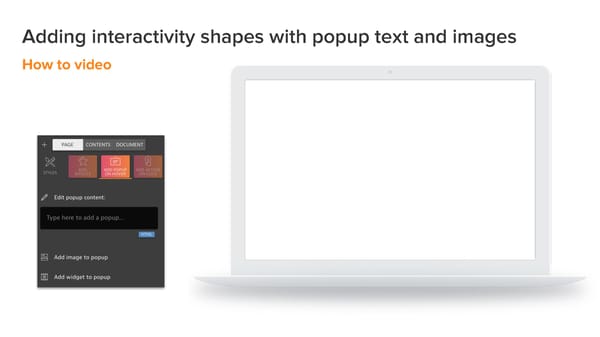
Adding interactivity shapes with popup text and images How to video
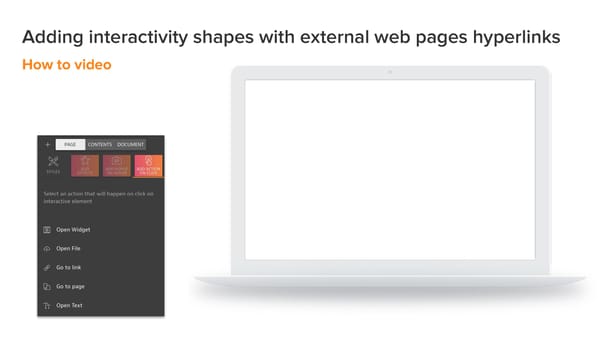
Adding interactivity shapes with external web pages hyperlinks How to video
Adding Call to Action buttons with external web pages hyperlinks How to video
Adding Images and Icons Adding Image Interactivity from PowerPoint
Adding Widgets Embedding videos, GIFs, social media profiles and posts
About this PDF document
- Published by RELAYTO Content Experience
- Published on
About RELAYTO Content Experience
The fastest way to build digital experiences. We empower businesses to convert PDFs, presentations and other content into interactive experiences & webpages with instant branding, analytics & more