

Check out all the new updates for 2026 here
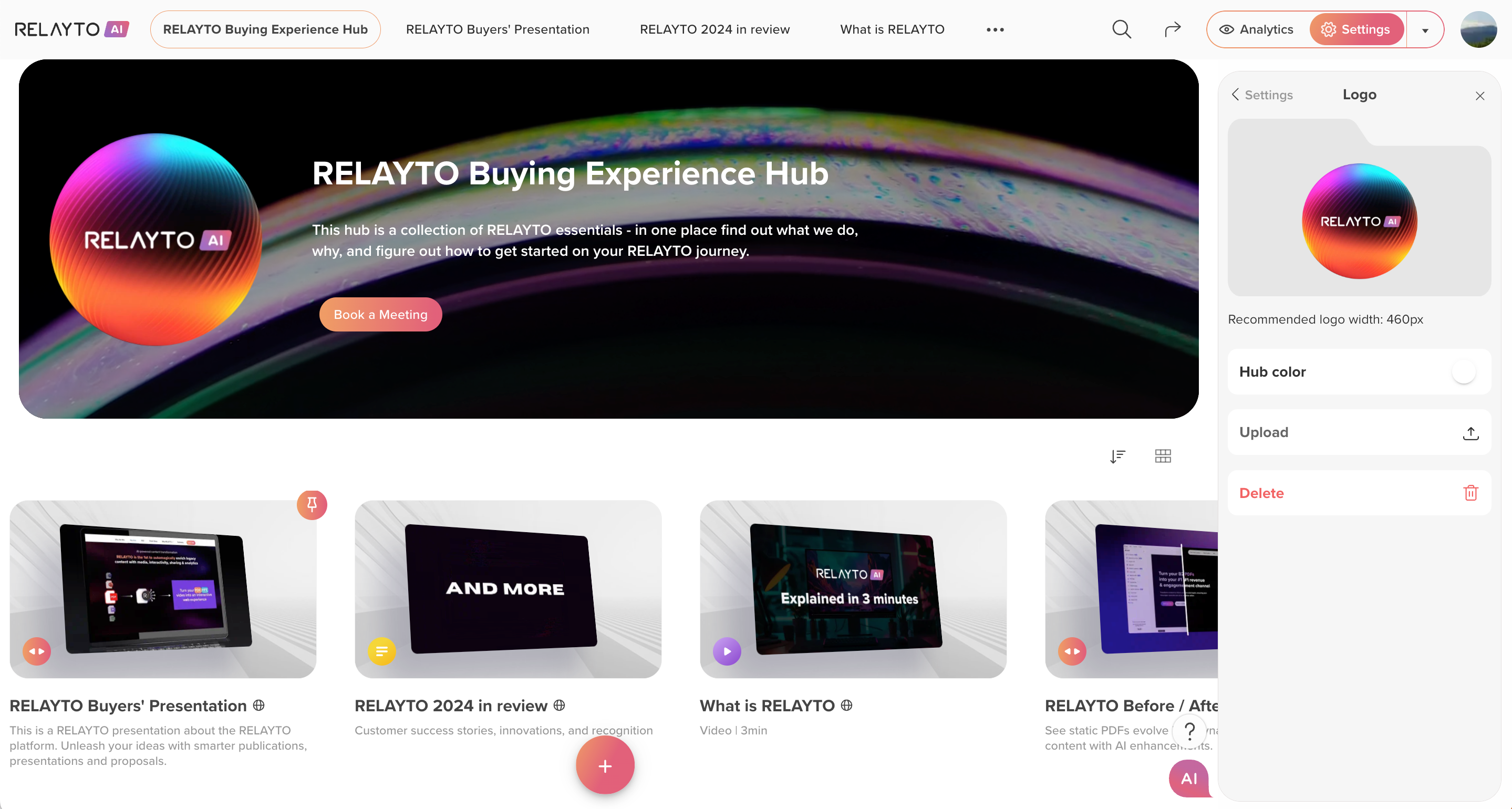
⚡ Hub Logo Customizations Released
December 29, 2025
Give your hubs a cleaner, more on-brand look.
Why It Matters:
- Simplified Logo Display – One central logo keeps hubs focused and tidy.
- Custom Folder Colors – Organize and differentiate hubs visually.
- Better Transparent Logo Support – Crisp, professional display on any background.
🛠 Improved Company Settings
December 27, 2025
Renaming company information is now clearer and more intuitive for users.
Why It Matters:
- Easier management – Make changes with confidence.
- Smoother workflow – Settings feel straightforward and predictable.
- Better user experience – Teams understand available options quickly.
🛠 Streamlined Hub Navigation
December 23, 2025
Hub items now respect your “Open in a new tab” setting, so content opens exactly how you intend.
Why It Matters:
- Consistent browsing – Navigation behaves predictably across all hubs.
- Smoother workflow – Move through content without interruptions.
- Better user experience – Hubs feel intuitive and reliable.
🛠 Smoother Hub Navigation
December 18, 2025
Smoother Hub Navigation
Sidebar navigation now works reliably, letting users return easily—even from empty subhubs.
Why It Matters:
- Consistent workflow – Navigation behaves predictably in all scenarios.
- Better user experience – Teams and viewers can explore content smoothly.
🛠 Faster Hub Loading
December 15, 2025
Hubs now open more quickly, reducing wait times and improving responsiveness.
Why It Matters:
- Immediate access – Get to your content faster.
- Smoother workflow – Less waiting, more doing.
- Better user experience – Navigation feels snappy and responsive.
🛠 Improved Hub Sorting
December 11, 2025
Hub lists now follow alphabetical order reliably, making it easier to find and navigate content.
Why It Matters:
- Faster discovery – Locate hubs quickly with predictable sorting.
- Clear organization – Lists appear consistent and easy to browse.
- Better workflow – Teams spend less time searching for content.
🛠 Smoother Form Interactions
December 7, 2025
Users can now close the required email field without interruptions, making forms feel seamless and intuitive.
Why It Matters:
- Flexible interactions – Users decide when to provide information.
- Smoother workflow – Forms behave predictably for everyone.
- Better engagement – Reduces friction and keeps viewers focused on your content.
🛠 More Reliable Custom Hub Order
December 4, 2025
Drag, drop, and organize hub content with confidence—your custom order now stays consistent and predictable.
Why It Matters:
- Work confidently – Reorder content without second-guessing.
- Maintain clarity – Hubs stay organized and easy to navigate.
- Save time – No extra steps to fix layouts or adjust content.
⚡ Custom Download Behavior Control
December 1, 2025
You can now define exactly which file viewers download when interacting with your content, using the new Custom File Download setting.
Why It Matters:
- Precise control – Deliver the right file every time.
- Clear user experience – Viewers get exactly what you intend them to download.
- Flexible workflows – Easily tailor downloads per content without workarounds.
.png)
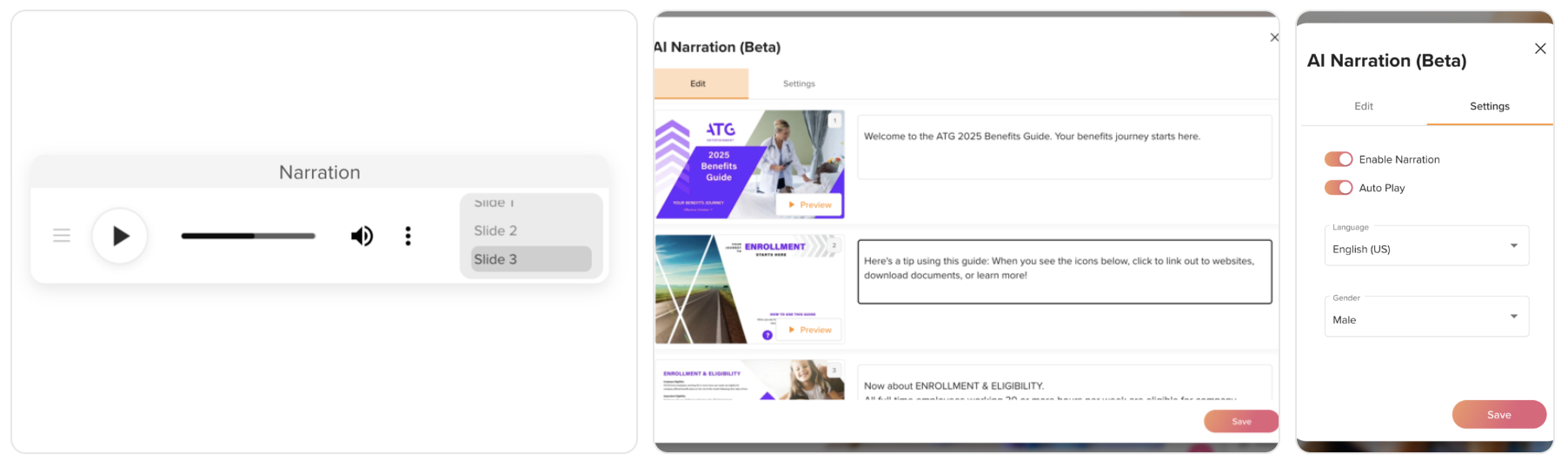
🚀 AI Narration for Your Content
November 25, 2025
You can now add natural-sounding AI voice narration to your presentations—directly in product. It’s an easy way to make content more engaging, accessible, and consistent, without the time or cost of manual voiceovers.
What’s New:
- Built-in AI narration available in content Settings – Add professional voiceovers from the Settings sidebar.
- Accessible by default – Helps more audiences consume your content comfortably.
- Brand-ready output – Consistent tone and quality across all narrated presentations.
Why It Matters:
- Saves time and cost – No recording, editing, or rework needed.
- Scales communication – Use the same high-quality narration across teams and audiences.
- Boosts engagement – Voice adds clarity and keeps viewers focused.
A practical upgrade for teams who want professional, narrated presentations—fast and at scale.
👉 Available on the Team plan only.
🛠 Streamlined Hub Name & Background Editing
November 17, 2025
Hub titles and background videos now save and display correctly for all use-cases, reflecting all changes immediately.
Why It Matters:
- Accurate hub presentation – Names and visuals always show as intended.
- Smoother workflow – Updates are applied reliably without errors.
- Consistent branding – Keep hubs visually aligned and professional.
🛠 YouTube Links Support
November 11, 2025
All YouTube URLs can now be added and displayed correctly within your content.
Why It Matters:
- Seamless video integration – Embed YouTube content without errors.
- Improved workflow – Add videos quickly without interruptions.
- Consistent user experience – Viewers see the intended video content every time.
🛠 Description Editing Improved
November 6, 2025
Descriptions can now be deleted without errors, restoring full control over content details.
Why It Matters:
- Flexible content management – Edit or remove descriptions freely.
- Smoother workflow – No interruptions or error messages.
- Consistent presentation – Keep content clean and up to date.
🛠 Main CTA Visibility Fixed
November 2, 2025
Non-logged-in viewers can now see the main call-to-action as intended for all types of content.
Why It Matters:
- Improved engagement – Everyone can take action, not just logged-in users.
- Clear messaging – Key CTAs are always visible and effective.
- Better user experience – Public audiences interact seamlessly.
🛠 Thumbnails Refresh Fixed
October 27, 2025
Thumbnail previews update reliably whenever content changes, ensuring visuals are always current.
Why It Matters:
- Accurate visuals – Previews always match the latest content.
- Faster updates – No need to manually refresh or re-upload images.
- Consistent presentation – Keeps hubs and pages looking polished.
🛠 Reliable Video Playback
October 22, 2025
Embedded videos now play consistently without delays or blank screens.
Why It Matters:
- Seamless engagement – Audiences see content as intended.
- Professional presentations – No broken playback disrupts the flow.
- Cross-device reliability – Works on desktop, tablet, and mobile.
🛠 Duplicate Content Removed
October 13, 2025
Repeated items in hubs are now eliminated, ensuring each piece of content appears only once.
Why It Matters:
- Clean hub structure – Avoids clutter and confusion.
- Accurate content tracking – Counts and organization reflect reality.
- Better user experience – Teams and viewers navigate hubs smoothly.
🛠 External Links Renaming Fixed
October 19, 2025
External link titles can now be updated smoothly, eliminating errors when making changes.
Why It Matters:
- Accurate labeling – Links always show the correct titles.
- Smoother workflow – Update links quickly without interruptions.
- Consistent presentation – Keeps content clear and professional.
🛠 iPhone Interactions Fixed
October 13, 2025
Interactive elements now respond reliably on iOS, so your content works as intended on all iPhones.
Why It Matters:
- Engagement preserved – Viewers can interact with content without issues.
- Professional presentation – No broken elements disrupt the experience.
- Cross-device reliability – Consistent behavior on iPhone and iPad.
🛠 Faster Multi-File Uploads
October 8, 2025
Upload multiple files simultaneously with improved speed and stability.
Why It Matters:
- Efficient workflow – Bulk uploads complete without errors.
- Saves time – Less waiting, more creating.
- Reliable processing – Files are ready immediately for use.
🚀 Safer Hub Editing
October 1, 2025
Hub edits are now protected when multiple users make changes at the same time, preventing accidental overwrites and keeping everyone on the latest version.
What’s improved:
- Settings and privacy updates.
- Content order, pinning, and renaming.
- Thumbnail changes.
Why It Matters:
- No lost changes – The latest updates are always preserved.
- Smoother teamwork – Multiple editors can work in parallel safely.
- Consistent hubs – Content and structure stay accurate.

🛠️ Standardized CSV Analytics Export
September 15, 2025
Interaction CSV exports now generate clean, structured data. Broken or misaligned columns have been corrected, and titles are extracted consistently across files.
Why It Matters:
- Reliable analytics – Exported data is accurate and trustworthy.
- Time savings – No more manual cleanup of CSV exports.
- Better integrations – Clean data ensures smoother workflows with BI tools and CRMs.
🛠️ Hub Logo Improvements
September 10, 2025
Hub logos can now be removed or updated without errors, giving teams full flexibility in managing hub branding.
Why It Matters:
- Full brand control – Update or remove hub logos as needed.
- Consistent presentation – Keeps branding aligned across experiences.
- Reduced friction – Eliminates support issues tied to logo changes.
🛠️ Consistent File Downloads
September 8, 2025
PDFs now update properly when replaced or refreshed, ensuring audiences always access the latest version.
Why It Matters:
- Accurate delivery – Guarantees users receive the most up-to-date files.
- Improved reliability – Prevents outdated files from being served.
- Better user trust – Keeps content consistent and dependable.
🚀 Studio Mode Editing Control
September 4, 2025
Studio now protects against editing conflicts. If newer changes exist, you’ll be prompted to refresh before making edits, ensuring you’re always working on the latest version.
Why It Matters:
- Prevents data loss – No more overwriting teammates’ updates.
- Improves collaboration – Keeps everyone aligned on the current version.
- Ensures content integrity – Edits remain accurate and consistent.
🛠️ Engagement Score Improvements
August 27, 2025
The Engagement Score screen can now be closed properly. Previously, the top navigation bar auto-generated after content uploads overlapped the score screen, preventing users from exiting.
Why It Matters:
- Restores usability – Users can seamlessly close the Engagement Score without UI conflicts.
- Improves workflow – Eliminates upload-related interruptions.
- Enhances trust – Delivers a smoother, more polished experience.
🛠️ Resize Elements Over Embedded Content
August 23, 2025
Interactive elements placed on top of embedded content can now be resized without first moving them. This restores full flexibility when adjusting layouts that combine interactive components with embedded media.
Why It Matters:
- Improved layout flexibility – Resize elements freely without restrictions.
- Enhanced productivity – Make adjustments faster, with fewer steps.
- Better user experience – Interactive elements behave as expected.
🚀 Performance Boost with for hubs
August 20, 2025
Caching for top menu highlighting and hub navigation has been merged into a single, unified system. The cache now refreshes dynamically after hub-related events, reducing backend load and delivering faster rendering across the platform.
Why It Matters:
- Better user experience – Faster navigation and smoother access to features.
- Lower infrastructure load – Optimized backend usage improves stability.
- Increased productivity – Reduced waiting times keep teams moving quickly.
⚡ Streamlined Content Cloning with Workspace Selection
August 14, 2025
Cloning content is now faster and more intuitive. You can select the target workspace before cloning begins, and once the process is complete, you’ll be taken directly to the new version — ready to edit, share, or publish.
Why It Matters:
- Eliminates friction – No more hunting for newly cloned content.
- Keeps you focused – You land in the right workspace automatically.
- Accelerates teamwork – Teams can start collaborating immediately.
🎥 Reliable Video Playback on Pages
August 11, 2025
Embedded videos now load and display consistently, eliminating blank states that interrupted the viewing experience.
Why It Matters:
- Restores engagement – Viewers can always see the videos you’ve included.
- Protects presentation quality – Avoids broken or incomplete page experiences.
- Builds trust – A smooth, reliable viewing experience encourages return visits.
➡️ Accurate Next/Previous Content Suggestions
August 8, 2025
Next and Previous content suggestions now follow the correct content order across all views, ensuring users move through material exactly as intended.
Why It Matters:
- Guides the journey – Keeps audiences on the right path through your content.
- Improves clarity – Removes confusion from inconsistent navigation.
- Supports storytelling – Delivers content in the intended sequence.
👤 See Creator & Date Details on Hover
August 7, 2025

Hovering over a content card in grid view now reveals “Created by” and “Created on” metadata—helping you identify content instantly without opening it.
Why It Matters:
- Saves time – No need to click into each item to check details.
- Boosts transparency – Everyone can see who made content and when.
- Supports faster decisions – Quickly determine if a piece is relevant.
🗂 Smarter Content Grid Cards with At-a-Glance Details
August 5, 2025

Content cards in grid view now surface more information right where you need it—making it easier to manage, identify, and organize content without extra clicks.
What’s New:
- Hover for details – See “Created by” and “Created on” metadata when hovering over a card.
- Tags on display – Tags are now visible directly on cards for quicker organization.
Why It Matters:
- Faster decision-making – View essential details instantly without opening each item.
- Better organization – Tags help you filter and sort more efficiently.
- Improved transparency – Everyone knows who created content and when.
A simple yet impactful upgrade that helps teams work faster and keep dashboards clean and informative.
🏷 Hub Tagging for Better Search & Organization
August 3, 2025

You can now tag hubs the same way you tag content—making it easier to organize, filter, and find exactly what you need.
What’s New:
- Tag your hubs – Apply tags directly to hubs for easier categorization.
- Unified filtering – Search and group both hubs and content using the same tag system.
Why It Matters:
- Faster discovery – Quickly locate the right hubs without digging through long lists.
- Consistent organization – Use the same taxonomy for hubs and content across all workspaces.
- Simplified management – Maintain clarity even as your library grows.
A small but powerful change that makes navigating large, complex hub structures faster and more intuitive.
📂 Faster, Smarter Hub Cloning with Workspace Targeting
August 1, 2025
.png)
Cloning a hub is now quicker and more intuitive—letting you choose where the copy goes and taking you straight to it when it’s ready.
What’s New:
- Choose your destination – Select the target workspace before cloning begins.
- Instant access – After cloning, you’re automatically taken to the new hub in the chosen workspace.
Why It Matters:
- Speeds up replication – Ideal for rolling out templates or layouts across large organizations.
- Reduces manual steps – No need to hunt for the new copy or move it afterward.
- Enhances collaboration – Makes cross-workspace content sharing seamless.
A simple but powerful upgrade that keeps teams aligned and productive when duplicating hubs.
🖼 Smoother Navigation and Thumbnails in Sidebars
July 30, 2025
We’ve improved how sidebars display and update, ensuring navigation stays accurate and visuals look their best.
What’s Improved:
- Reliable thumbnails – Sidebar navigation now shows correct and up-to-date thumbnails.
- Accurate sidebar updates – Content changes are immediately reflected without delay.
- Better PowerPoint handling – Navigation for uploaded presentations is now generated more smoothly for easier browsing.
Why It Matters:
- Clearer navigation – Users can quickly find what they need.
- Stronger visual quality – Thumbnails make navigation more engaging and professional.
- Improved workflow – Content updates are visible right away, reducing confusion.
🛡 Titles Now Display Correctly Across All Languages
July 29, 2025
We’ve improved how the system handles imported titles to ensure they always display as intended—no strange symbols or broken text, even when coming from older systems or inconsistent data sources.
What’s Improved:
- Automatic cleanup – Titles with unusual or invalid characters are now corrected on import.
- Consistent formatting – All titles follow the same standard so they look right everywhere.
- Better cross-platform compatibility – Works smoothly with content from different tools and systems.
Why It Matters:
- Professional presentation – Avoids distracting garbled text.
- Reliable data – Keeps titles accurate and consistent.
- Seamless sharing – Content works smoothly across systems without formatting issues.
⏳ Workspace Loading Indicators for Content & Hub Settings
July 28, 2025
Loading indicators now appear when workspace settings are loading, providing clear feedback to users.
Why It Matters:
- Keeps users informed – Avoids uncertainty during loading times.
- Improves perceived speed – Visual feedback makes the wait feel shorter.
- Reduces confusion – Users know the system is actively processing requests.
⌨️ Improved Keyboard Navigation on New Content Button
July 27, 2025
We’ve refined tabIndex behavior for the New Content button, ensuring smoother keyboard navigation and accessibility compliance.
Why It Matters:
- Enhances accessibility – Makes the platform easier for all users to navigate.
- Faster interaction – Keyboard users can move through the interface more efficiently.
- Meets compliance standards – Supports inclusive design principles.
➕ Create New Hubs Directly From the Content Menu
July 27, 2025
The “Create New Hub” option is now available in the New Content dropdown, making it faster to start building hubs.
Why It Matters:
- Streamlined workflow – Jump straight into hub creation without extra navigation.
- Saves time – Fewer clicks to start new projects.
- Encourages creativity – Makes it easier to launch new initiatives.
🛡 Extra Confirmation for Hub Deletion
July 27, 2025
We’ve added an additional confirmation step when deleting hubs to prevent accidental removals.
Why It Matters:
- Protects critical content – Reduces the risk of unintended data loss.
- Improves control – Users can double-check before making permanent changes.
- Builds confidence – Safeguards important assets for teams.
📱 Mobile Cover Pages Now Display Perfectly
July 27, 2025
Cover page graphics now render correctly on all mobile screen sizes, ensuring a clean and consistent visual experience for viewers.
Why It Matters:
- Better mobile engagement – Crisp, undistorted visuals keep audiences engaged.
- Consistent design – Brand presentation remains polished across devices.
- Improved usability – Mobile layouts match the intended viewing experience.
⚙️ Easier Access to Advanced Hub Settings
July 26, 2025
The Advanced section in Hub Settings now has a clearer layout and includes more customization options, making it easier to configure your hubs exactly the way you want.
What’s New:
- Open in a new tab – Control how viewers access your hub.
- Top-level hub – Define the hub’s place in your structure.
- New hub design – Apply the latest layout style directly from settings.
Why It Matters:
- Faster customization – Access advanced options without digging through menus.
- More control – Tailor hub behavior to match your audience’s needs.
- Improved usability – A cleaner, more intuitive settings flow.
📊 Clearer, More Reliable Content Display
July 25, 2025
We’ve improved both the accuracy of hub counters and the visibility of text in video-rich layouts—making your content easier to track and read at a glance.
What’s Improved:
- Accurate hub counters – Item totals now reflect the true amount of content, eliminating misleading numbers.
- Readable text over background videos – Text remains fully visible and properly layered, even when a video is applied in the background.
Why It Matters:
- Accurate reporting – Teams always see the correct content counts.
- Better accessibility – Viewers can read text clearly in all designs.
- Consistent professionalism – Maintains trust and brand standards across your workspace.
📏 Cleaner Horizontal Layout for Subhub-Only Hubs
July 25, 2025
Horizontal hubs with only subhubs now display without unnecessary whitespace, giving a more balanced and professional look.
Why It Matters:
- Polished presentation – Keeps layouts clean and engaging.
- Better use of space – Avoids awkward visual gaps.
- Improved viewer focus – Spotlight is on your content, not empty space.
🌐 Domain & Workspace Transfers Keep Document Links Working
July 25, 2025
Content moved between domains or workspaces now maintain functional links, ensuring uninterrupted access for your audience.
Why It Matters:
- Consistent access – No more “404” surprises after domain changes.
- Faster handovers – Less manual link repair during reorganization.
- Improved reliability – Content stays available regardless of where it’s hosted.
🔗 Links Stay Intact When Moving Hubs Between Workspaces
July 25, 2025
Hubs transferred to another workspace now retain their original content links, preventing broken references after migration.
Why It Matters:
- Preserves link integrity – Shared links keep working without needing updates.
- Smoother transitions – Move hubs without disrupting access.
- Maintains trust – Audiences always land where they expect.
🗂 Cleaner Hub Navigation Without Deleted Content
July 25, 2025
Deleted content no longer lingers in hub sidebars, keeping navigation uncluttered and focused.
Why It Matters:
- Clearer navigation – Only relevant content is shown.
- Less confusion – Avoid clicks on items that no longer exist.
- Improved hub management – Easier for teams to keep content organized.
📊 Consistent Sorting in Dashboard Analytics
July 24, 2025
Data in Dashboard analytics now sorts reliably, giving you accurate, repeatable views of performance metrics.
Why It Matters:
- Trusted insights – Make decisions based on consistent data.
- Better reporting – Sorting behaves predictably for every user.
- Streamlined analysis – Spend less time re-checking numbers.
🖼 Correct Author Avatars Across All Content
July 24, 2025
Author images now display accurately everywhere, ensuring proper attribution and a more polished presentation.
Why It Matters:
- Stronger brand identity – Consistent author visuals build recognition.
- Accurate attribution – Ensures credit goes to the right creator.
- Professional look – Clean and correct visuals across the platform.
🎬 Faster AI Background Video Selection
July 23, 2025
Selecting multiple AI-generated background videos in Studio now happens instantly, without lag—keeping your creative flow uninterrupted.
Why It Matters:
- Smoother editing – No delays when managing background visuals.
- Faster iterations – Quickly test different looks and ideas.
- Better creative momentum – Stay in the zone while building content.
⚡ Faster, Higher-Quality Thumbnails
July 23, 2025
Thumbnail generation for content has been upgraded for sharper image quality and faster load times.
Why It Matters:
- Better first impressions – High-fidelity thumbnails make content look more professional.
- Improved speed – Thumbnails appear quickly, even for large files.
- Consistent presentation – All content is visually aligned across the platform.
⚙️ More Reliable Deployments
July 23, 2025
We’ve strengthened the CI/CD pipeline, making deployments more predictable and stable.
Why It Matters:
- Fewer disruptions – Reduces deployment-related downtime.
- Stronger backend reliability – Improves confidence in ongoing platform stability.
- Scales with demand – Better equipped for higher content processing volumes.
📂 Consistent Sidebar Options During Uploads
July 21, 2025
Sidebar tools now remain fully visible and usable while content is uploading, so you can keep working without interruption.
Why It Matters:
- No workflow pauses – Continue editing and navigating during uploads.
- Improved efficiency – Avoid stopping your work just to wait for an upload.
- Reliable UI – Consistent behavior in all upload scenarios.
🖼 Instant Reset for Cover Thumbnails
July 20, 2025
.png)
You can now reset cover thumbnails back to the original image with a single click, making it easy to undo changes and maintain consistent branding.
Why It Matters:
- Faster edits – No need to manually re-upload or recreate images.
- Consistent visuals – Keep your cover imagery aligned with brand standards.
- Better control – Quickly recover from experimental edits.
📱 Settings Navigation Now Feels Like iOS
July 19, 2025
.png)
We’ve refined the way you navigate settings so it’s smoother, more intuitive, and consistent with familiar mobile interactions.
Why It Matters:
- Easier to learn – Feels instantly familiar for mobile users.
- Faster navigation – Quickly move between settings without extra clicks.
- More polished experience – Small touches make the platform feel premium.
🖱 Multi-Select Restored in Condensed List View
July 18, 2025
You can now select multiple items at once in the dashboard’s Condensed List view, making bulk actions faster and easier.
Why It Matters:
- Boosts productivity – Manage several items in one step.
- Consistency across views – Multi-select works the same in all dashboard layouts.
- Saves time – No need to switch views to perform batch updates.
🤖 AI Chat Icon Always Accessible in Nested Views
July 16, 2025
The AI Chat icon now remains visible when opening sub-hubs, ensuring your AI tools are always within reach—no matter how deep you navigate.
Why It Matters:
- Continuous AI access – Ask questions or get insights without leaving your current view.
- Stronger user confidence – Key tools remain visible at all times.
- Streamlined navigation – No extra steps to return to the main hub for AI access.
📂 Consistent Sidebar Visibility During Uploads
July 14, 2025
The sidebar now stays visible when uploading content in View mode, so you can navigate and access tools without interruption.
Why It Matters:
- Faster multitasking – Access other sections while uploads complete.
- Smoother workflow – No more sudden UI changes during uploads.
- Improved reliability – Sidebar behavior remains consistent in all states.
🛡 Clearer Navigation States After Leaving Settings
July 12, 2025
Navigation now automatically locks when you exit the Settings view, preventing unintended edits or changes once you’ve finished making adjustments.
Why It Matters:
- Reduces mistakes – Prevents accidental modifications after settings are closed.
- Improves clarity – Keeps the interface in a predictable state.
- Supports focus – Users can confidently move on without double-checking settings.
🧠 Smarter AI Indexing After PDF Updates
July 10, 2025
AI now re-indexes your PDFs more intelligently—ensuring that every page is fully processed after updates, not just the ones you edited.
What’s Improved:
- Complete re-indexing – All pages are refreshed to maintain full AI understanding of the document.
- Consistent context – Unchanged pages keep their insights intact alongside updated sections.
Why It Matters:
- Prevents loss of AI knowledge – Ensures that no valuable context disappears after edits.
- Delivers accurate AI responses – Viewers get answers based on the entire document, not partial updates.
- Saves time – Eliminates the need to manually reprocess documents after small changes.
A behind-the-scenes improvement that keeps your AI-powered content accurate, reliable, and ready to deliver the right insights every time.
🎛 New “All Content / Created by Me” Switcher on Dashboard
July 10, 2025
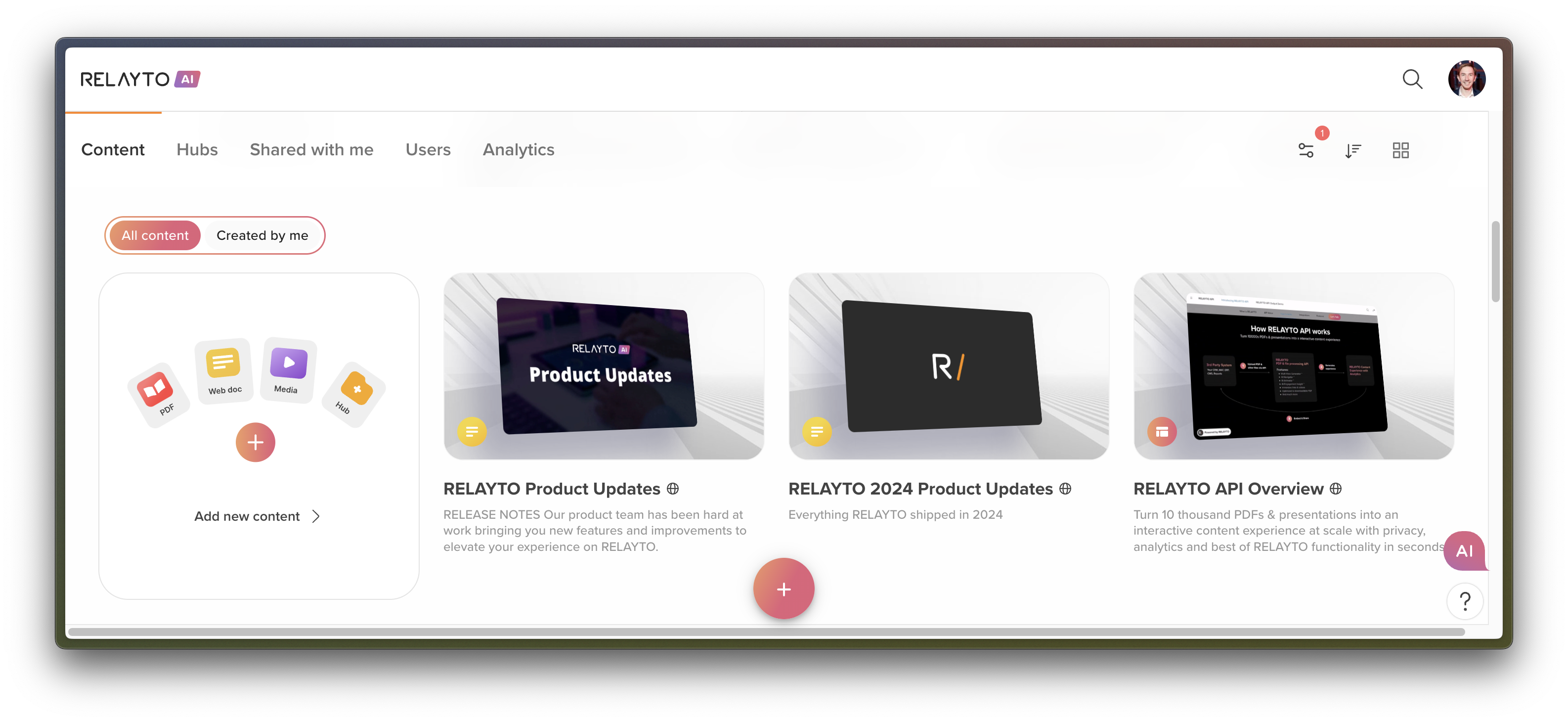
A new toggle on the dashboard makes it easier to focus on exactly what matters—whether that’s everything in your workspace or just the items you’ve created.
What’s New:
- Quick toggle – Instantly switch between All Content/Hubs and Created by Me.
- Available everywhere – Works in both Hubs and Content sections.
- Consistent interface – Unified design across all dashboard views for a seamless experience.
Why It Matters:
- Keeps the view clean – Focus on just your own work when needed.
- Saves time – Find and edit your items faster without sifting through everything.
- Scales with your team – Makes large content libraries more manageable for everyone.
A small but impactful improvement that helps teams stay organized and productive as content libraries grow.
📱 Smarter Navigation Arrows on Mobile
July 8, 2025
Mobile browsing now feels smoother and more intuitive with navigation arrows that adapt to where the user is in the content flow.
What’s Improved:
- Left arrow disabled on the first page – Prevents backward navigation when there’s nothing to go back to.
- Right arrow disabled on the last page – Stops users from trying to move past available content.
Why It Matters:
- Reduces frustration – No more “dead-end” clicks or unnecessary taps.
- Keeps viewers oriented – Guides users naturally through multi-page experiences.
- Enhances mobile polish – A small change that makes the mobile journey feel more deliberate and professional.
A subtle but meaningful refinement that helps every mobile interaction feel smoother and more guided.
⚙️ Ellipsis Menu Now Clearly Visible to All Users
July 8, 2025
We’ve made the ellipsis menu consistently accessible, ensuring every user knows where to find additional actions and options.
What’s Improved:
- Predictable interface – The ellipsis button is always visible where relevant.
- Clear permissions – Users can easily see which actions are available to them.
- Faster editing workflows – Editors and owners can quickly access content actions without extra clicks or searching.
Why It Matters:
- Improves usability – A consistent interface reduces confusion and learning time.
- Supports collaboration – Team members can confidently interact with content knowing exactly what they can do.
- Boosts productivity – Fewer interruptions in finding the right controls keeps workflows smooth.
📏 Consistent Custom Ordering in Horizontal Hub View
July 6, 2025
You can now control the exact sequence of hubs and content across every layer of the horizontal view—delivering a smoother, more intentional experience for your audience.
What’s Improved:
- Main hub arrangement – Organize content blocks in the exact order you prefer in the main section.
- Subhub positioning – Place subhubs where they best fit your priorities, workflow, or storytelling flow.
- Content sequencing within subhubs – Define the order of materials inside each subhub for maximum clarity and engagement.
Why It Matters:
- Guided user journeys – Make navigation intuitive so viewers naturally follow your intended flow.
- Editorial control – Keep high-priority or time-sensitive items in the spotlight.
- Consistent structure – Maintain the same logical order across all hub layers, reducing confusion for both viewers and editors.
This improvement helps your team design purposeful, well-structured experiences that increase content impact and viewer satisfaction.
🖼 Sharper, More Professional Images in Embedded Content
July 4, 2025
Embedded images now display at full clarity, ensuring your visuals look as sharp and impactful as intended—whether they contain photography, text, or intricate details.
What’s Improved:
- Crisp image rendering – Embedded visuals now retain their original sharpness.
- Better resolution handling – Images maintain definition across all embed scenarios.
- Enhanced readability – Text and fine details within images are easier to see and interpret.
Why It Matters:
- Stronger brand presentation
Clear visuals elevate the professional quality of your content. - Improved communication
Data, diagrams, and marketing materials are easier for viewers to understand. - Consistent viewing experience
Audiences see your content exactly as you intended, on any device.
🤖 AI Chat Now Responds Only With Current Content
July 2, 2025
When a hub is copied, any removed or outdated content is now fully excluded from AI Chat results. This ensures conversations remain accurate, up-to-date, and relevant to what’s actually available in the hub.
Why It Matters:
- Accurate answers every time
AI Chat now references only content that is accessible and current. - Greater trust in automation
Teams can rely on AI responses without worrying about old or restricted materials appearing. - Stronger content governance
Helps maintain compliance and consistency by preventing outdated assets from resurfacing in conversations.
📂 Improved Cloning & Uploading for Complex Structures
June 30, 2025
We’ve enhanced the stability of hub cloning and resolved upload issues—especially for large, multi-level hubs.
Why It Matters:
- Enables teams to replicate sophisticated hub setups without errors.
- Restores the ability to upload web content and links to personal workspaces.
- Reduces the need for time-consuming manual rebuilding.
Fixes:
- Cloning now works for large hubs with multiple levels.
- Uploading web content and links to personal workspaces no longer results in errors.
🔐 Access & Permissions Improvements
June 28, 2025
We’ve tightened alignment between your company settings and what users see.
Why It Matters:
- Prevents confusion by ensuring the “Sign up” button is shown only when it should be.
- Strengthens trust in your workspace by making access rules crystal clear.
Fixes:
- “Sign up” button now correctly hides when Auto-Join is disabled in company settings.
🖥 Better Content & Dashboard Usability
June 26, 2025
Your editing tools and navigation cues now behave exactly as expected—no more page reloads or lost context.
Why It Matters:
- Editors save time with tools that are instantly ready after login.
- Improved visual cues mean you always know where you are in the workspace.
- Smoother editing workflows keep teams focused and productive.
Fixes Included:
- Content editing options now load immediately after login (no refresh needed).
- Active hub is now highlighted in the top navigation for better orientation.
⚡ Smoother Hub & Subhub Experience
June 26, 2025
We’ve resolved several issues that impacted hub creation, cloning, and subhub functionality—making your workspace more reliable and predictable.
Why It Matters:
- Confidently scale your content architecture without running into stalled processes.
- Keep AI Chat working across all hubs, even in complex multi-level structures.
- Reduce downtime and manual fixes when working with cloned or attached hubs.
Fixes Included:
- AI Chat now works in copied subhubs.
- Cloned hubs no longer get stuck in infinite loading.
- “Include hub” checkbox now works correctly when creating or editing hubs.
- No more errors when adding an existing subhub to a hub.
📌 Pin Hubs & Content to Your Dashboard
June 24, 2025
.png)
You can now keep your most important hubs and content right where you need them—at the very top of your dashboard. Editors can pin key items so they stay visible, no matter how the dashboard is sorted.
Why It Matters:
🔹 Quick access to priority assets – Launch campaigns or access evergreen content instantly without searching.
🔹 Cleaner, more organized workspace – Pinned items help declutter your view and spotlight what matters most.
🔹 Team-specific focus – Pins are visible only to those with access, keeping the experience relevant for each user.
Key Highlights:
- Pin / Unpin Content & Hubs – Editors can easily pin/unpin items from the All Content or Hubs tabs.
- Always on Top – Pinned items stay above the rest, even when sorting by name, date, or other filters.
- Instant Updates – No page reload required; pins adjust in real-time.
- Persistent Priority – Pins remain in place even after uploading new content.
- Access-Aware Display – Only visible to users with the right permissions.
✨ Whether you’re coordinating a big launch or managing ongoing content, this feature keeps your most important resources front and center—helping your team stay focused and efficient.
June 19, 2025
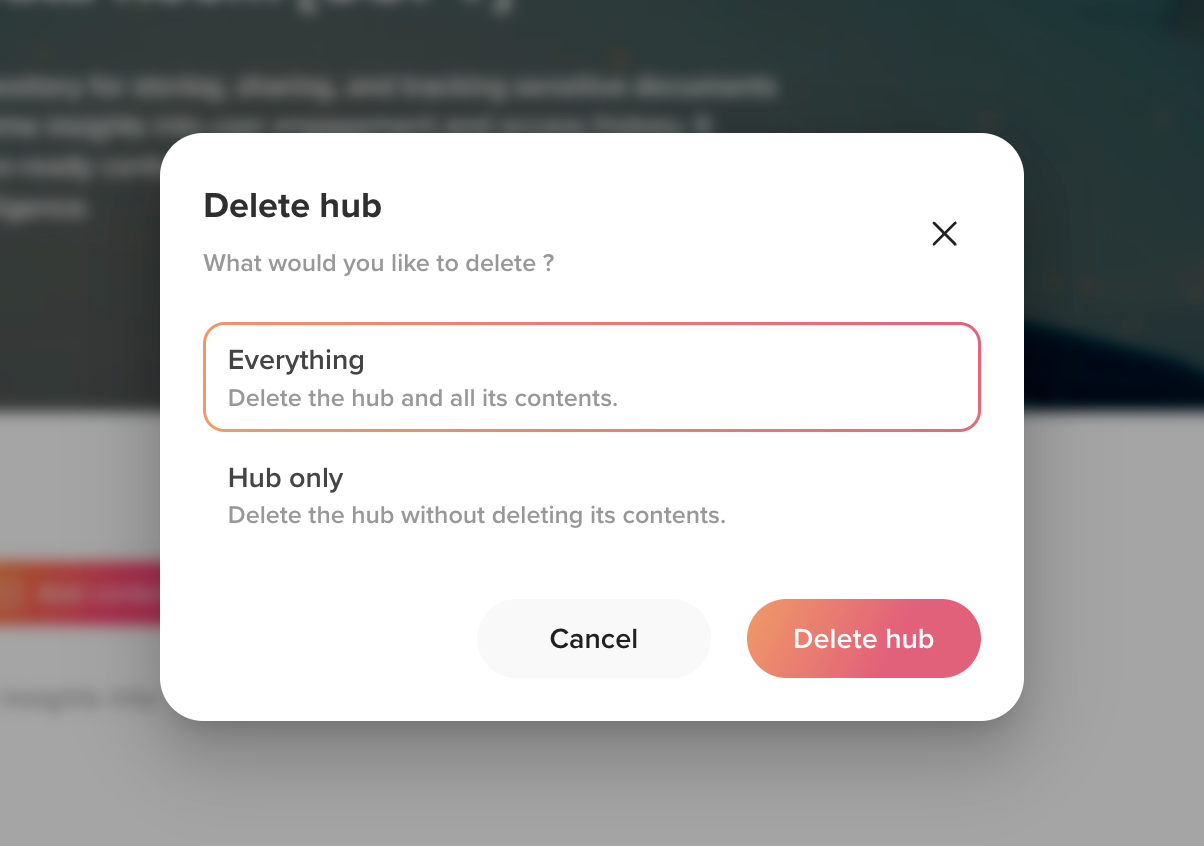
 Hub Deletion Enhanced with Extended Logic
You can now delete hubs with greater control and confidence—choose to remove just the hub or delete it along with its content, with built-in safety checks and easy restore options.
Why It Matters: Delete only the hub structure while keeping your content, or delete everything together—whichever fits your workflow.The system prevents deleting content still linked to other hubs and verifies user permissions before allowing deletions.Accidentally deleted a hub? Restore it quickly from the Dashboard > Hubs > Filter options > Deleted. Otherwise, hubs get permanently deleted after 50 days to keep your workspace tidy.
June 18, 2025
 More Control Over Hub Content Sharing
We refined the hub content sharing settings to ensure your choice to include or exclude the hub is accurately respected—viewers will only see what you select, with the hub included only when you tick the option.
Why It Matters: Gives you clear control over what you share.Prevents accidental access to extra content.
June 17, 2025
Better Hub Cloning with Backend Upgrade
We’ve upgraded the backend logic behind hub copying to make the process faster, more stable, and ready for complex use cases.
Why It Matters: Subhubs, multiple documents, and large structures now copy smoothly with consistent results.Cloning is now faster and more dependable, reducing wait times and uncertainty for users.
June 16, 2025
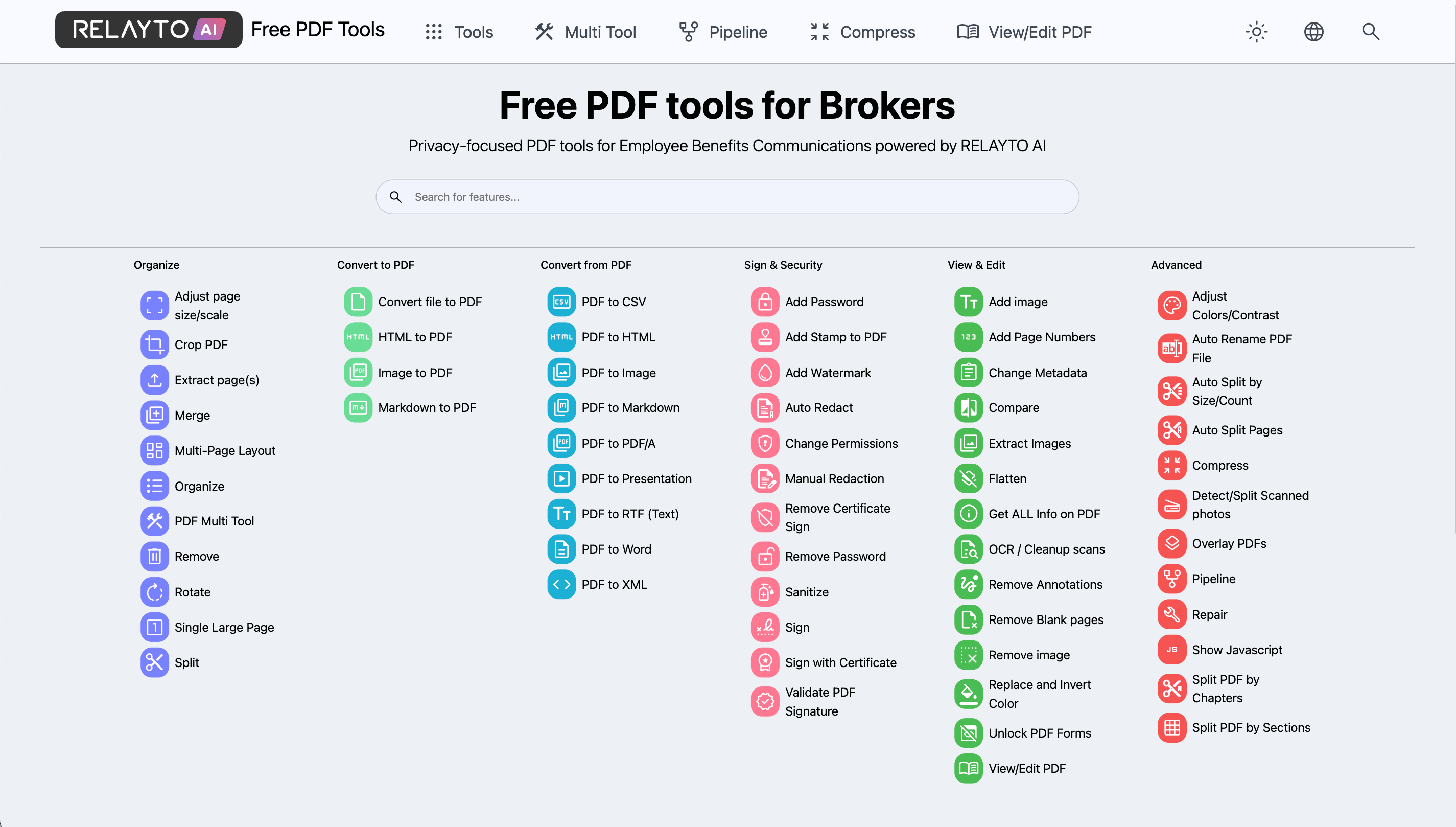
 50+ Free PDF Tools Designed to Simplify Your Work
Now merge, split, and convert PDFs easily with a single drag-and-drop tool — helping you manage documents faster and more professionally.
Why It Matters: Speeds up document editing and sharing.Eliminates juggling multiple PDF apps.Ensures polished, ready-to-share materials every time.
June 13, 2025
Improved UX for Hub Editors After Login
Content editing options inside hubs now appear immediately after login—reducing confusion and removing the need for manual reloads.
Why It Matters: Smooths the transition from viewer to editor mode.Speeds up content updates with instant editing access.Eliminates frustration caused by hidden options.
June 12, 2025
Extended Hub Deletion — Recovery Now Available
We’ve started rolling out improvements to hub deletion. You can now restore deleted hubs while keeping their original link—more options coming soon.
Why It Matters: Provides access to hub recovery from the Dashboard > Hubs > Filter options > Deleted.Keeps shared links active even after accidental deletion.Part of a broader update adding choices to delete hubs with or without content for safer, more flexible removal.
.png)
June 11, 2025
Resolved Hub-Related Issues
We've fixed errors that appeared when adding sub-hubs and templates—these actions now work reliably across all hub layouts.
Why It Matters: Removes errors disrupting hub management.Restores a smoother, more consistent experience when organizing content.Ensures key hub-building actions function as expected across all views.
June 10, 2025
Hub Chat Layout Corrected
The Hub Chat icon no longer overlaps the Proactive AI banner, ensuring a clean, clickable interface and smooth transition between the banner and chat sidebar.
Why It Matters: Removes UI friction, making Hub Chat interactions smoother and more intuitive.Enhances visual clarity and reduces distractions.
More Stable Upload Flow for PDFs
You can now safely explore and interact with the UI before engagement scoring finishes—without having any error messages.
Why It Matters: Fixed all cases where users could see the “Problem occurred” popup during upload.Creates a more reliable and user-friendly upload experience.
June 9, 2025
AI Chat Stability Enhanced on Android
The AI Chat sidebar now stays reliably open during interactions on Android devices, eliminating accidental closures.
Why It Matters: Keeps chat conversations seamless and uninterrupted.Ensures consistent, predictable behavior on Android.
June 6, 2025
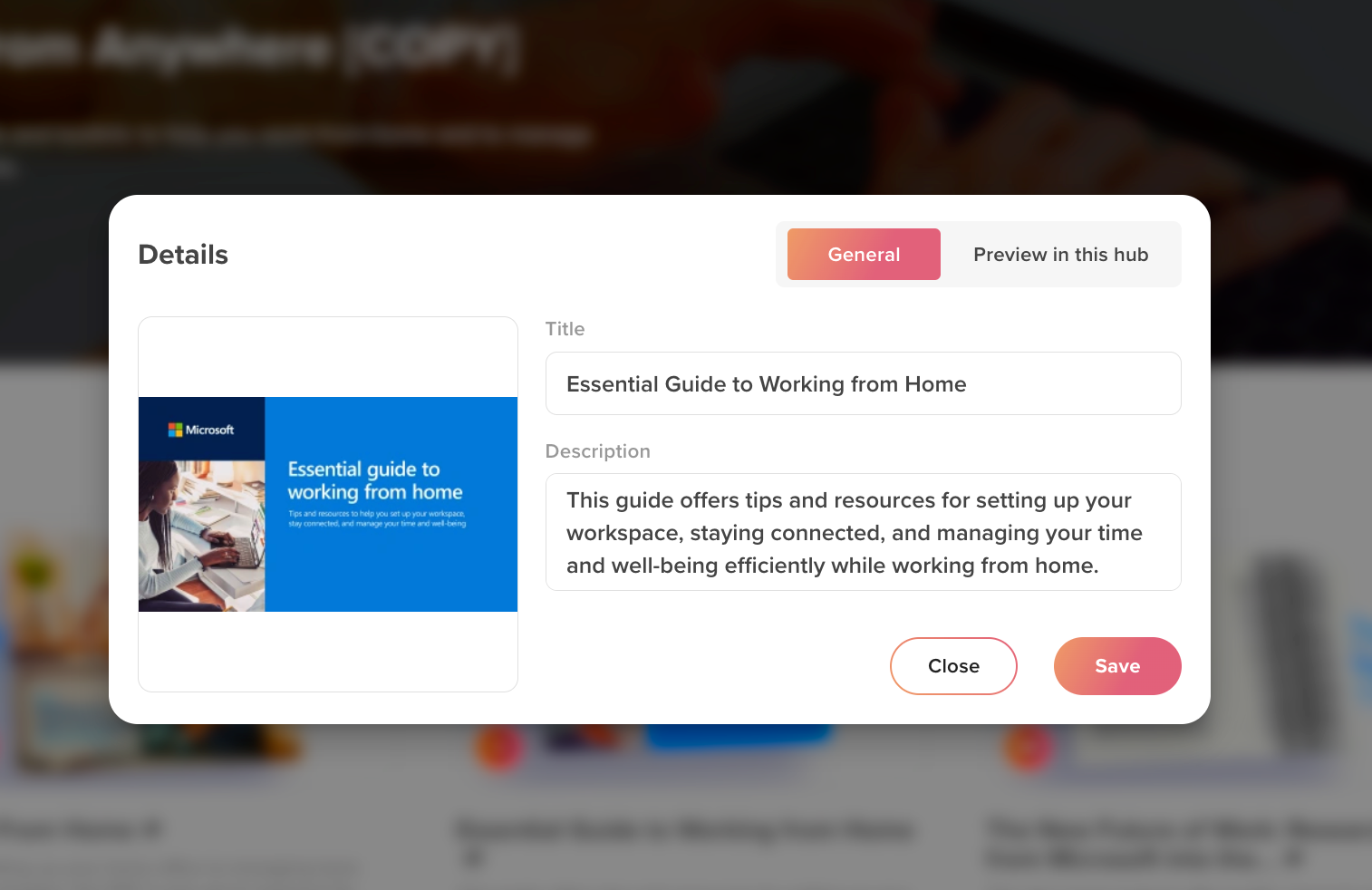
 Clearer ‘Preview in Hub’ UX
To reduce confusion, when you rename content in the hub, the popup now opens the ‘General’ tab by default instead of ‘Preview in this hub,’ helping users better understand title updates.
Why It Matters: Prevents misunderstandings about content title syncing. Simplifies user experience by focusing on core content settings first.
 Streamlined Company Sign-Up UX
When a company disables ‘Auto-Join’ to prevent direct sign-ups, the UI now reflects this by removing the ‘Sign up’ button—so invited users register only via email invitations, avoiding confusion.
Why It Matters: Aligns the sign-in experience with company settings for clearer onboarding. Ensures invitees follow the intended registration flow without errors
June 5, 2025
 Analytics Data Loading Issue Resolved
All analytics data—including pageviews, clicks, and time spent—is now accurately displayed after a temporary rendering issue with the analytics engine provider.
Why It Matters: Restores accurate, real-time insights so teams can confidently track engagement. Prevents decision-making delays caused by incomplete or missing analytics.
June 4, 2025
Cloning Big Hubs Is Now Smoother and 10x Quicker
Large hub cloning has been revamped to run smoothly in the background, eliminating errors and timeout issues so your content copies reliably every time. You can also close the clone window immediately and continue working while cloning completes.
Why It Matters: Saves time by handling large, complex hubs without delays or failures. Keeps your work flowing uninterrupted with smarter background processing. Boosts reliability through real-time progress tracking, preventing cloning errors.
.gif)
June 3, 2025
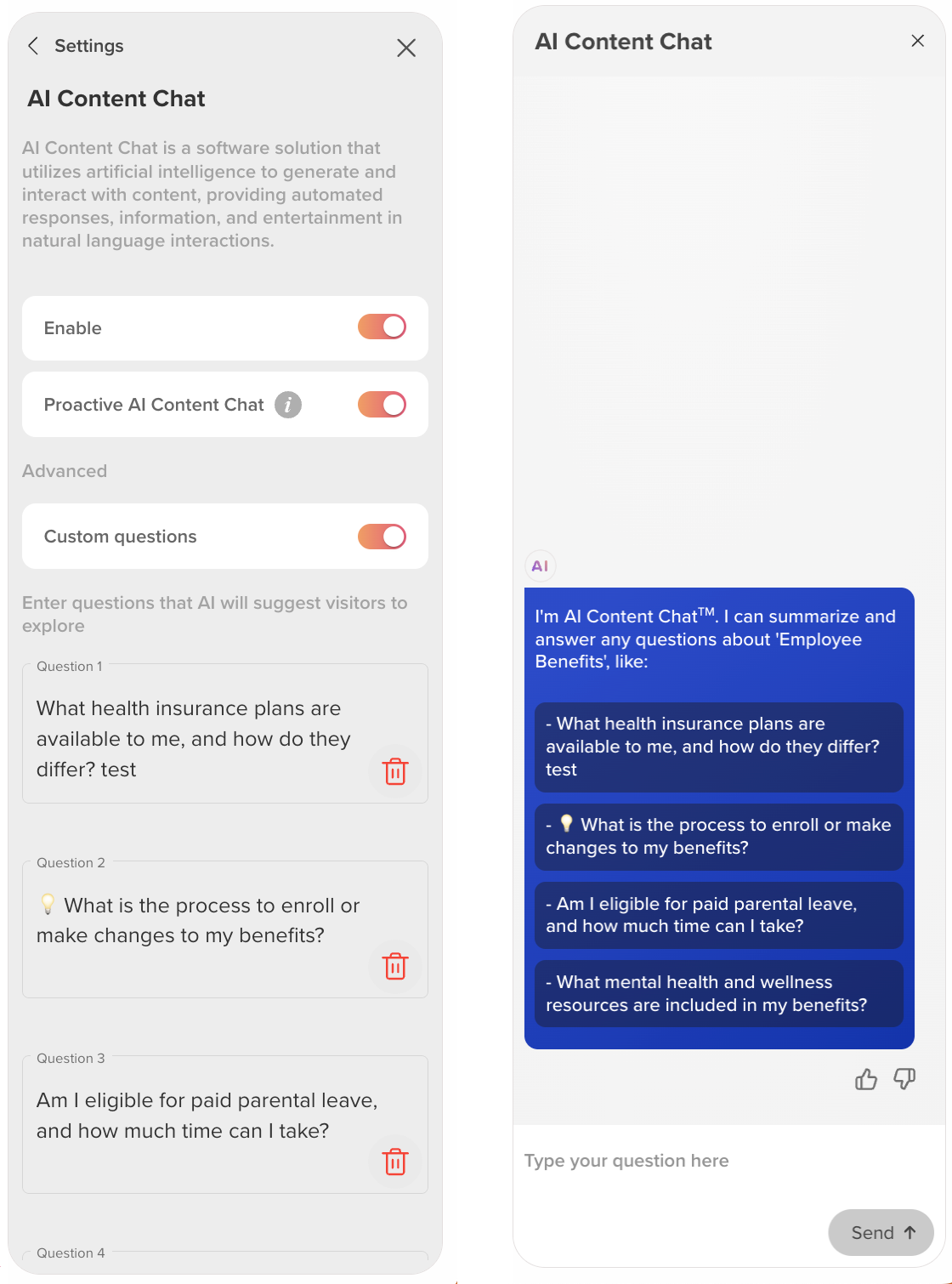
Custom Questions for AI Chat
Take control by setting default custom questions in Hub or Content AI Chat, giving viewers instant access to the most relevant queries.
Why It Matters: Highlights priority questions for faster, clearer user guidance. Reduces reliance on auto-generated suggestions for more precise answers. Tailors AI Chat experiences to each hub’s unique content and audience.
June 2, 2025
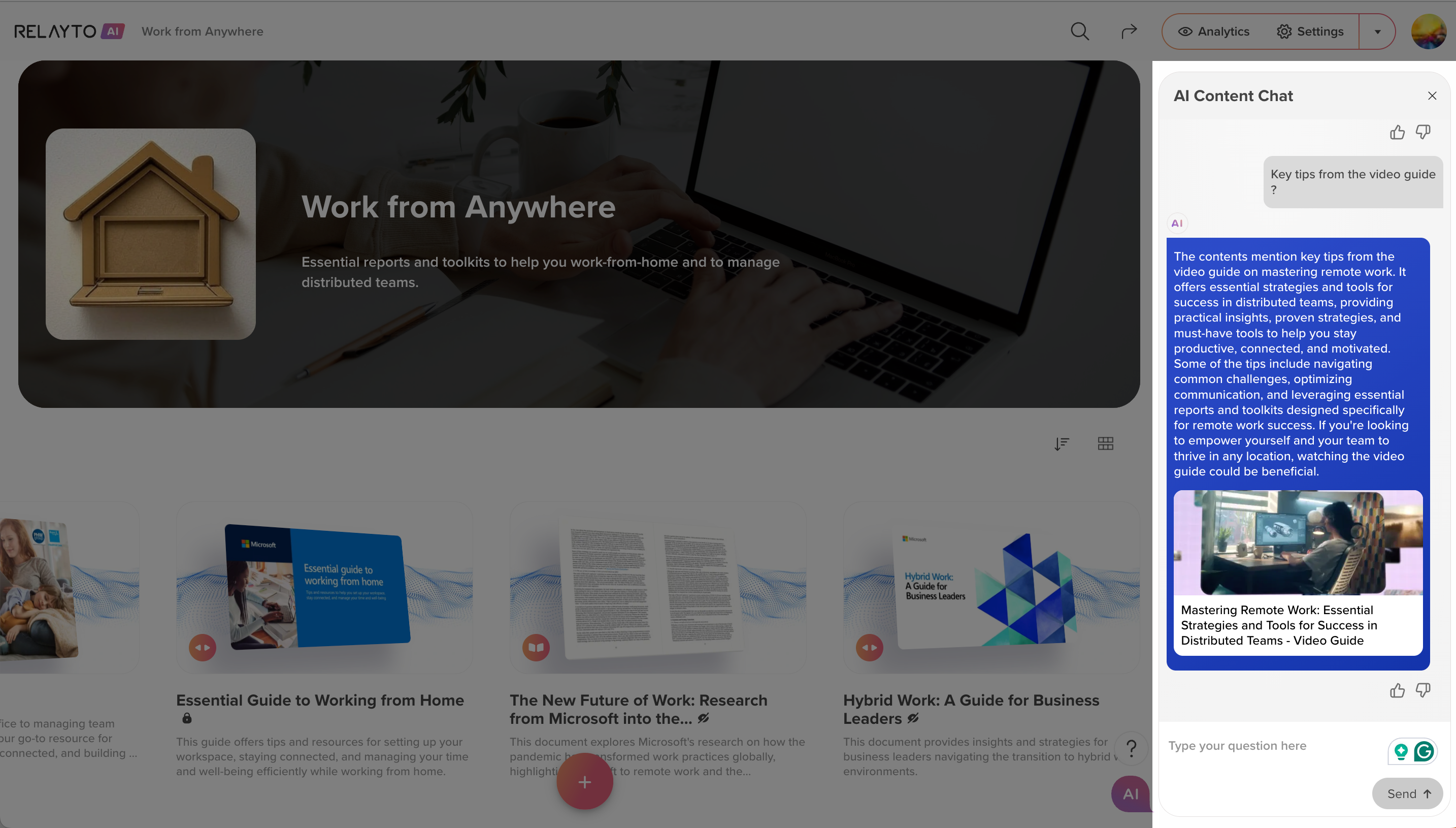
 AI Chat Now Supports Non-PDF Content
AI Chat now understands content without indexable text—like videos, audio, embeds, and links—by analyzing Titles and Descriptions. Use clear, concise titles and summaries when uploading non-text content to unlock the full power of AI Chat.
Why It Matters: Wider Coverage. AI Chat now supports more formats beyond PDFs—including media, links, and embeds. No More Errors. Smooth AI performance, even when body text isn’t available. Better Input = Smarter Output. The more informative your Titles and Descriptions, the better the AI Chat response.
May 30, 2025
Smoother and Sharper Zoom Experience
Zoom in faster and clearer—whether presenting or browsing Slides—with improved performance and crisp text.
Why It Matters:
Delivers more responsive zooming for effortless content exploration on Windows.Ensures text stays sharp and easy to read at any zoom level.
May 29, 2025
 2x Faster Live Embeds Rendering!
Live embeds now start loading before you actually switch pages, so content is displayed faster.
Why It Matters:
Preloads content in the background to eliminate delays.Makes page switches feel instant and smooth.Keeps your focus uninterrupted with faster loading.
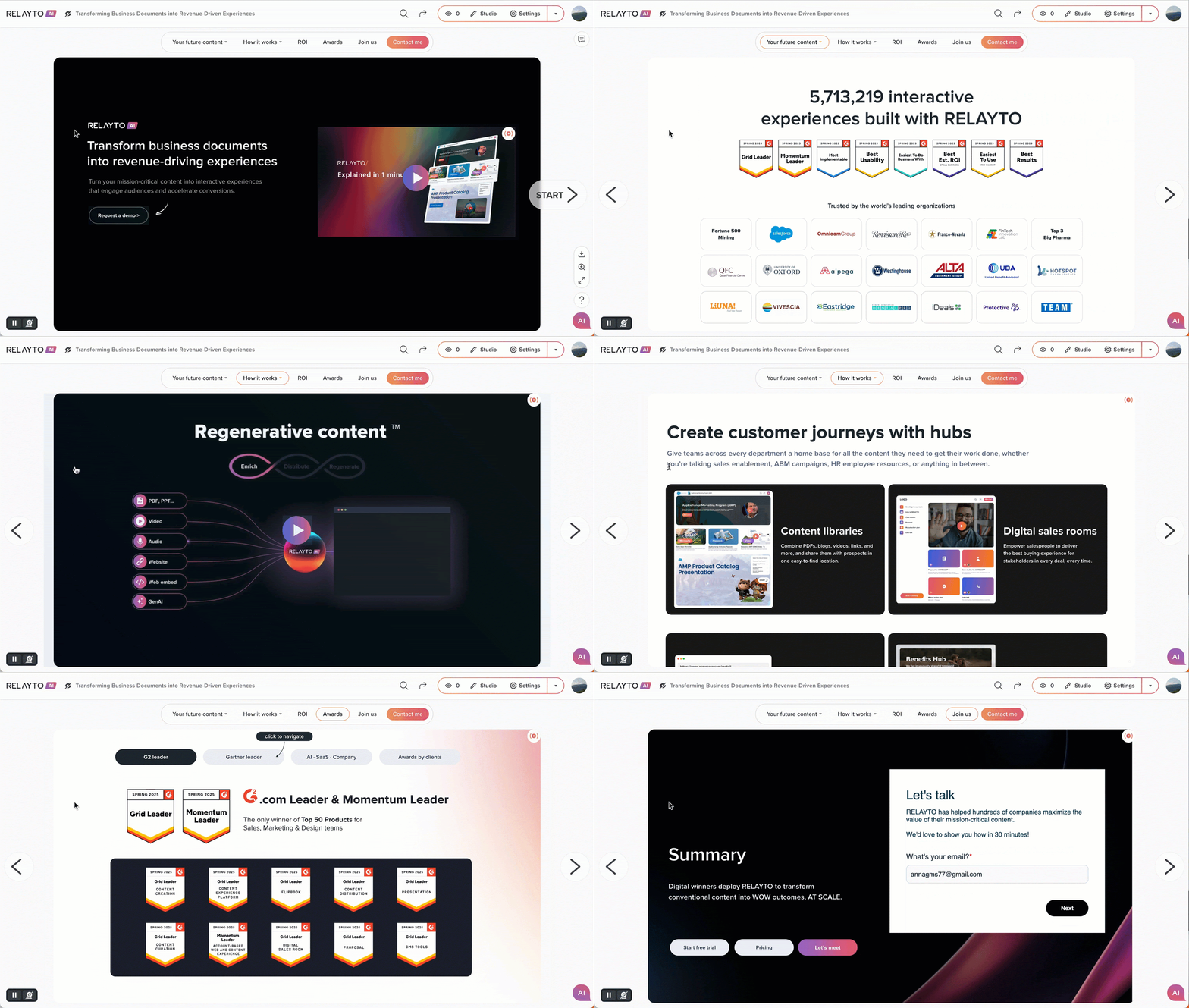
May 28, 2025
 Extended Hub Copying Logic
Choose how you duplicate hubs—full content, structure only, or linked content—for tailored reuse across teams and projects.
Why It Matters:
Boosts efficiency by matching duplication method to your workflow.Enhances collaboration with clean templates free of duplicate files.Supports scalable content strategies for campaigns, clients, and teams.
.png)
May 27, 2025
 Company-Branded CTA: Control Look and Action Company-Wide
New content uploads with a company-defined call-to-action button—styled once for consistency, customizable when needed.
Why It Matters:
Delivers a unified, professional appearance across all hubs automatically.Workspace owners can set the default button’s style, label, icon, and action on click.Cuts manual setup time while keeping flexible overrides per content.
.png)
May 23, 2025
 Branded Asset Libraries for Companies
Owners of company workspaces can now upload and manage a full set of branded images and videos—used automatically as backgrounds for content and for hub covers across their domain.
Why It Matters:
Set default branded visuals once—no more uploading the same backgrounds for every doc or hub. Use your custom assets directly in content and hub settings, or within Interactivity Studio. Continue using RELAYTO’s default preset backgrounds alongside your custom library—so you always have styling options, even without uploading your own assets.
.gif)
May 22, 2025
 Unified Hub Navigation on Mobile
Improved mobile hub navigation boosts usability for all users and now enhances the experience for employee benefits use cases. Mobile users can easily navigate hubs using a sidebar—regardless of the selected hub navigation type in settings—offering a more user-friendly experience on smaller screens.
Why It Matters:
Speeds up content discovery and access for mobile users. Supports smoother workflows, especially for employee benefits teams.

May 21, 2025
Broader Permission Support for Multi-Level Hubs
Permission logic has been extended to cover all known scenarios—ensuring consistent access even in the most complex, multi-level hub structures. Whether adding content or building out new subhubs, team members with edit access stay synced automatically. Especially beneficial for employee benefits workflows and teams managing layered hub hierarchies.
Why It Matters:
Eliminates edge-case issues with manual permission updates. Streamlines workflows across deeply nested content hierarchies.
 Relayto Native Embed Script Loads in Under 200ms with Improved Reliability
Optimized embed script now loads faster and delivers consistent performance across browsers like Safari and Firefox, enhancing mobile and desktop experiences.
Why It Matters:
Speeds up content display for smoother user engagement. Ensures dependable functionality despite browser restrictions.
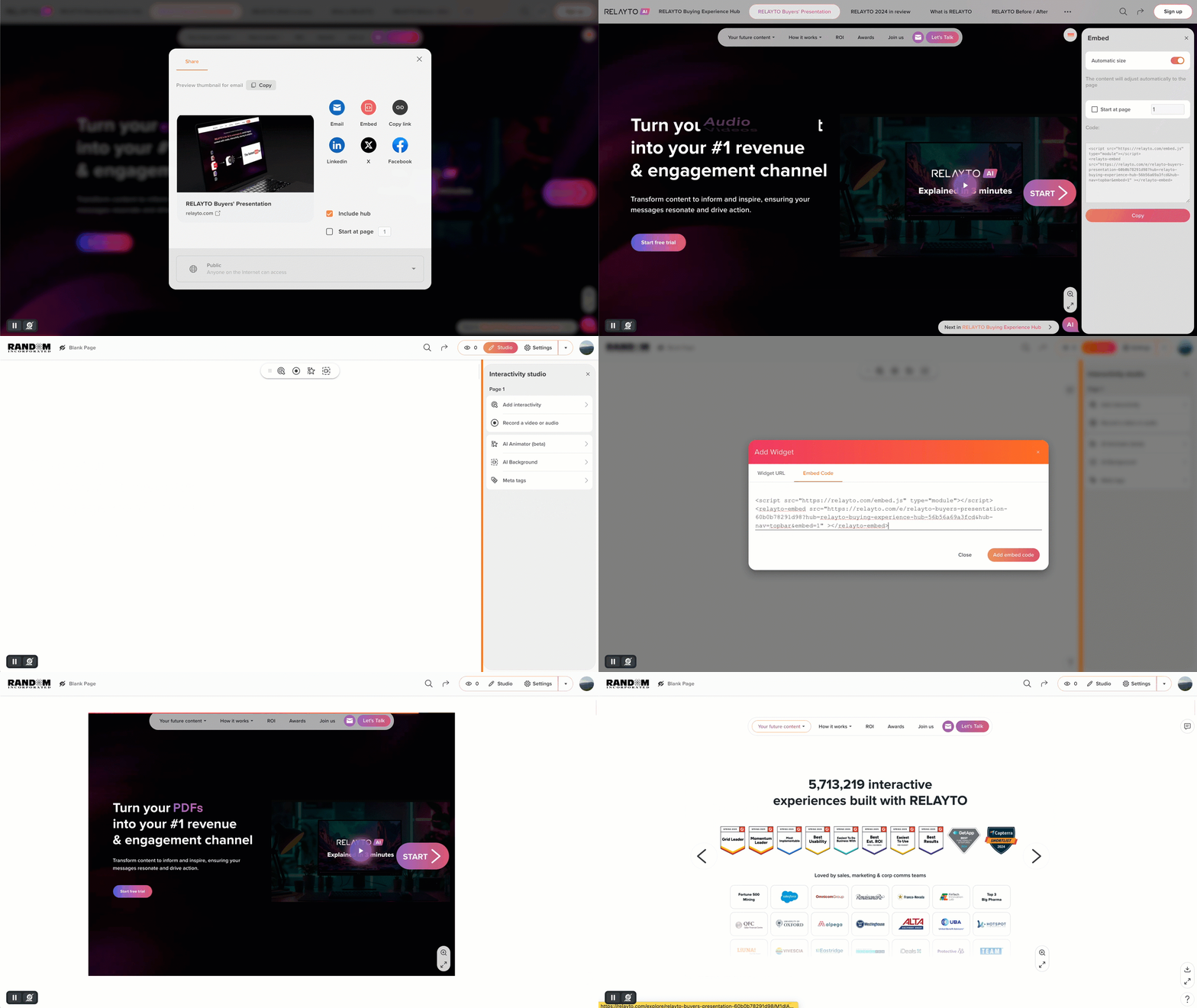
May 20, 2025
 Content Engagement Score: Smoother Sharing and Cleaner Layout
Improved report sharing and score generation, plus UI tweaks like expandable lists, better header balance, fewer repeated logos, and clearer descriptions of key feature categories for easier user understanding.
.gif)
May 19, 2025
Video Thumbnail Extraction 3x Faster with Clearer UI
Thumbnail generation is now up to 3x faster for both selfie recordings and interactive videos uploaded to PDF pages.
Why It Matters:
Significantly reduces delays, letting users work faster and stay focused. Improves error handling and UI clarity, preventing interruptions during video saving.
Polished UI Layout Across All Dashboards
Refined layout and alignment for placeholders and content, delivering a balanced, consistent look on dashboards across both desktop and mobile.
May 16, 2025
🚀 Branded Background: On-Brand by Default, Flexible by Design
Company owners can now upload a single video or image background that’s automatically applied to all newly created content and hub covers.
Why It Matters:
🔹 Keeps every new asset on-brand—without manual setup.
🔹 Auto-preview ensures instant visual feedback before publishing.
🔹 Teams stay consistent while still having the freedom to customize when needed.
Note: Available for company workspaces on the Team plan and above.
.gif)
May 15, 2025
🔍 Zoom-In Support Expanded to All Slides & Scroll Views
Zoom functionality has been extended across all Slide and Scroll views—giving users more control over how they view detailed content.
Why It Matters:
🔹 Enables deeper exploration of visual-heavy assets like charts, diagrams, or screenshots.
🔹 Improves clarity without switching views or opening separate files.
🔹 Supports a smoother, more focused experience across more content types.
.gif)
May 13, 2025
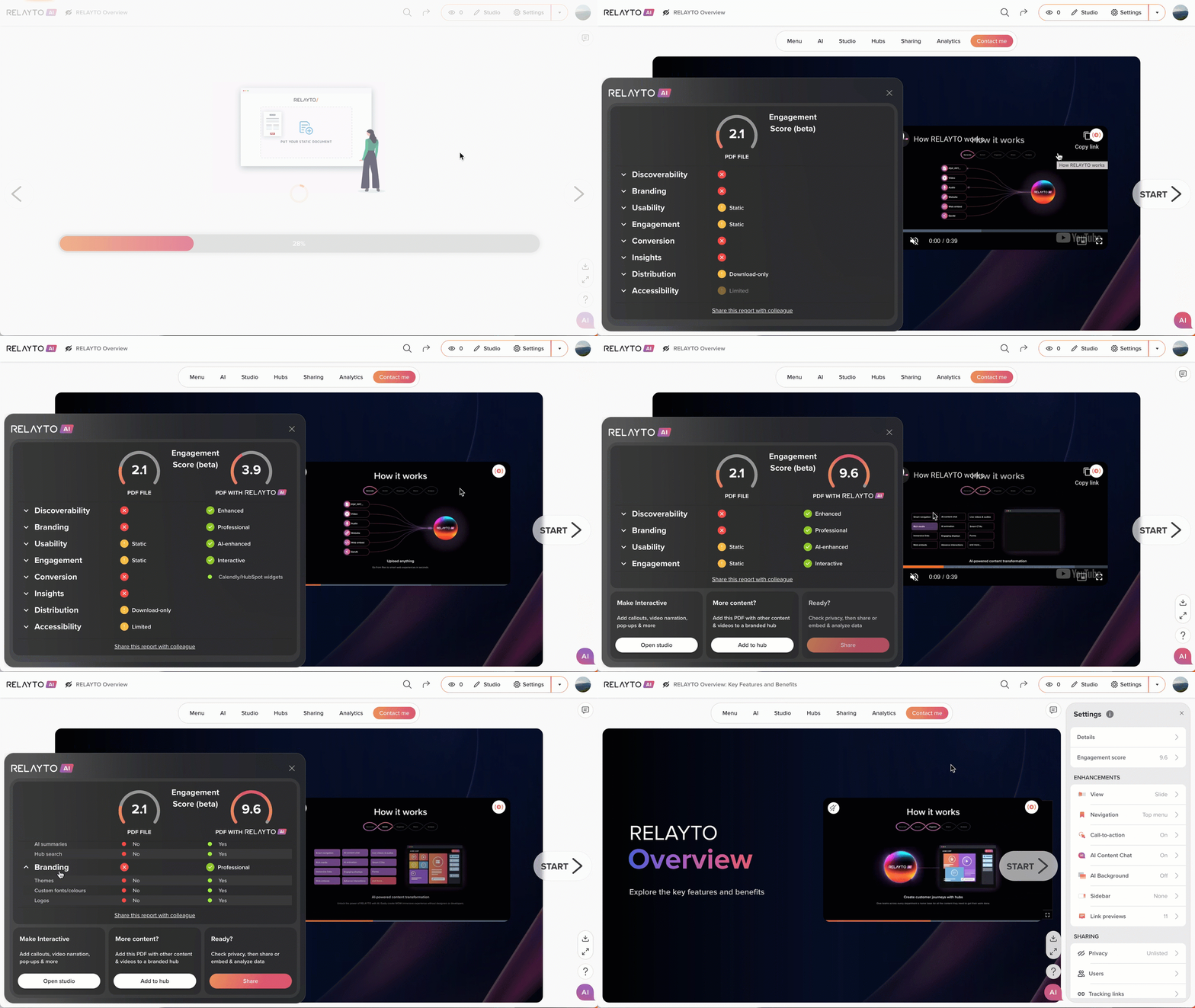
🚀 Engagement Score: Turn Static Content into a Performance Benchmark!
Upload any PDF—RELAYTO instantly transforms and scores it across 8 enterprise-grade pillars, showing exactly how much it just leveled up.
Why It Matters:
🔹 AI instantly upgrades your static file into an interactive, multi-channel experience.
🔹 Smart scoring reveals how far your content has advanced—compared to the original.
🔹 Transformation and insights happen in seconds—so you’re ready to share with confidence, instantly.
The full breakdown: how scoring works, what it measures, and why it matters. → [Read more]
May 12, 2025
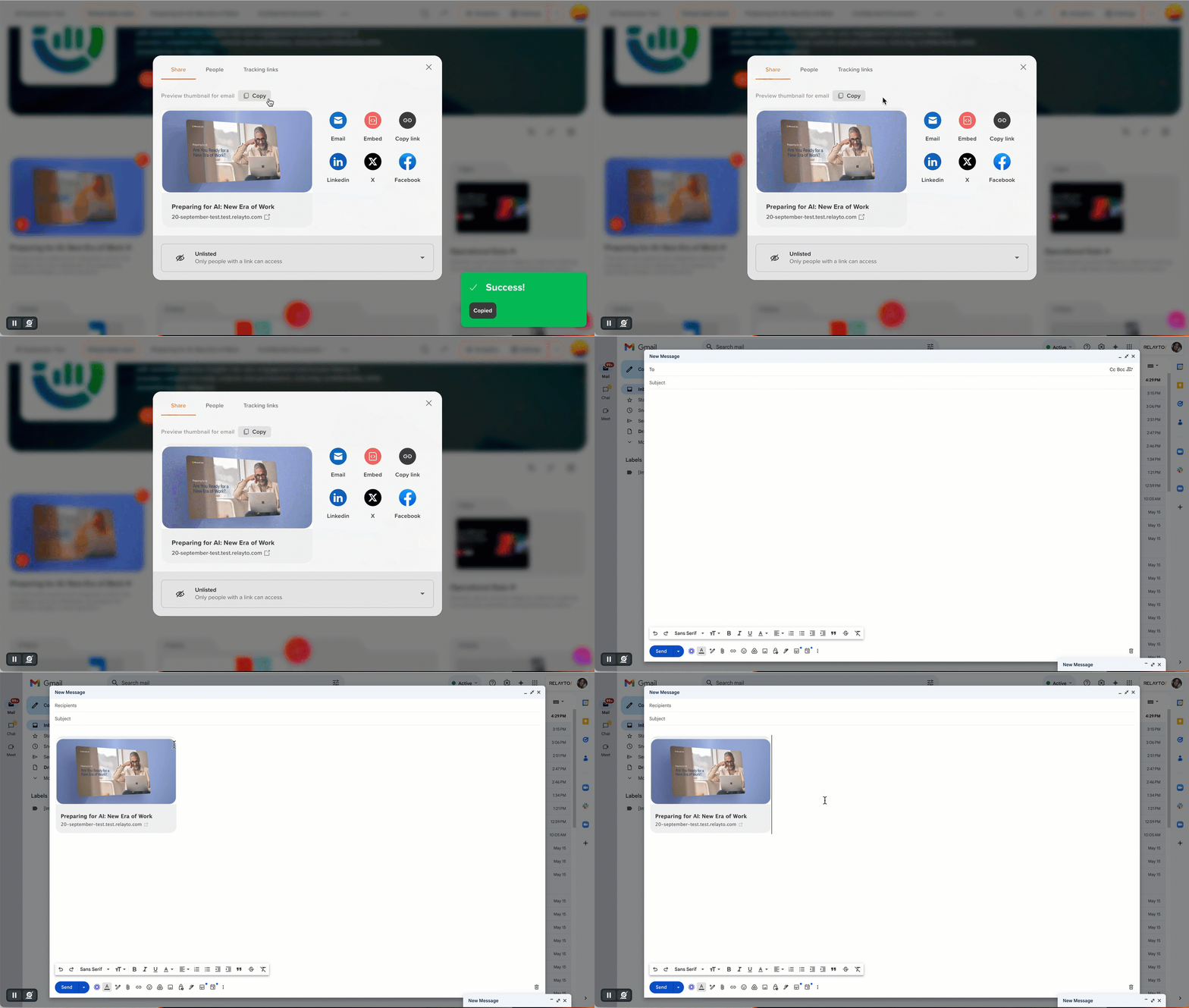
🖼️ Branded Thumbnails Now Show in Social & Email Shares
Branded 3D thumbnails now carry through to sharing previews—delivering a branded, polished look across LinkedIn, X, Facebook, and email.
Why It Matters:
🔹 Extends your brand presence beyond RELAYTO into every shared link.
🔹 Ensures consistent, eye-catching previews that boost clicks and engagement.
🔹 No extra setup—your content just looks great everywhere, automatically.
May 9, 2025
📱 Improved Tiny Font Readability for Android Users
We’ve enhanced our Smart Font Detection system to resolve readability issues with tiny fonts on Android devices, ensuring crystal-clear text for a seamless reading experience.
Why It Matters:
🔹 Text is now perfectly readable on Android, even with the smallest fonts.
🔹 Part of our ongoing effort to enhance reading comfort effortlessly.
May 8, 2025
 Sharper, High-Resolution Slide Rendering
Enhanced Slide Views now delivers crisp, high-resolution visuals across all pages with an optimized PDFjs library DPI (dots per inch) sorting update.
Why It Matters:
🔹 High-quality rendering reinforces confidence in the slide experience’s reliability.
🔹 Automated DPI optimization minimizes manual tweaks for design teams.
May 7, 2025
Advanced Analytics with Unified Interaction Insights
Refined 'Overview' and 'By Page' analytics to provide precise, consolidated interactions data for a seamless, actionable experience. Added support for monitoring interactions with Tracking Links.
Why It Matters:
🔹 Gain a clear, accurate view of user engagement across clicks, popups, and immersive links to optimize content effortlessly.
🔹 Instantly identify top-performing content with precise "Most Clicked" and "Most Pop-ups Shown" tiles, highlighting what drives results.
🔹 Capture every interaction for your individual tracking links, including immersive links, for deeper insights to optimize your content strategy.

May 6, 2025
Smarter AI Chat for Hub Workflows
Enhanced AI Chat to provide seamless support across all hub setups, including when cloning hubs, empowering you with smarter collaboration tools.
Why It Matters:
🔹 Upgraded backend systems ensure AI Chat is always ready in any hub, delivering quick answers and ideas right when you need them.
🔹 Consistent AI Chat performance keeps your hubs polished and engaging, impressing everyone you share with.
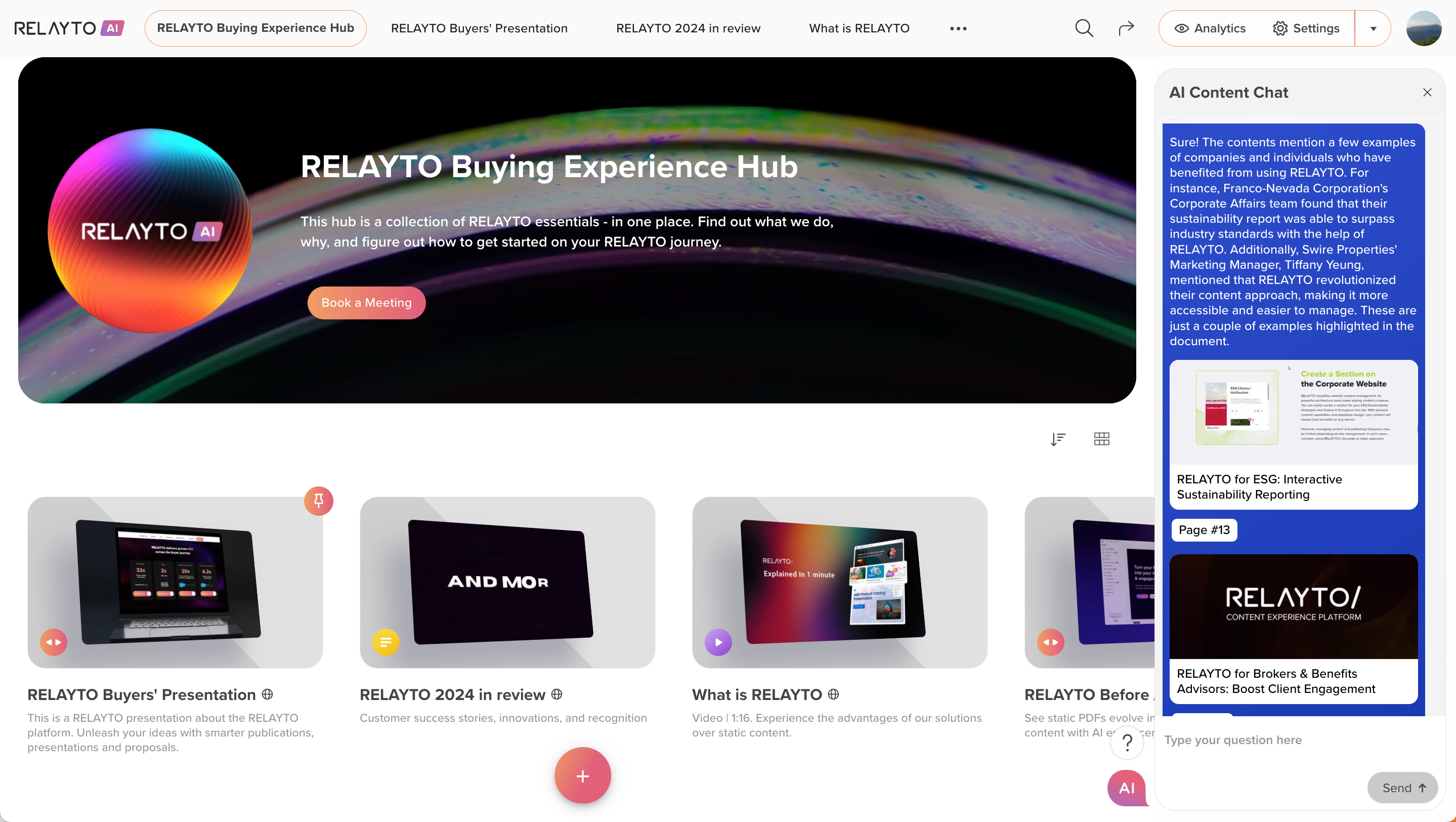
May 5, 2025
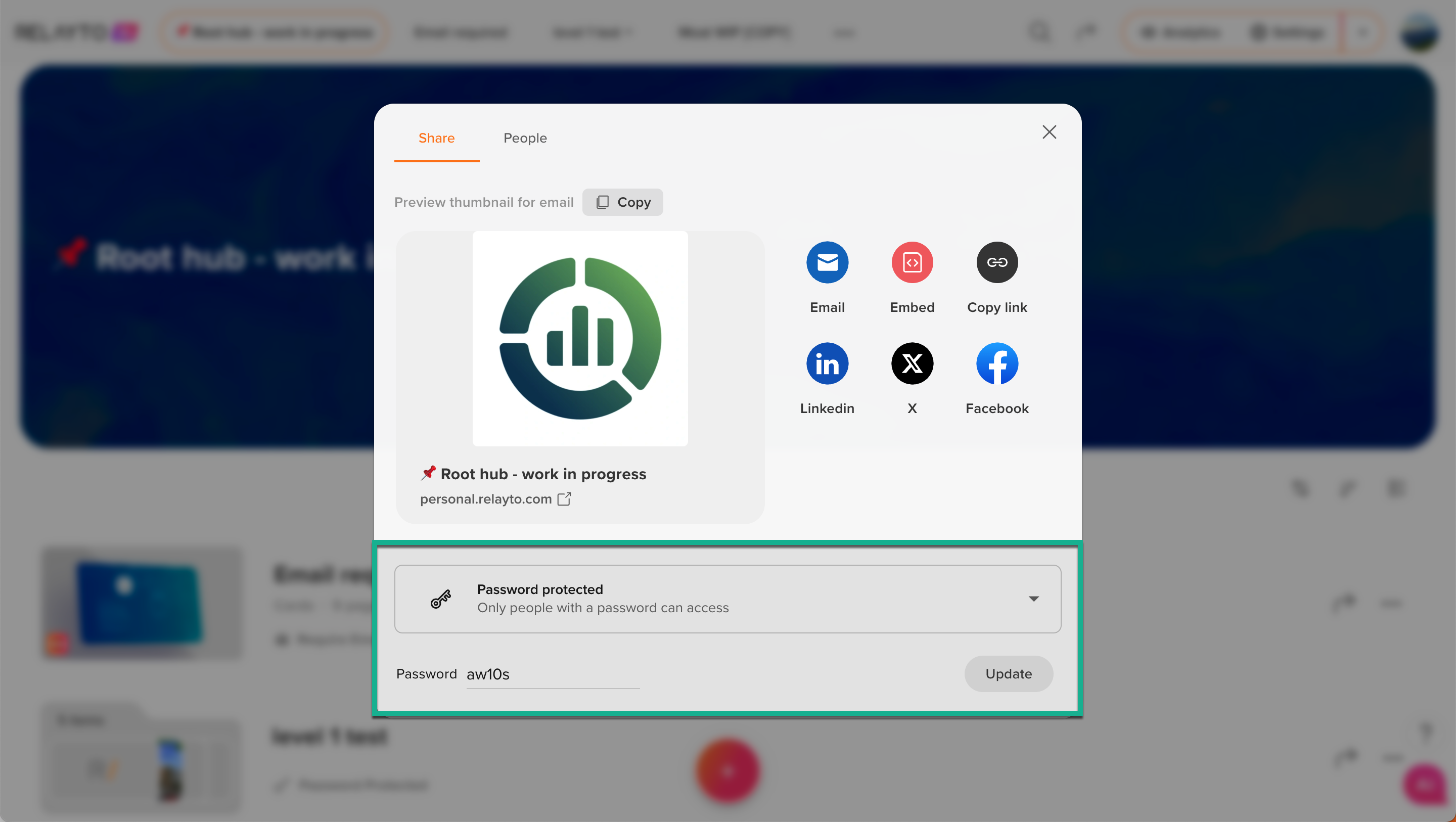
Upgraded Password Protection for Hubs
Our team boosted the security system for password-protected content in hubs, making access management smoother and more trustworthy for everyone.
Why It Matters:
🔹 Rock-Solid Security: A smarter backend instantly syncs passwords across all hub views, ensuring owners always see and control the correct access settings.
🔹 Seamless password management creates a polished hub experience, boosting trust with clients and collaborators.
🔹Spend less time worrying about access settings and more time focusing on your work, with confidence in your hub’s security.
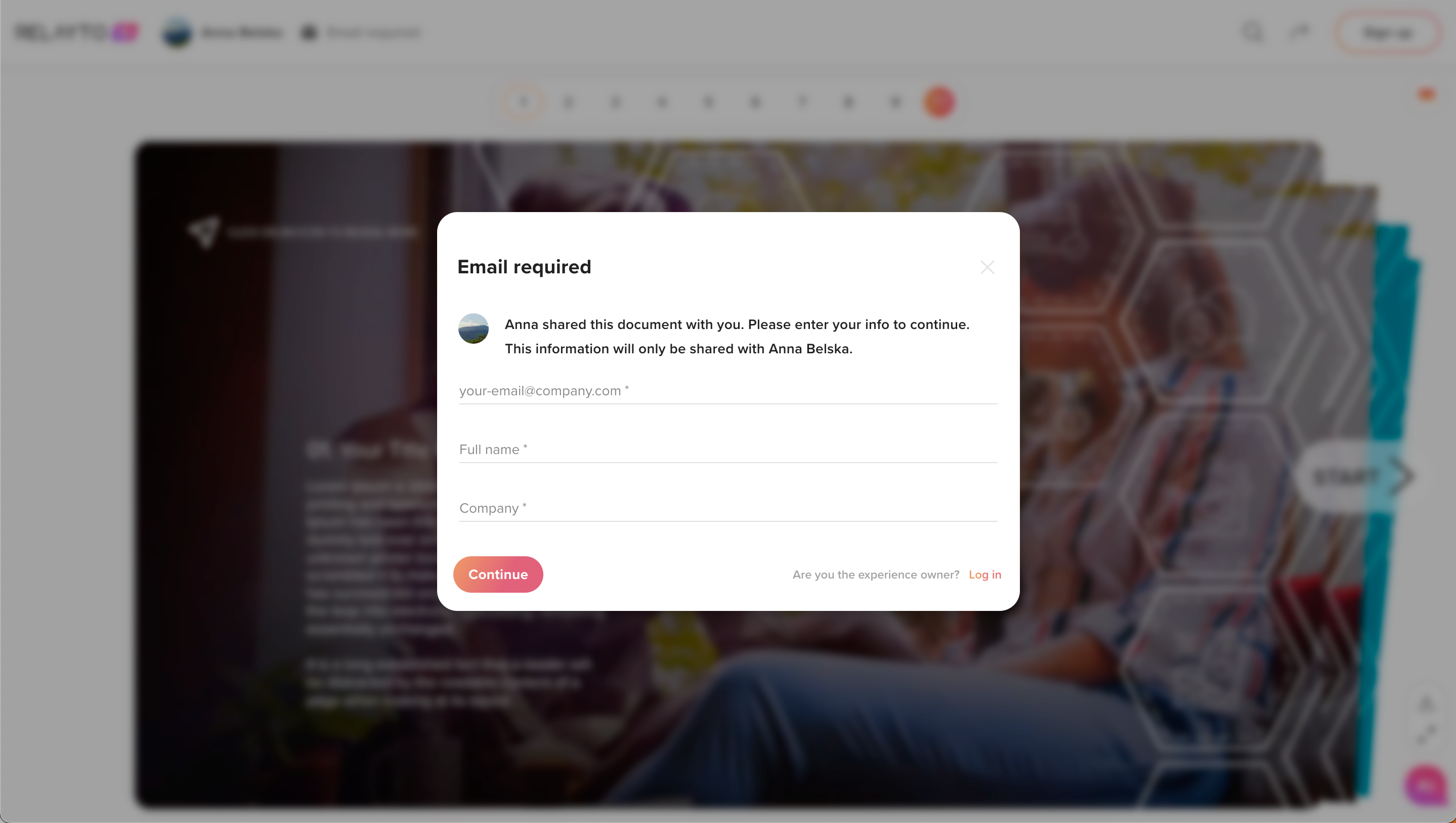
🚀 Strengthened Email Privacy for Content
Our team has enhanced the "Require email to view" privacy settings for content, ensuring secure and straightforward access control for all users.
Why It Matters:
🔹 The upgraded "Require email to view" popup eliminates all bypass methods, ensuring only authorized users access your content.
🔹 Reliable privacy controls deliver a polished experience, elevating your content’s credibility.
May 1, 2025
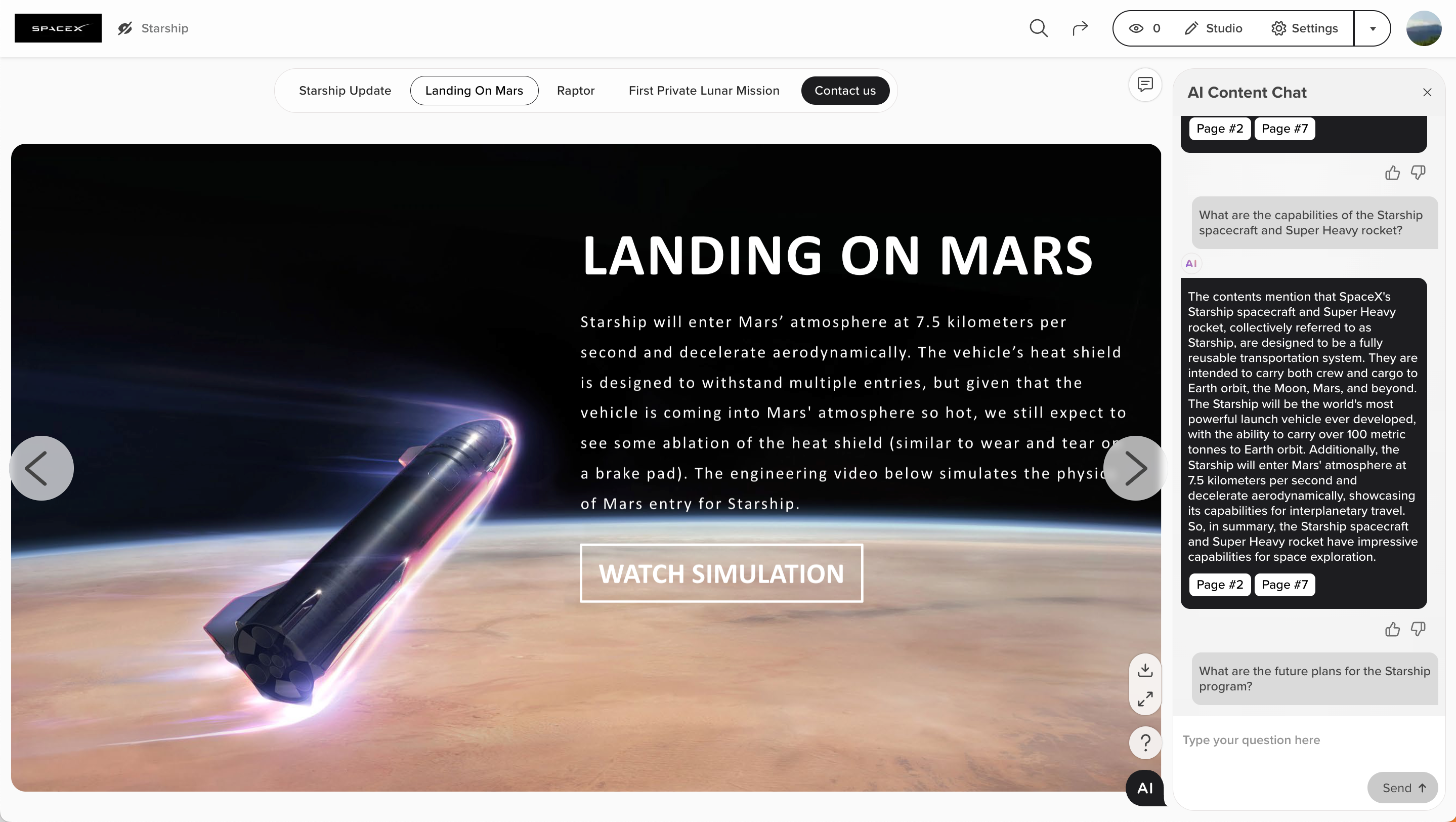
🎨 Expanded Brand Color Customization
The Brand Color feature now auto-applies to AI Chat button, Main Call-to-Action, navigation UI, and popups in content view mode for smarter branding alignment.
Why It Matters:
🔹 Broader Branding: More UI elements reflect your brand for a cohesive look.
🔹Zero Effort: Auto-recoloring saves time on manual styling.
Auto-branding is available on the Business plan and above.
April 31, 2025
🛠️ Improved Office File Uploads
We’ve enhanced the upload process for PowerPoint, Word & Excel files, ensuring smoother handling of file names and improved compatibility during conversion to PDF.
Why It Matters:
🔹Upload Office files with more flexibility and fewer errors—reducing friction and enabling faster, more reliable content sharing.
.png)
April 30, 2025
🎨 Improved Web Docs Rendering
RELAYTO Web Docs now render more consistently and efficiently when accessed via hubs, with enhanced performance.
Why It Matters:
🔹 Enhanced visual consistency ensures Web Docs maintain proper formatting and scrollability across all hubs.
🔹 Improved speed, reducing load times by up to 30%, allows for quicker loading and smoother interaction.
April 29, 2025
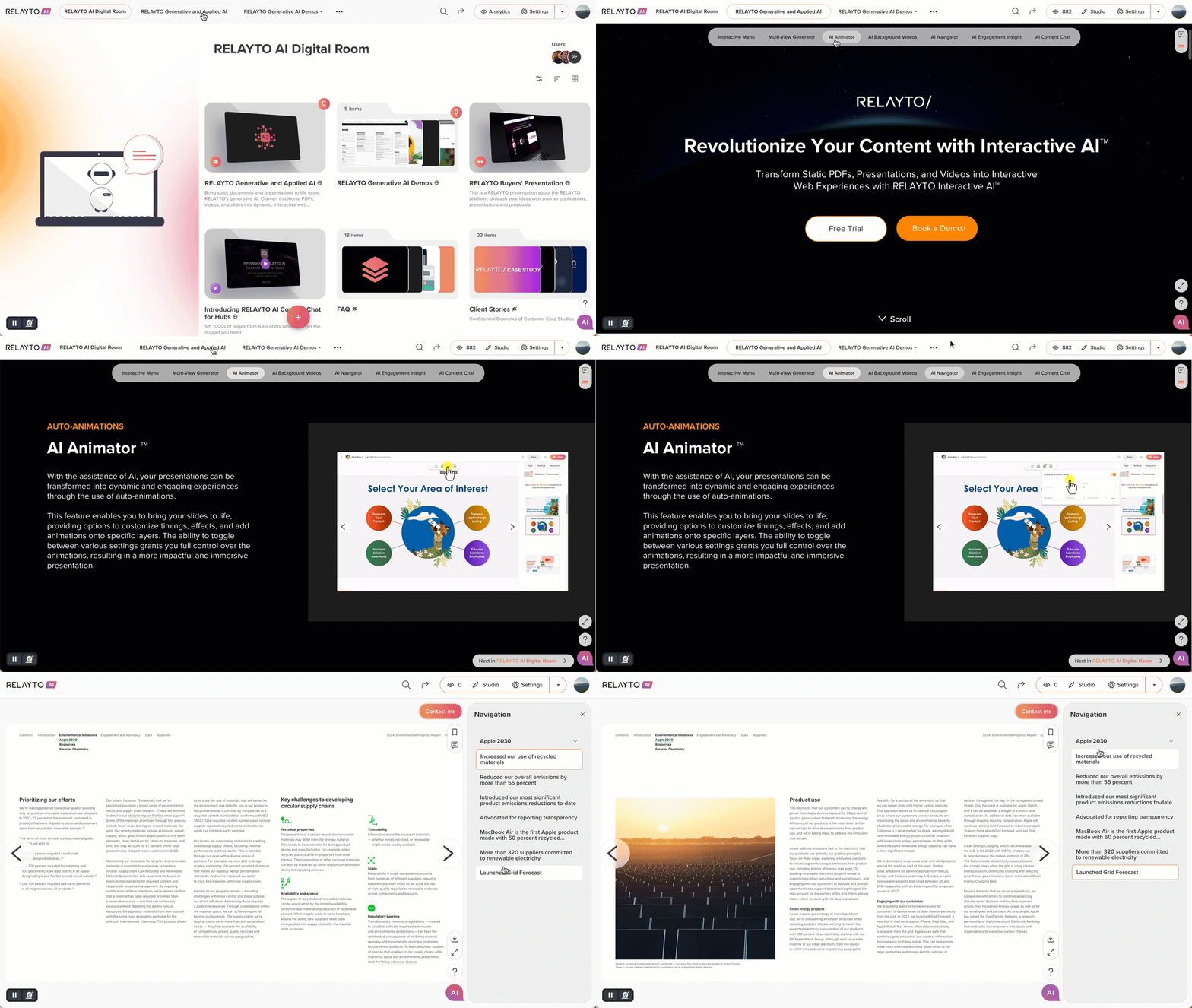
🎨 Streamlined Navigation UI
All navigation elements—hub top bar, content top menu, and sidebars—now share consistent, polished hover and active styles for a cohesive user experience.
Why It Matters:
🔹 Professional Appeal: Uniform navigation styling creates a sleek, trustworthy interface that elevates brand perception.
🔹 User Clarity: Consistent visual cues make navigation intuitive, reducing confusion across hubs and content areas.
🔹 Design Focus: Standardized styles cut down on manual design tweaks, freeing teams for higher-priority tasks.
April 28, 2025
Fast Personalization for Mass Uploads
After mass uploading, you can now rename your content right away—no need to wait for AI to generate titles for each experience. If you rename it, your title stays.
Why It Matters:
🔹 Quick Control: Customize your titles immediately.
🔹 Your Titles Stick: User-provided titles always override AI suggestions, so your input stays in place.
🔹 Ready to Share 2x Faster: Immediate customization boosts trust and speeds up your workflow.
🛠️ Smoother Hub Uploads
Single-file uploads to hubs now appear instantly—no reloads needed to see newly added content.
Why It Matters:
🔹 Streamlines content management with fewer interruptions.
🔹 Speeds up hub creation by 5–10 seconds per asset by eliminating delays.
🔹 Delivers a faster, more reliable hub experience.
April 25, 2025
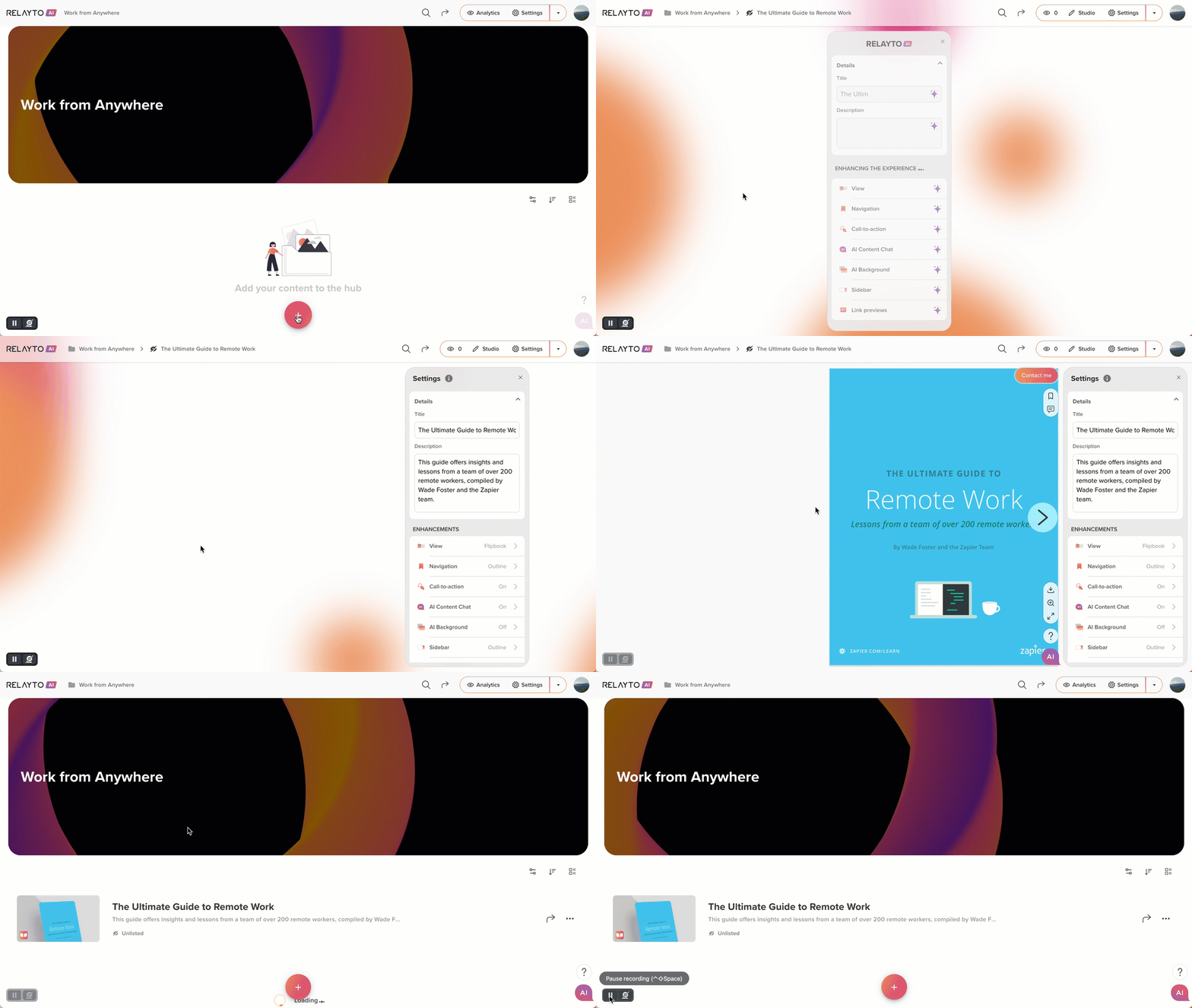
Smart Content Thumbnails — Captivating & Brand-Ready
Auto-generated content thumbnails now give your experiences a sleek, professional look instantly after upload — with easy customization options to reflect your brand.
Why It Matters:
🔹 Dynamic thumbnails adapt to any layout for better engagement.
🔹 Customize backgrounds with your brand’s colors, overlays, or images at the hub or workspace level.
🔹 Reinforce your brand in every view with polished, ready-to-go thumbnails.
🔹 Save design time and streamline workflows.
🔹 3D hover effects add a premium, interactive feel across all dashboards and hubs.
Stronger branding. Faster setup. Sharper experiences — all with no extra work.

🎨 New feature: Company Brand Color
Introducing the new 'Brand color' feature for companies to customize the platform's look with branded styles.
Why It Matters: Instant Brand Consistency – Apply brand colors to key UI elements across all content and hubs. Effortless Customization – Instantly update the workspace look with no hassle.
 Important:
Auto-branding is available on the Business plan and above.
April 24, 2025
📄 Smart Font Detection for Better Readability
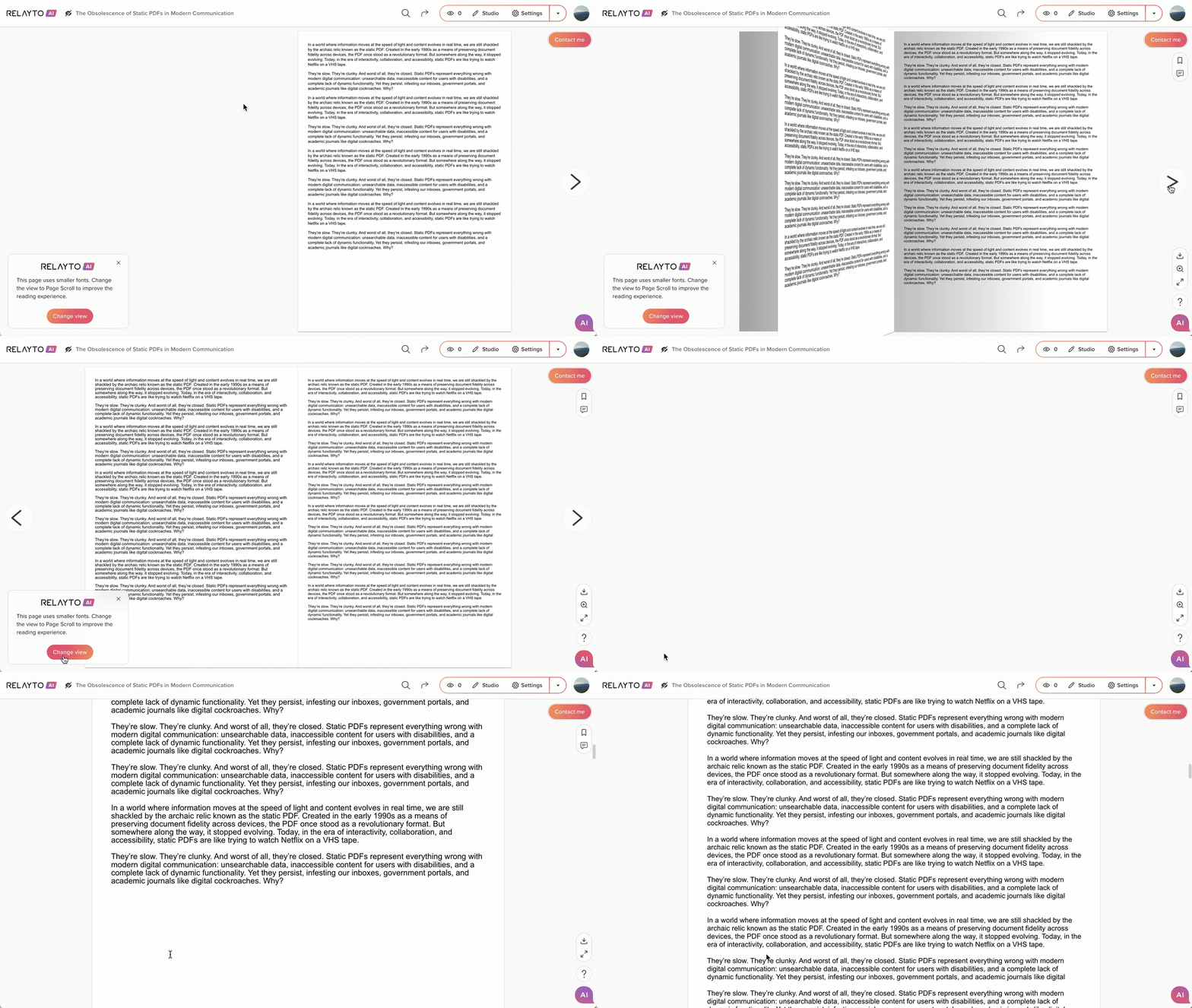
We’ve introduced an intelligent banner that detects when a page uses very small fonts (under 11px) — and suggests a better viewing mode to improve clarity.
Why It Matters:
🔹 The platform intelligently adapts to optimize readability.
🔹 A subtle banner prompts users to switch to Scroll mode for clearer text.
🔹 Part of our ongoing effort to enhance reading comfort effortlessly.
April 18, 2025
🚀 2x Faster Navigation Setup!
We’ve redesigned the Navigation Settings flow to make it easier and 2x faster to choose and preview navigation types when setting up your content.
Why It Matters:
🔹 Instantly access all navigation options with helpful descriptions and previews.
🔹 Quickly apply the right navigation type for your content experience with less guesswork.

April 17, 2025
🚀 Track Content Downloads for Smarter Insights
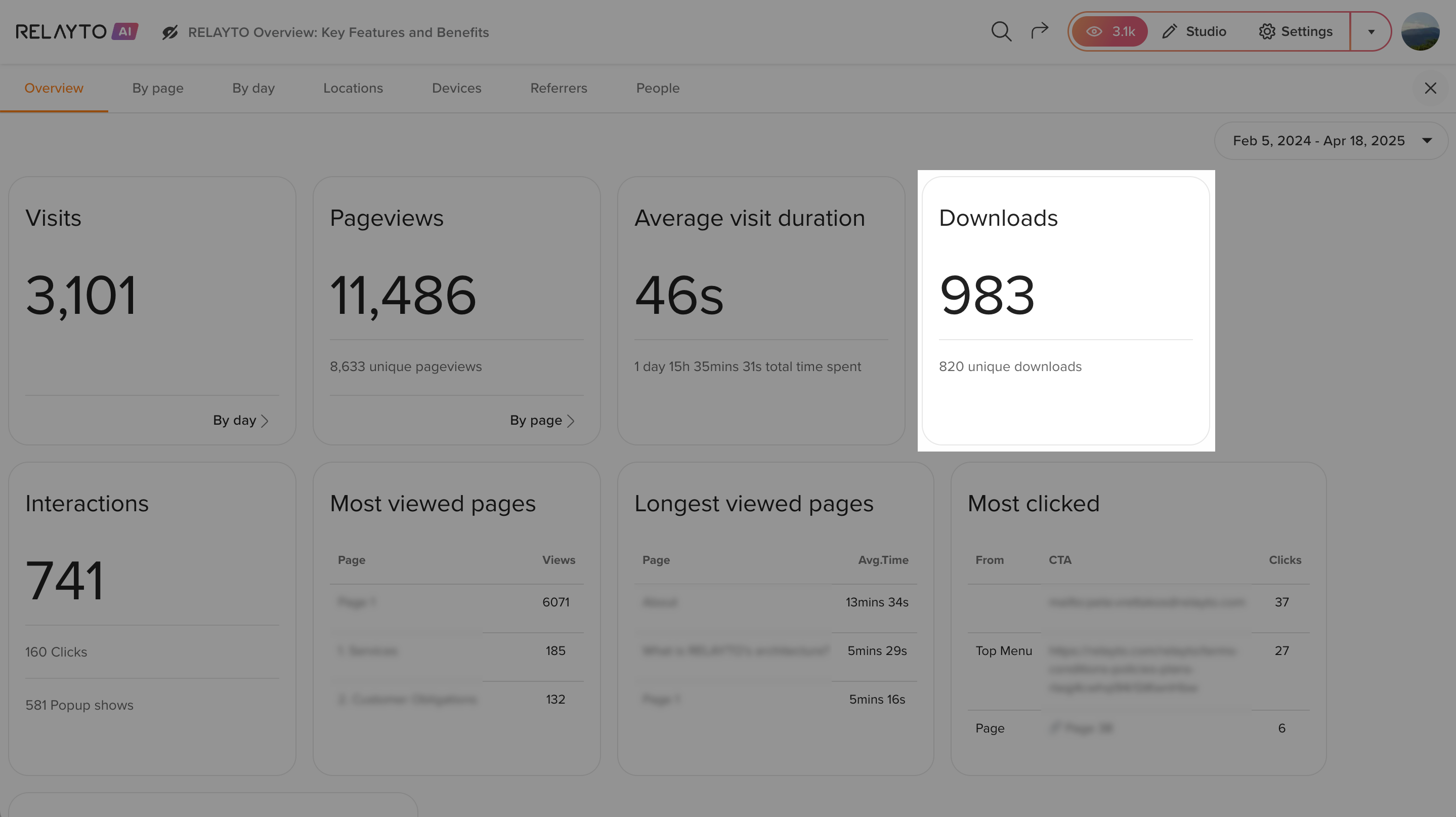
You can now see the download count in your content analytics, providing valuable visibility into engagement and performance.
Why It Matters:
🔹 Leverage download data to refine content strategy, optimize engagement, and drive more results.
🔹 Identify high-performing content and make smarter, more informed choices to enhance your content strategy.
April 16, 2025
🚀 Next-Gen Analytics Tracking
We’ve overhauled our content analytics engine, unlocking a new level of precision, consistency, and reliability across platforms.
Why It Matters:
🔹Empower your teams with sharper engagement data to fuel smarter strategy and faster decisions.
.png)
🛠️ Seamless Access to Private Content After SSO Login
Private content now loads instantly after signing in via SSO, ensuring a seamless experience without any delays.
Why It Matters:
🔹 Companies can now access private content faster, improving efficiency and reducing delays in collaborative processes.
🔹 A 30% faster SSO login-to-content transition, helping your team stay focused and productive.
April 15, 2025
🔐 Smarter Access for Multi-Level Hubs
When a new subhub is added, existing collaborators now automatically inherit the same access level they have on the main hub—no extra steps needed.
Why It Matters:
🔹 Editors stay in sync across all levels of your hub structure.
🔹 3x less Manual Work – Spend more time creating, less time managing permissions.
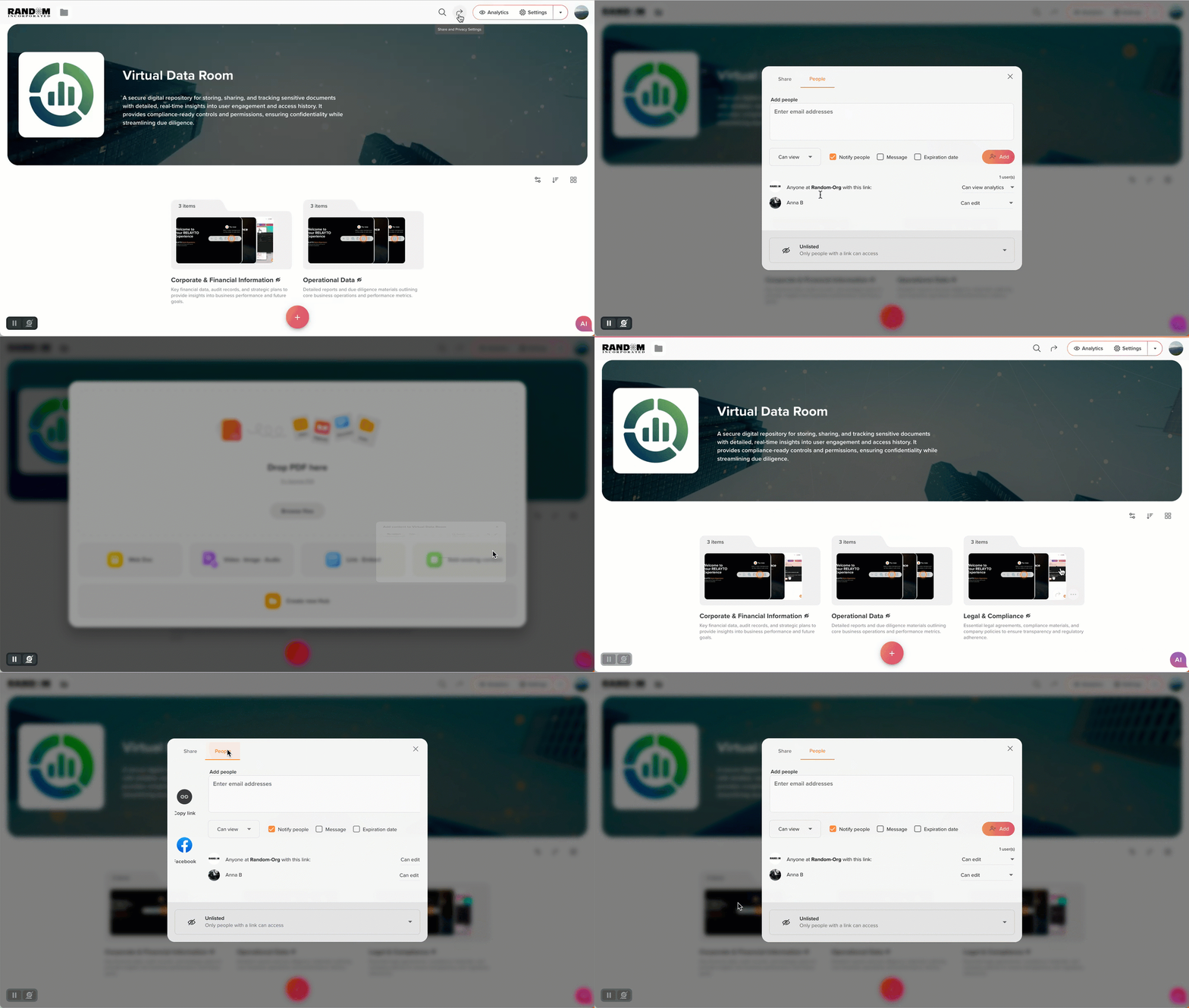
April 14, 2025
📄 Google Docs Live Embeds — Now Seamless & Reliable
Google Docs & Sheets now embed perfectly across dashboards and experiences—retaining their original structure for clean, professional previews every time.
Why It Matters:
🔹 Reliable Document Presentation – Maintain the integrity and design of live embeds.
🔹 Smoother Setup – No extra formatting or rework needed.
.gif)
April 11, 2025
🚀 Unlock Premium Features 2x Faster!
For Free users, a default cover image with a CTA now appears on personal dashboards, offering an easy path to upgrade and access powerful tools like AI engagement, branding, and advanced analytics.

🚀 Streamlined Content Selection Across All Views
The “Select” option is now available consistently across all dashboard and hub views, making it easier to manage documents and multi-level hubs. Whether from the hub or the dashboard, selection is now seamless.
Why It Matters:
🔹 Faster Content Management – Quickly select and organize your content across all views.
🔹 Boost Productivity – 2x Less friction means smoother workflows and more control.

🚀 Seamless AI Chat Transition During Content Upload
The transition to the AI Chat sidebar during content upload and setup is faster and more seamless, ensuring no interruptions with the extracted outline or other UI elements.
Why It Matters:
🔹 Uninterrupted Workflow – Get immediate access to AI insights without disruption, improving the overall user experience.
April 10, 2025
🚀 Quick Feature Walkthrough – Access Tips Anytime
We've added an easy way to access the product tour directly from the Settings sidebar. Simply click the "i" icon to launch a feature walkthrough. Get familiar with the platform's key tools anytime!
Why It Matters:
🔹 Quickly get up to speed with new features at your own pace, no need to go searching for help.
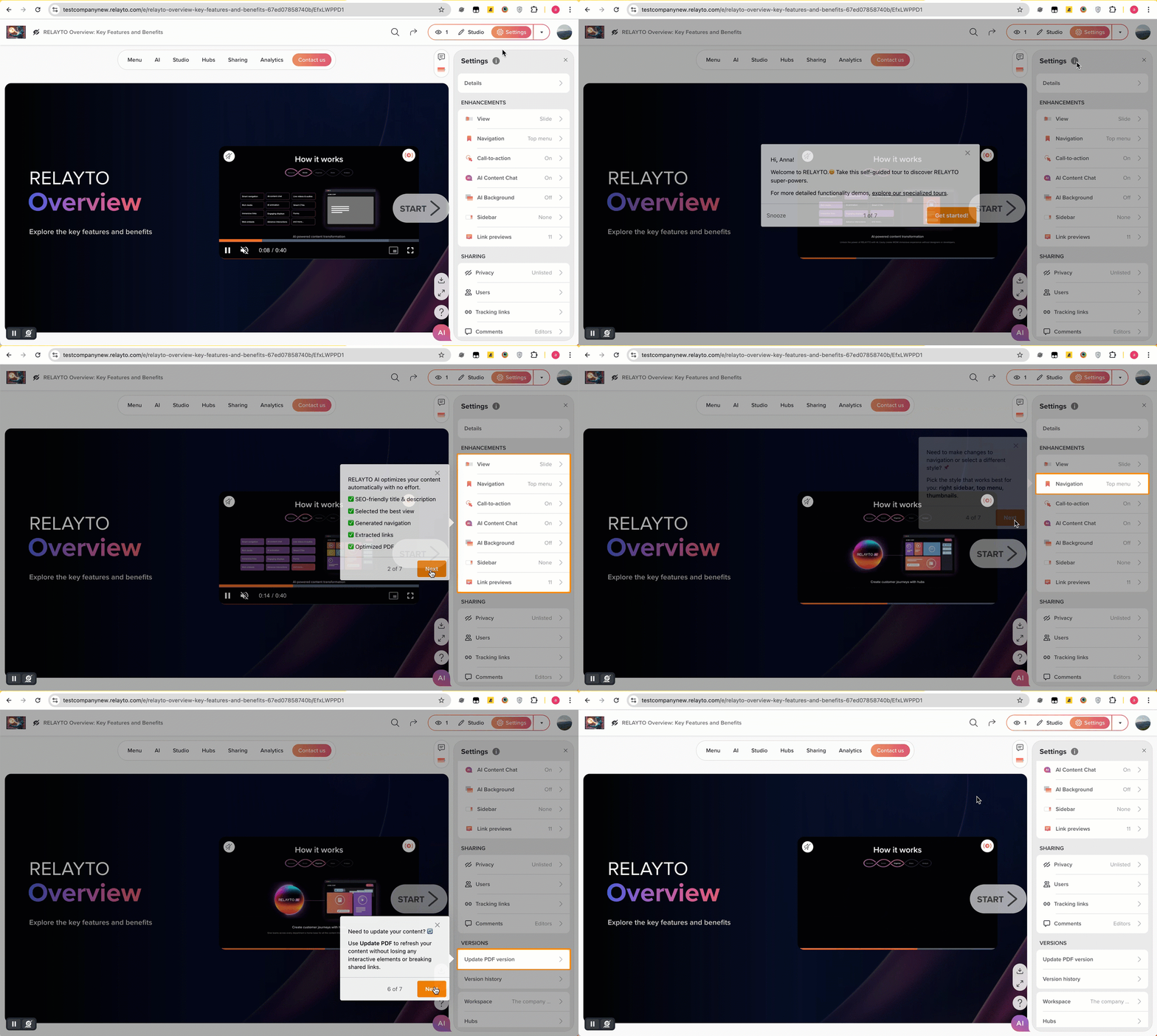
🚀 2x Faster Content Upload to Subhubs
Uploading content directly to subhubs now keeps the main hub visible in the navigation, making it easy to quickly return to the top-level hub and continue adding content without losing your place.
Why It Matters:
🔹 This change reduces the time spent navigating the hub structure, helping you quickly populate hubs and stay organized with minimal clicks.

April 9, 2025
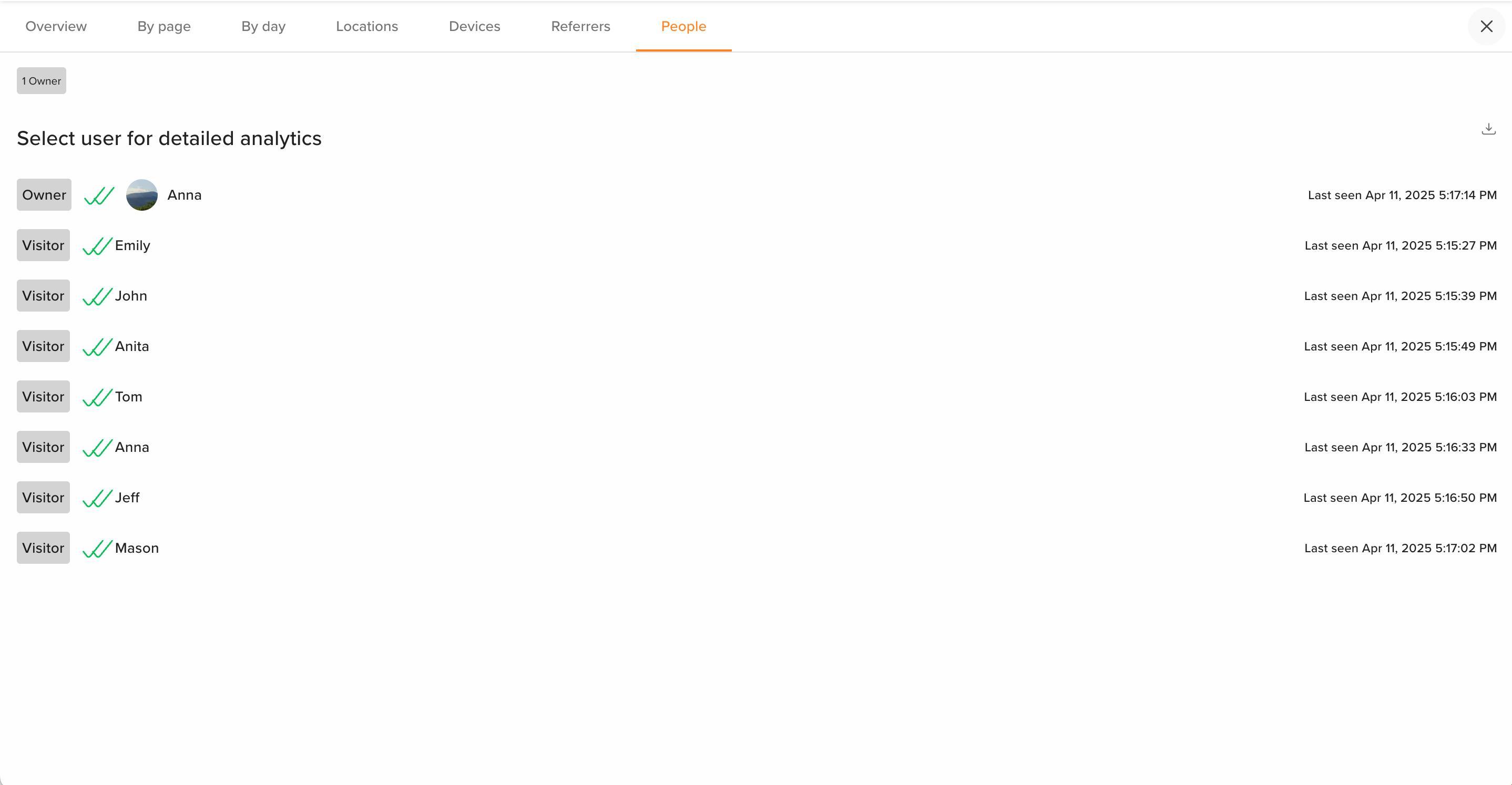
🚀 Enhanced Individual Visit Tracking for Content Analytics
We’ve expanded the scope of how individual content visits are captured, ensuring every user interaction is tracked consistently, even across various browsing scenarios, giving you a comprehensive and reliable view of engagement.
This update ensures that all visits, regardless of the user’s actions, are recorded accurately, providing a complete picture of content performance. You’ll gain a deeper understanding of user behavior, empowering you to make data-driven decisions with confidence and clarity.
🚀 Smarter Individual Visits Sorting
Easily prioritize and access the most relevant interactions with enhanced sorting functionality!
What's Improved:
🔹 This update automatically organizes individual visit data, by showcasing the most relevant visits at the top, you can quickly assess engagement and take action where it matters most.
April 8, 2025
🧭 Netflix (Horizontal) View: Now Smarter Across Hubs & Dashboards
We’ve improved the Horizontal view for a smoother, more reliable experience in hubs and dashboards.
What’s Improved:
🔹 Accurate Navigation – All hub navigation types now instantly reflect your content order, ensuring a consistent experience.
🔹 Reliable Pinning – Pinned assets always appear first in Horizontal view, syncing with your custom layout.
🔹 Expanded Dashboard View – Seamless scrolling across hubs in Horizontal view makes managing large workspaces easier.
Why It Matters:
📊 More control, less distraction. These updates ensure your layouts are exactly as intended, offering a smoother, more intuitive experience.
April 7, 2025
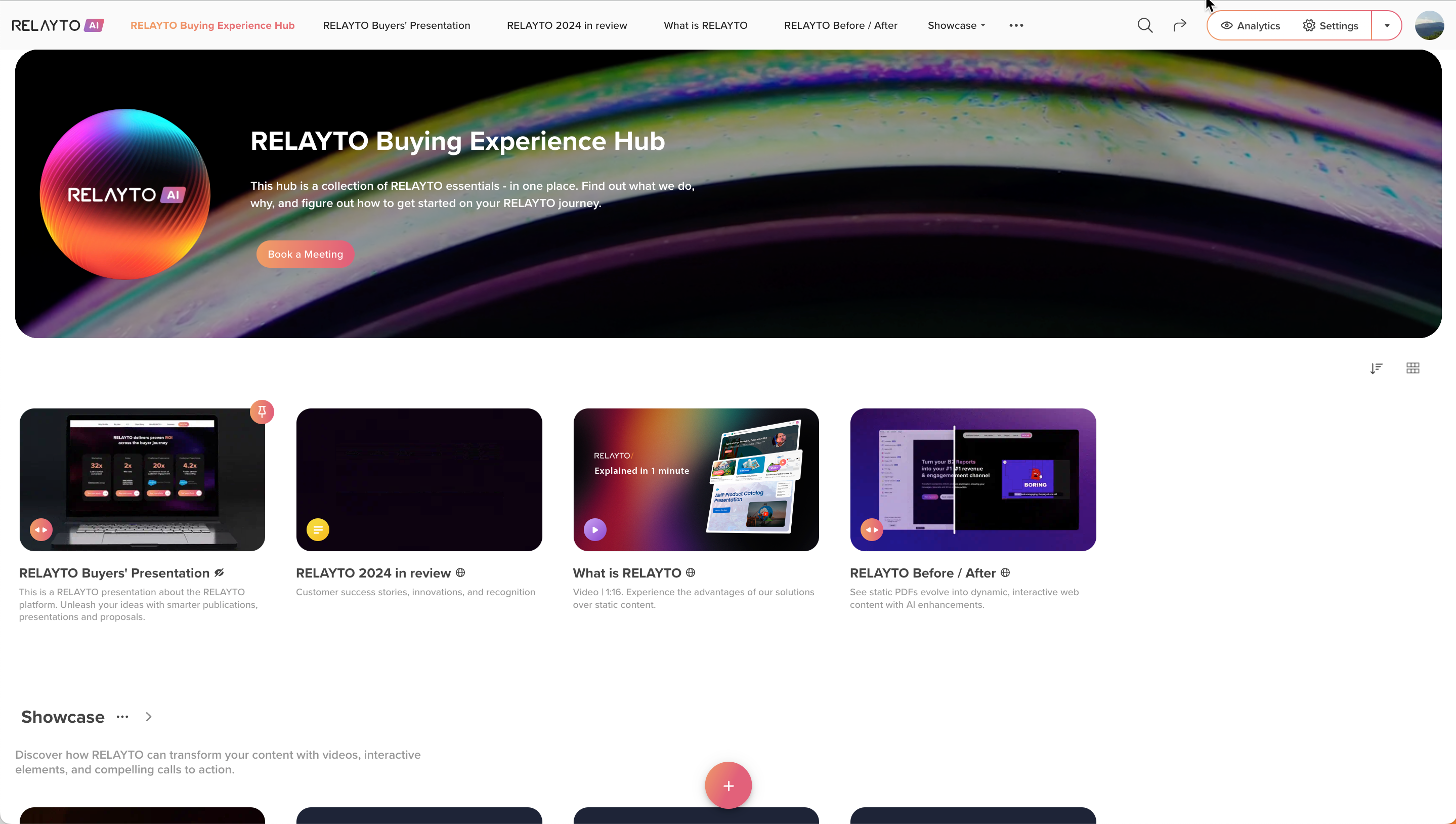
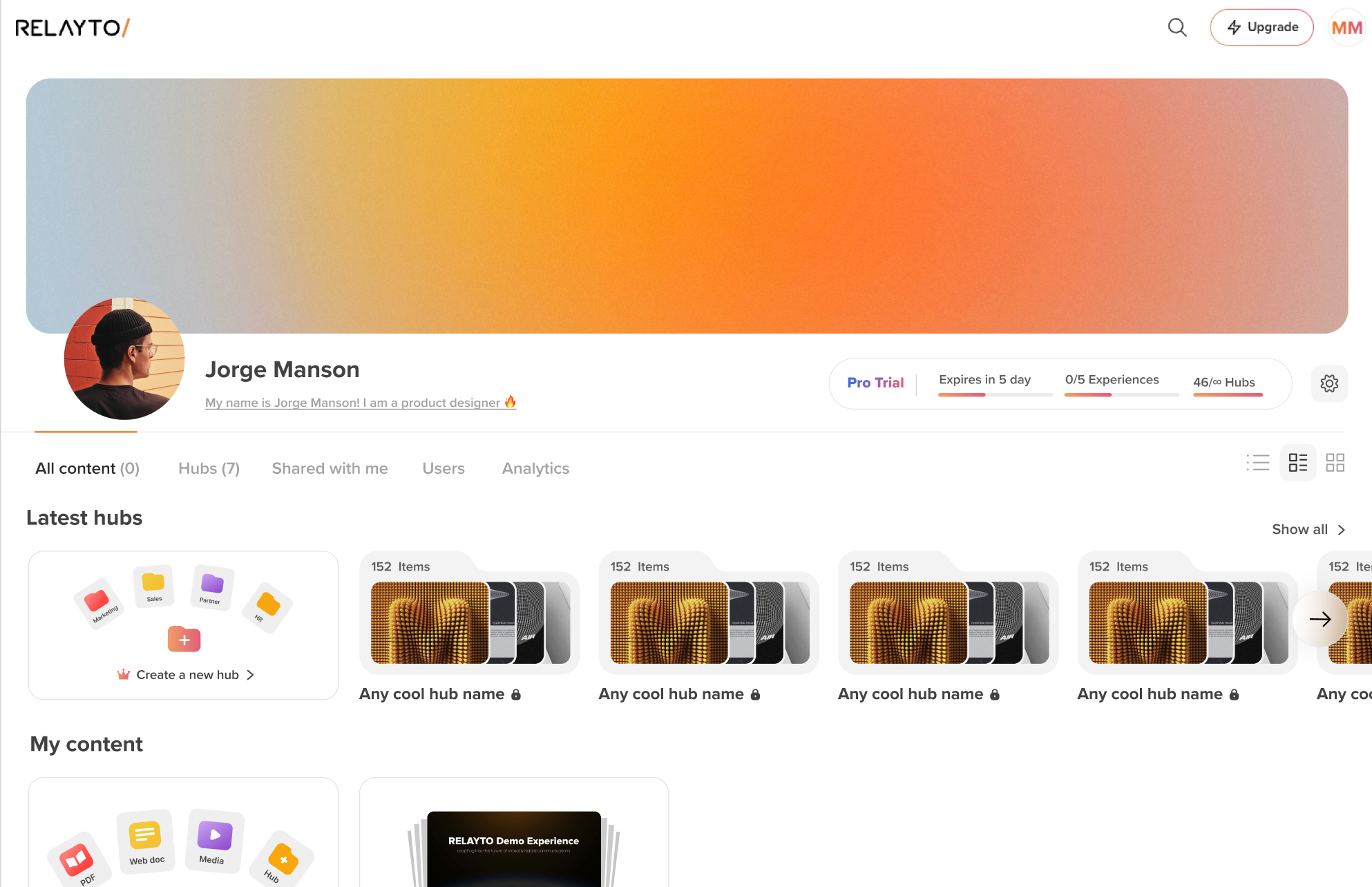
New Workspace UI: Smarter, Cleaner Content Managing!
Streamlined Navigation – The dashboard now divides 'Latest Hubs' and 'My Content', making it quicker to find what you need.
🔹 Faster Hub Access – 'Latest Hubs' scrolls horizontally, showing the most recently updated hubs for faster access.
🔹 Enhanced Layout – The new layout improves content organization, streamlining workflows and delivering a more intuitive experience across all devices.
Why This Matters:
🔄 Boosted Efficiency – Access key content 2x faster, reducing friction and improving overall productivity.
April 4, 2025
🚀 Support for PowerPoint, Word & Excel Uploads
You can now upload .ppt, .doc, and .xls files directly—automatically converted to PDF for fast, seamless viewing.
✅ Work with familiar formats without switching tools
⚠️ Files over 100MB may not convert consistently yet—improvements in progress
🔹 Why It Matters: Broader format support means less friction, faster sharing, and a smoother content experience.
🔍 Enhanced Content for Clearer Reading on Low-Resolution Screens!
We've fine-tuned all content views to make reading effortless on low-resolution desktop screens! 🖥️
✅ What’s Improved?
🔹 Sharper Text Visibility: Small fonts are now easier to read, ensuring a smooth and enjoyable viewing experience.
🔹 Optimized for All Screens: Flipbooks look great, no matter your device’s resolution.
April 3, 2025
🎨 Feature Update: Hub Template v2
Explore and choose the right hub templates effortlessly with our latest update.
What’s Improved?
✅ Easily preview templates before using them, ensuring the perfect fit for your needs.
⭐ Experience Premium Features. Trial users can now explore the full hub experience with access to features typically available only on Team & Business plans. While you can create just one top-level hub, hub templates (marked with a crown icon) give you a taste of the advanced options available on higher plans.
🔄 Streamlined Workflow
The Hub Templates window now opens seamlessly when creating a new hub, allowing you to quickly select a template or start with a blank hub.
Why This Matters:
🔹 Better Decision Making – Preview templates to find the best fit in seconds, improving your workflow by up to 2x faster.
🔹 Unlock Premium Value – Trial users can access Team & Business plan features, spotting upgrade opportunities..
🔹 Efficiency Boost – Hub creation with templates reduces setup time by 50%, making your team more productive.
.gif)
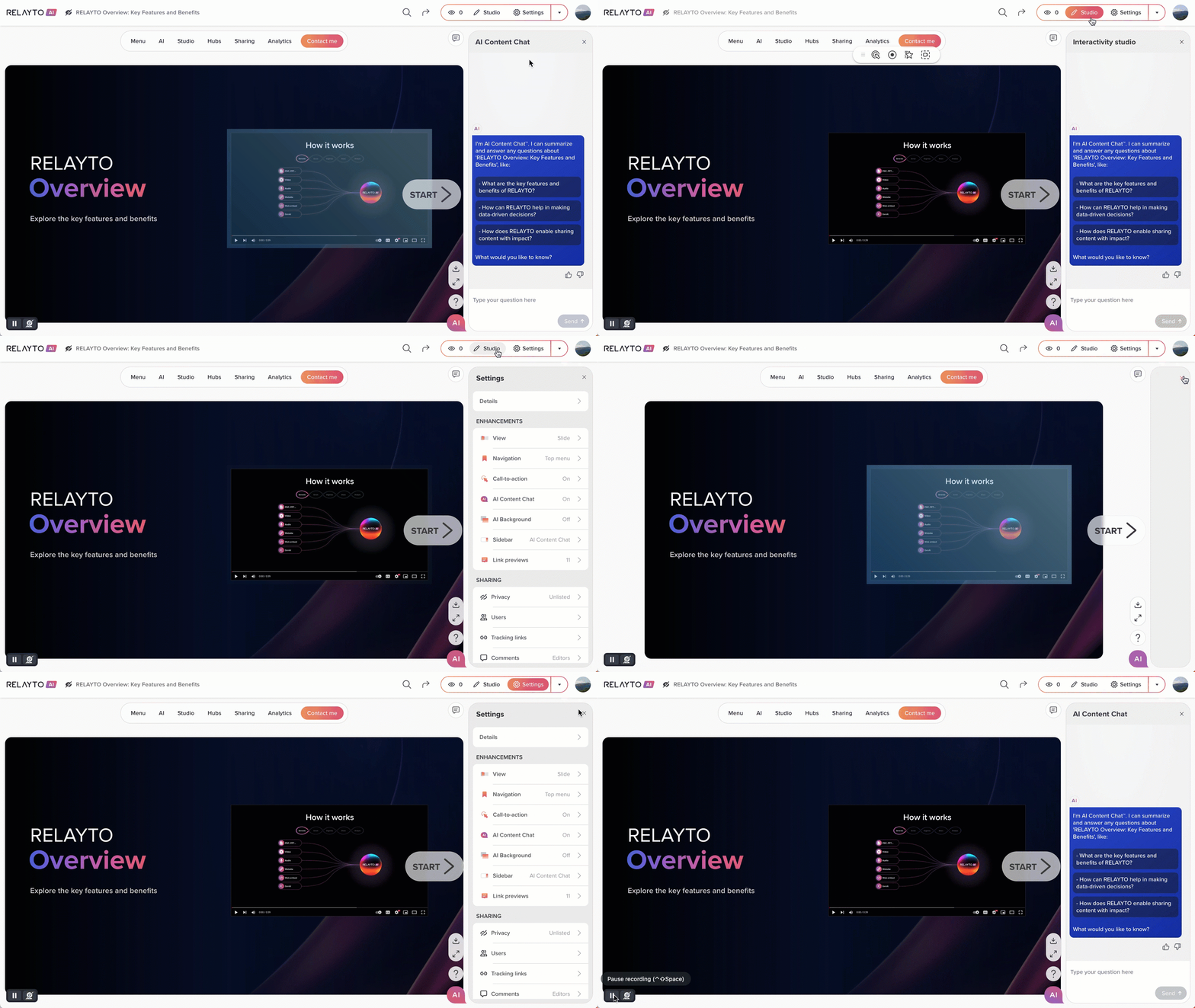
🚀 Update: Enhanced Studio & Settings Navigation
Enjoy a smoother, distraction-free experience when navigating between Studio, Settings and View mode.
What’s Improved?
✅ 2x Smoother Sidebar Transitions – Opening and closing the right sidebar feels more fluid and seamless.
✅ Up to 3x Smoother UI Animations – Animations are now more refined, enhancing visual flow.
✅ Cleaner Workspace – No more distracting overlays when finishing an edit session.
Why This Matters:
🔹 Better User Experience – Streamlined transitions and smoother interactions make workflows more efficient and engaging.
April 2, 2025
🚀 Explore Hubs on Trial – Upgrade to Unlock Full Power!
We’ve updated hub creation access—giving trial users a focused experience and a better feel for the product.
✅ Trial users can now create 1 hub or explore ready-to-use templates to experience structured storytelling.
📈 Why This Matters
Streamlining the trial experience allows users to explore the real value of hubs. Want unlimited hub creation and enhanced content management? Simply upgrade to a Team or Business plan to unlock the full potential!
April 1, 2025
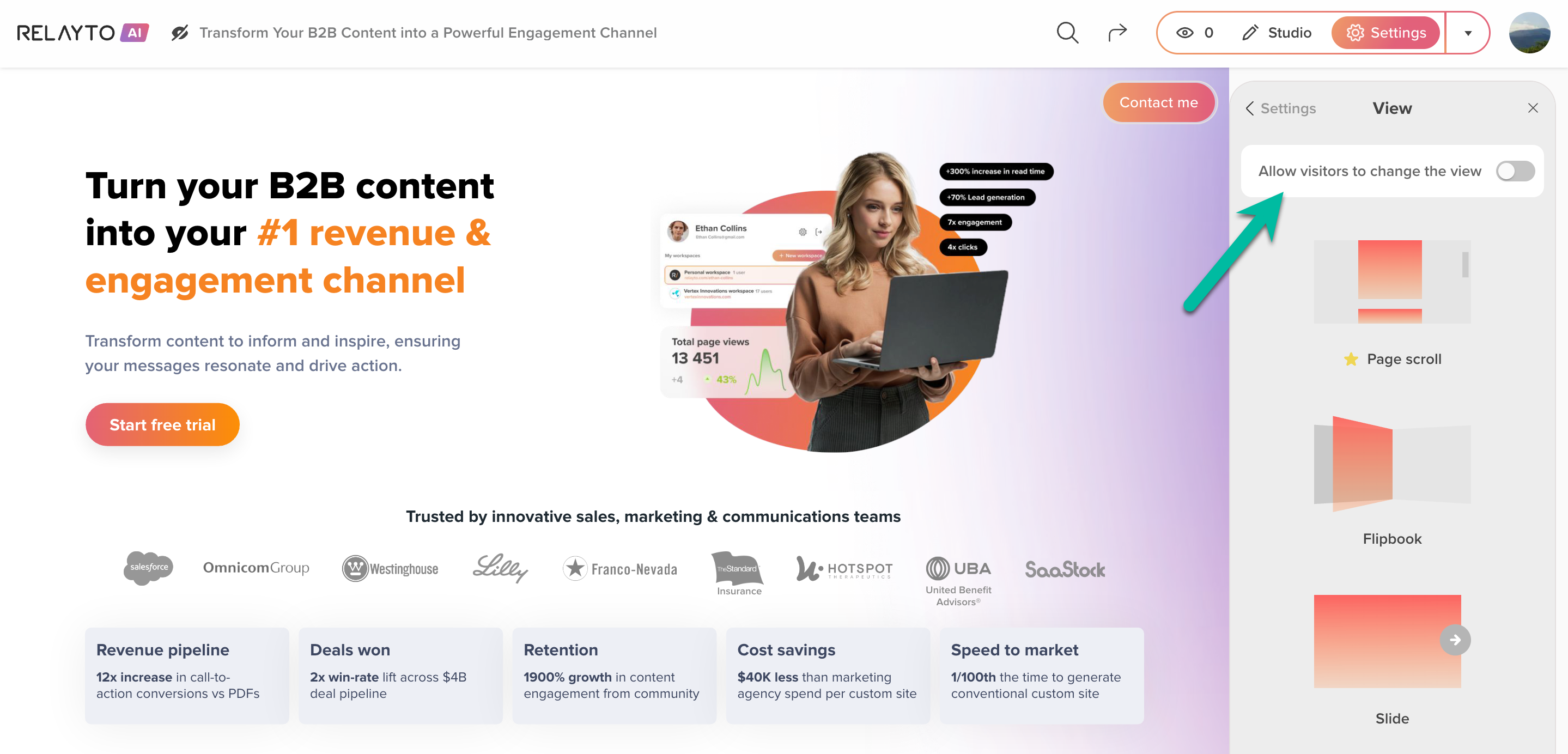
🆕 Smarter Default View Settings for New Docs
Newly uploaded documents now open in a consistent layout—view switching is off by default for a more polished reader experience.
✅ Clean Presentation – No unexpected layout changes for your audience.
✅ Better Control – Maintain the intended flow and structure of your content from the start.
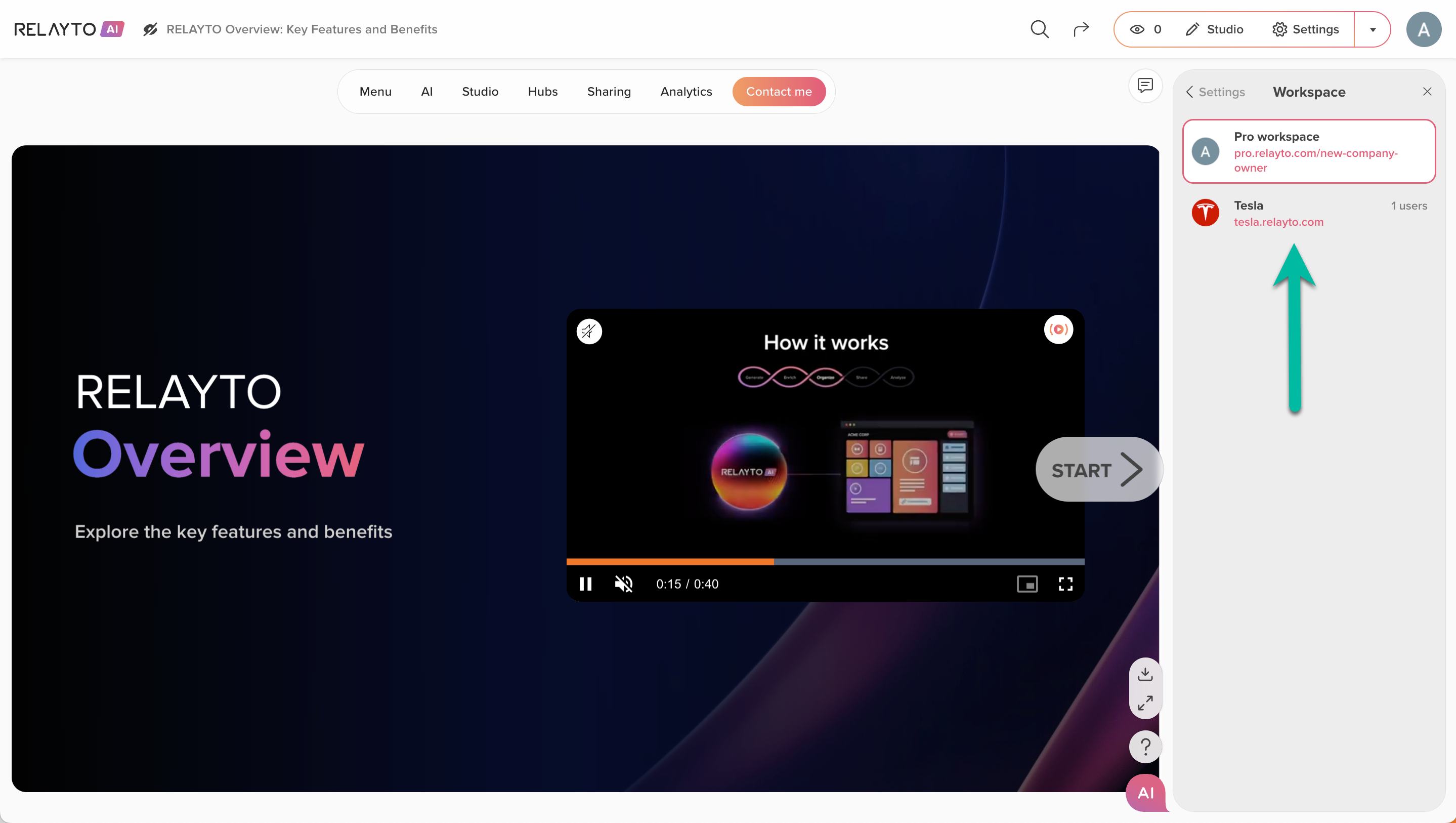
🔧 Effortless Content Movement Between Workspaces
We’ve refined the workspace list to make it easier for you to navigate and move content between different companies. Switching workspaces is now 2x faster and more intuitive!
March 31, 2025
🎯 New: Instant Team Setup for Company Owners
We’ve introduced a smart invite prompt for Company Owners logging in for the first time—helping teams get started up to 3x faster.
👥 Why It Matters:
✅ Accelerated Onboarding – Invite key team members instantly and kick off collaboration from day one.
✅ Smoother Setup – Reduce friction and set your team up in seconds, not days.
✅ Scales with You – Perfect for growing workspaces that need quick, efficient user management.
Boost momentum from the very first login 🚀
.gif)
March 27, 2025
🔐 Security Boost: Enhanced Session Protection & Seamless Logout!
✅ What’s Improved?
🔹 Strengthened Session Security: Protects user sessions from unauthorized access.
🔹 Smooth Logout Flow: Ensures a seamless and secure logout experience across all workspaces.
💼 Why This Matters:
🔹 Improved Security: 100% protection for user sessions, even with shared links.
🔹 Better User Experience: Faster, flawless logout for 2x smoother navigation.
🔹 Stronger Data Protection: Keeps user sessions and tracking links fully secure.
March 26, 2025
🎉 Smarter Workspace Navigation for Focused Productivity!
We’ve refined the workspace experience, making it easier to focus on what matters!
✅ What’s New?
🔹 Personal workspace now stays hidden if no personal content has been uploaded and the user is attached to a company.
🔹 See only relevant workspaces for your work—less clutter, faster navigation, and a 2x smoother workflow!
💡 More intuitive navigation means less confusion and more productivity!
🔧 Effortless Content Management & Company User Lists!
✅ What’s New?
🔹 Seamless Content Transfers: Move content 3x faster across workspaces—smooth and error-free every time.
🔹 Accurate Company User Lists: Resolved issues causing duplicate or overwritten users, making member management 50% more efficient.
💼 Why This Matters:
3x Faster Content Transfers = More Productivity
50% Less Time Managing Members = Smoother Team Operations
March 24, 2025
✨ Enhanced Hub Experience: Effortless Content Creation
We’ve made it easier to create and manage hub content with a more intuitive experience! 🚀
What’s New?
🔹 One-Click Content Creation: The "Add Content" button works seamlessly across all hub views.
🔹 Streamlined Uploads: Clicking "Add Content" instantly opens the default content upload window, so you can start creating right away.
🔹 Smarter Templates: A smoother, more intuitive workflow for filling empty templates with valuable content.
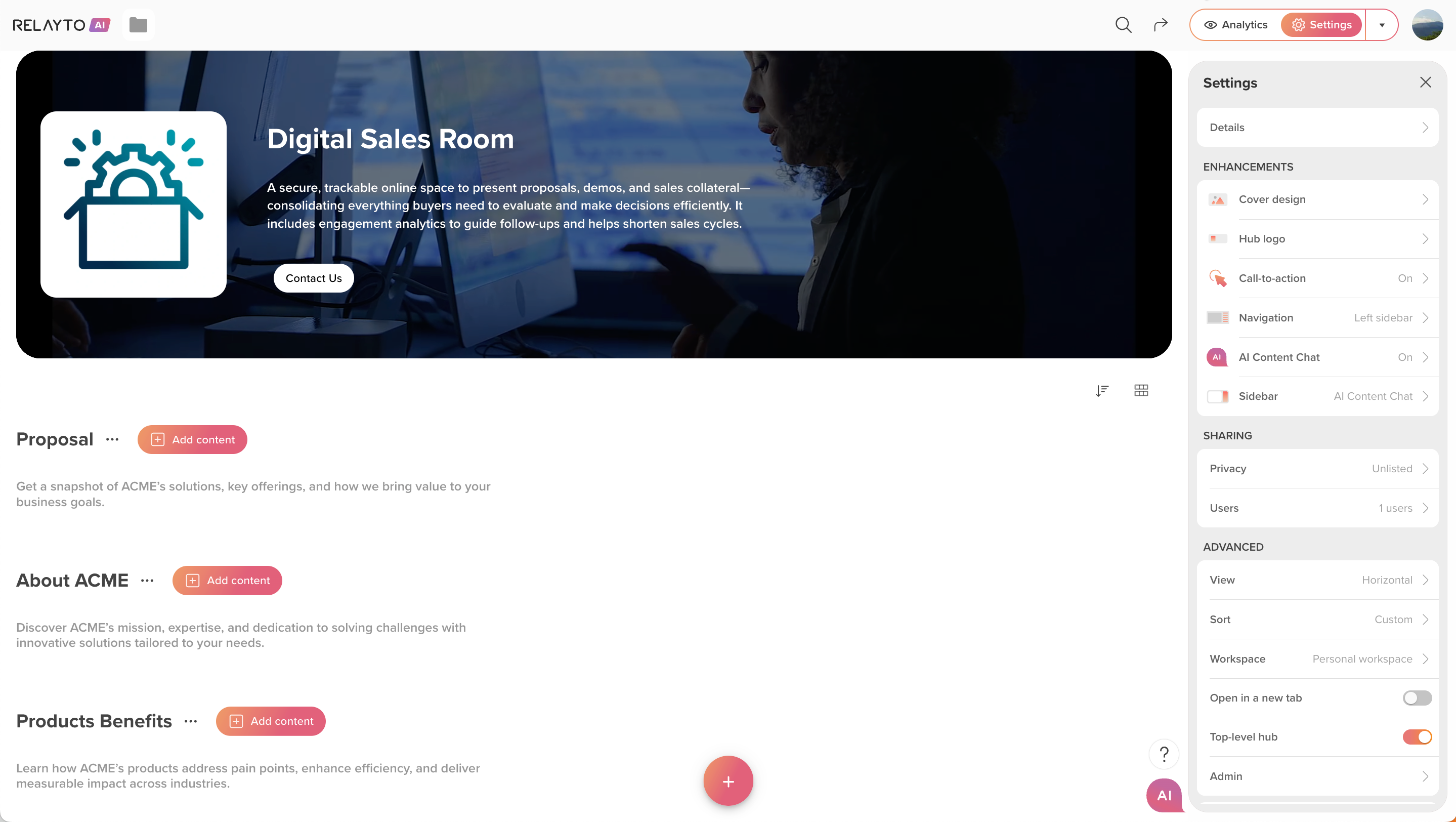
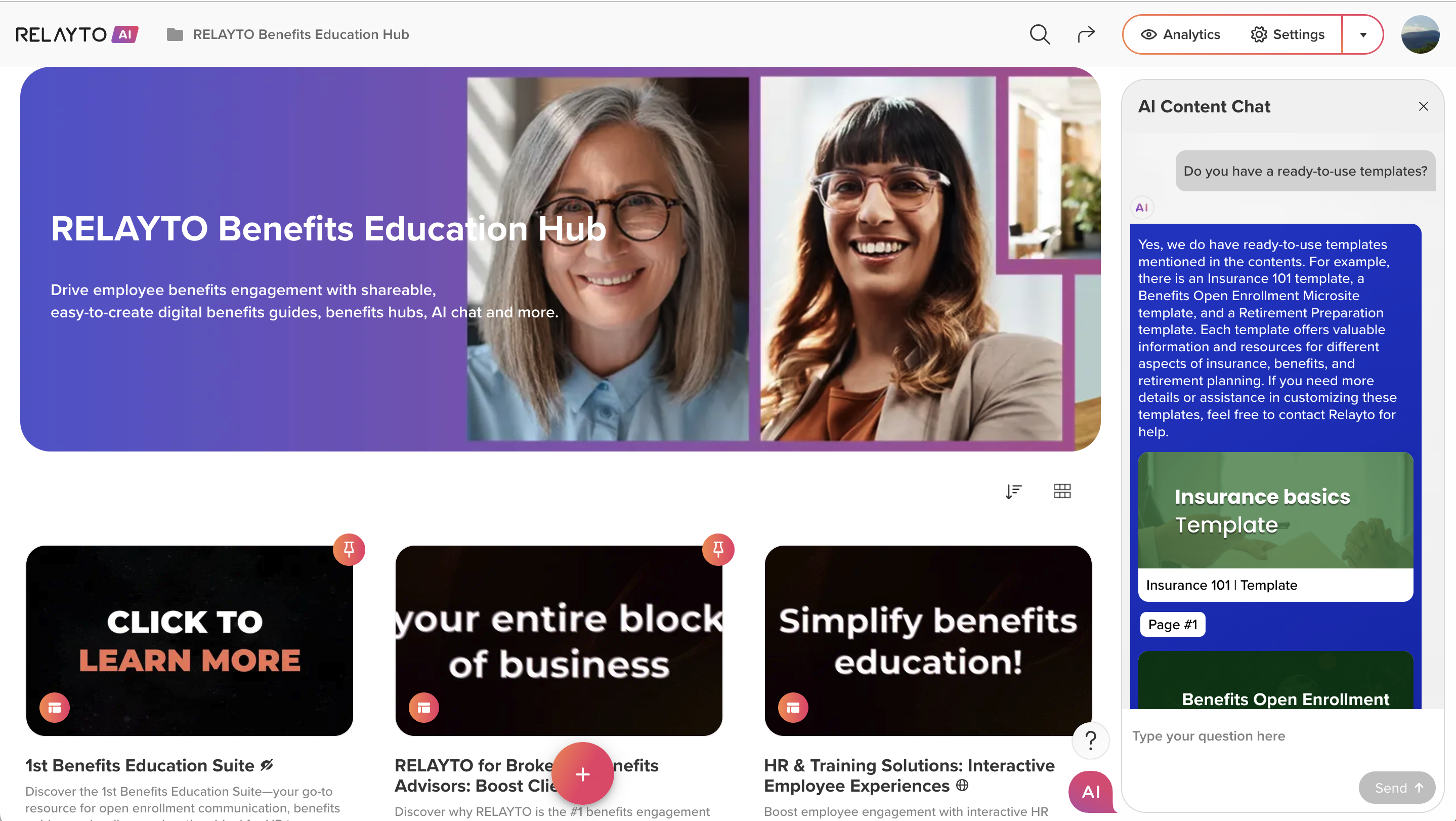
🧠 Smarter AI Content Chat for Multi-Level Hubs!
We've made AI Content Chat even smarter, ensuring it works seamlessly in hubs with content organized across multiple levels! 🚀
✅ What’s Improved?
🔹 Accurate Content Detection: AI Content Chat now intelligently reads content from all levels, even when the root is empty.
🔹 Optimized for Complex Hubs: Enjoy smooth, insightful AI conversations in any hub structure.
March 21, 2025
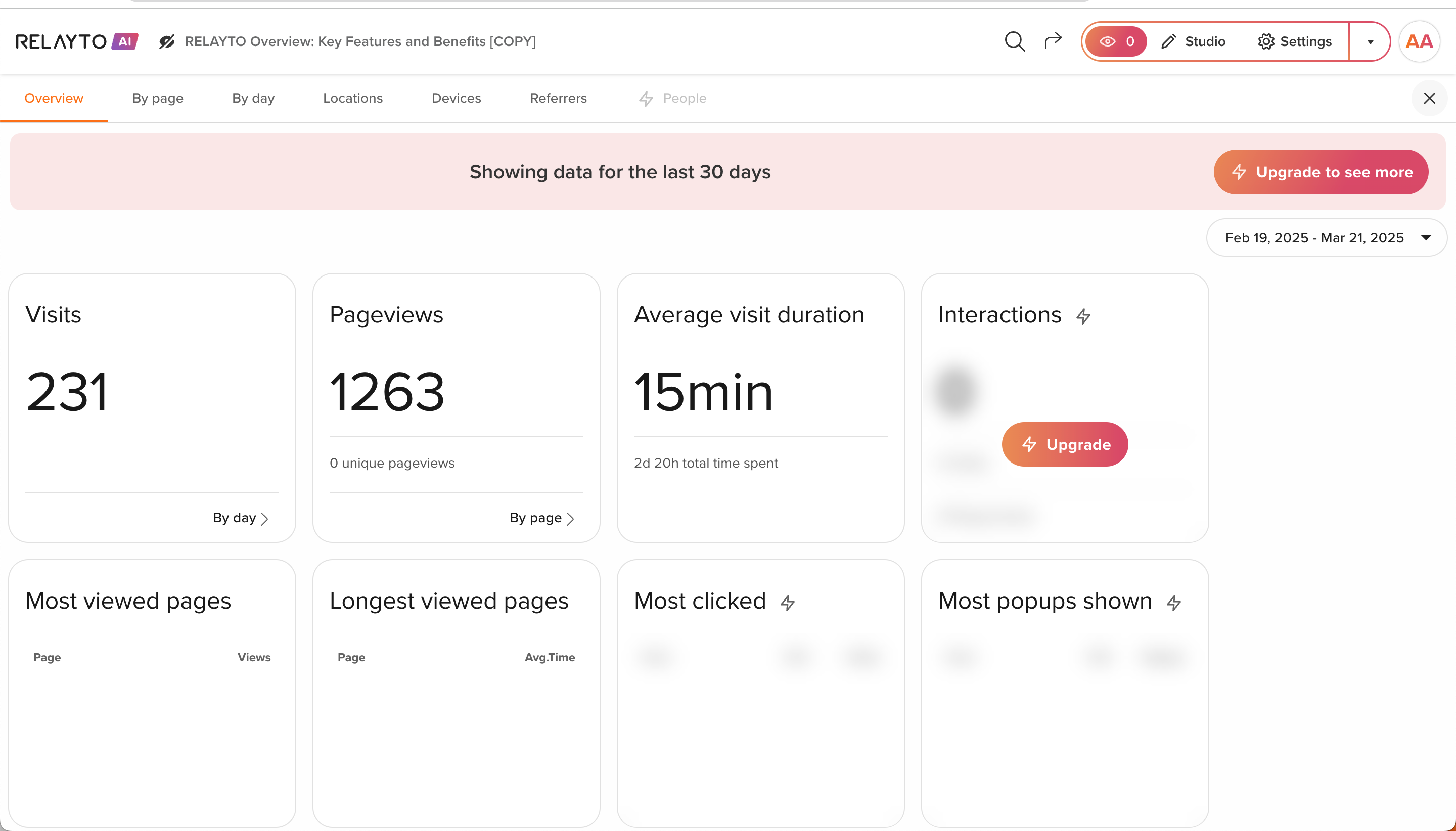
🔒📊 Smarter Analytics & Privacy Controls!
We’ve refined analytics and privacy settings to make insights more accessible while ensuring seamless plan clarity. 🚀
🔥 What’s New?
📊 Smarter Analytics Access – Preview key insights with upgrade options for full data visibility.
🔐 Enhanced Privacy Controls – Manage content sharing with simplified unlisted access & refined settings.
💼 Why It Matters?
✅ Clearer analytics previews to highlight value.
✅ Seamless upgrades for full access to tracking & insights.
✅ Improved privacy controls for better content management.
🔓 Upgrade to unlock full analytics, tracking, and privacy settings today! 🚀
March 19, 2025
 Printing Layout Improvements for Web Docs
We’ve fine-tuned the printing experience for blog documents, making it easier to generate high-quality PDFs.
What’s Improved?
🔹 Better Image Handling – Full-width images now print at their intended size.
🔹 Enhanced Readability – No more overlapping text under tables, ensuring clean spacing.
🔹 Smart Custom Styling – Improved formatting for brands like Alcoa for a polished print layout.
Why It Matters?
🔹 Get print-ready blogs without formatting headaches.
🔹 Ensure professional-looking PDFs every time.
🔹 Enjoy a seamless reading experience on both screen and paper.
March 18, 2025
🚀 Effortless Workspace Switching – Upload New Content Twice as Fast! 🔄
No more second-guessing where your content goes! We’ve streamlined the transition between personal and company workspaces, making the process smoother and up to 2X faster.
What’s New?
🔹 Faster Content Creation – Instantly continue your workflow when switching workspaces.
🔹 No More Confusion – A smart, non-intrusive guide helps you navigate effortlessly.
🔹 Seamless Login & Redirection – Jump straight into your company workspace and pick up right where you left off.
Why It Matters?
🔹 Spend less time switching, more time creating.
🔹 Onboard new team members without any hiccups.
🔹 A smoother experience for everyone.
Stay focused, work smarter, and get more done—without the hassle! 🚀

March 14, 2025
🔧 Improved Social Sign-Up
Now, logging in through Gmail, LinkedIn, and Microsoft is even faster, with a quicker redirect to your content. Enjoy instant access and get straight to work, saving time and improving your overall experience.
March 13, 2025
🔹 Seamless Automatic Sign-In for Company Content
Clicking on company content from your personal dashboard now automatically signs you in to the company workspace, saving you time and ensuring a smooth, uninterrupted experience. This means quicker access to critical resources, boosting efficiency and streamlining workflows for your team.
🔹 Improved AI Chat – Accurate Responses for Any PDF!
We’ve upgraded AI chat’s text extraction algorithm to handle all types of PDFs more effectively. No matter how complex the document, you can now expect consistent, high-quality answers with no encoding issues.
March 12, 2025
💡 Boosted Custom Code Support for embeds
We’ve enhanced custom code to make embedding content to RELAYTO experiences smoother and faster. Whether it's videos or interactive elements, your content remains flawless and ready to engage, ensuring a smooth and reliable experience every time!
March 11, 2025
🔹 Smarter Hub Management
What's new:
- You can create your own hubs as templates - perfect for reports or other recurring content. Just copy the main hub, and all the structure is preserved.
- You don’t have to rebuild it manually every time. It's a fast, seamless way to save time and stay organized!
🔹 Enhanced Links for RELAYTO experiences!
We've improved how link previews are displayed for Relayto experiences. Now, when you share a link, such as in email or social media, the preview - complete with titles and descriptions - will always show up without errors, giving recipients a richer view.
March 10, 2025
🔧 Smoother Navigation, Access & Insights!
We've made important fixes and improvements to enhance your experience across RELAYTO:
- Reliable redirections – works seamlessly across all navigation types in Free & Pro domains.
- Enjoy easy-to-follow RELAYTO product tours – a guided experience to help new users get started smoothly.
- Stronger Collaboration – content invitations now support larger teams for all companies.
- Seamless Access – Improved and faster sign-in, smoother SSO access, and streamlined private content access.
- Improved Analytics – Owner's views no longer affect data, and insights load faster.
March 7, 2025
🚀 New & Improved Onboarding: Get Started with RELAYTO Faster!
We’ve redesigned the onboarding experience to help you unlock RELAYTO’s full potential right from the start. The new welcome flow guides you to:
- Create Interactive Content – Instantly transform static files into engaging, AI-powered experiences.
- Build a Hub – Organize and share multiple files effortlessly using structured Hub Templates.
- Try a Sample – Explore an interactive PDF and see how RELAYTO elevates content.
Start creating, organizing, and engaging—right from day one! 🚀
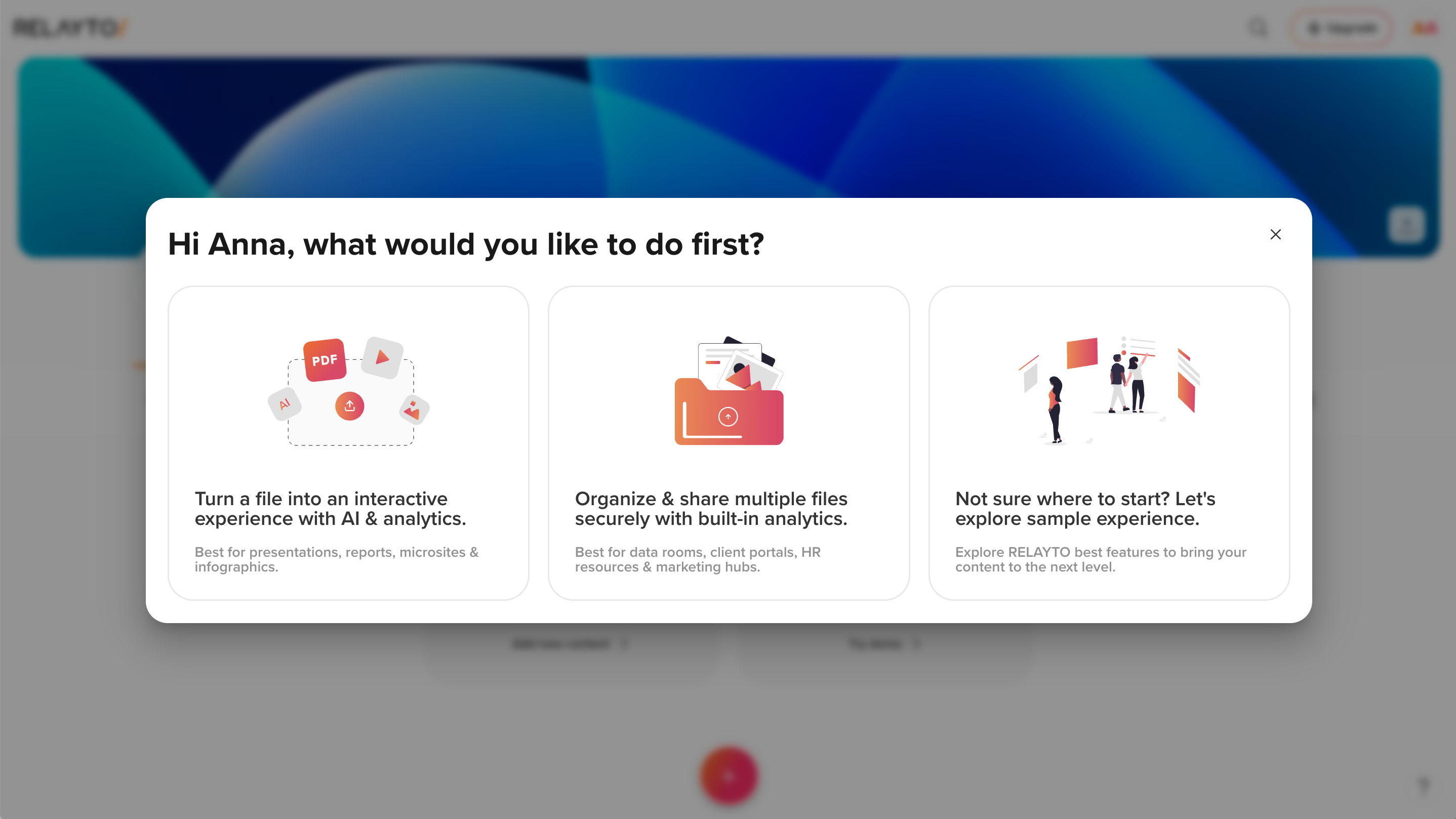
March 6, 2025
🚀 📂 Hub Templates & Smarter Cloning
Creating hubs is now faster and more structured with Hub Templates, designed to fit your specific use case. Whether for marketing, sales, or internal resources, you can start with a consistent, ready-to-use framework instead of building from scratch.
What’s New:
- Pre-Built Templates – Select a structured hub tailored to your needs.
- Faster Setup – Skip manual configuration and launch instantly.
- Smarter Cloning – Duplicate entire hub structures, including sub-hubs and content, for seamless scaling.
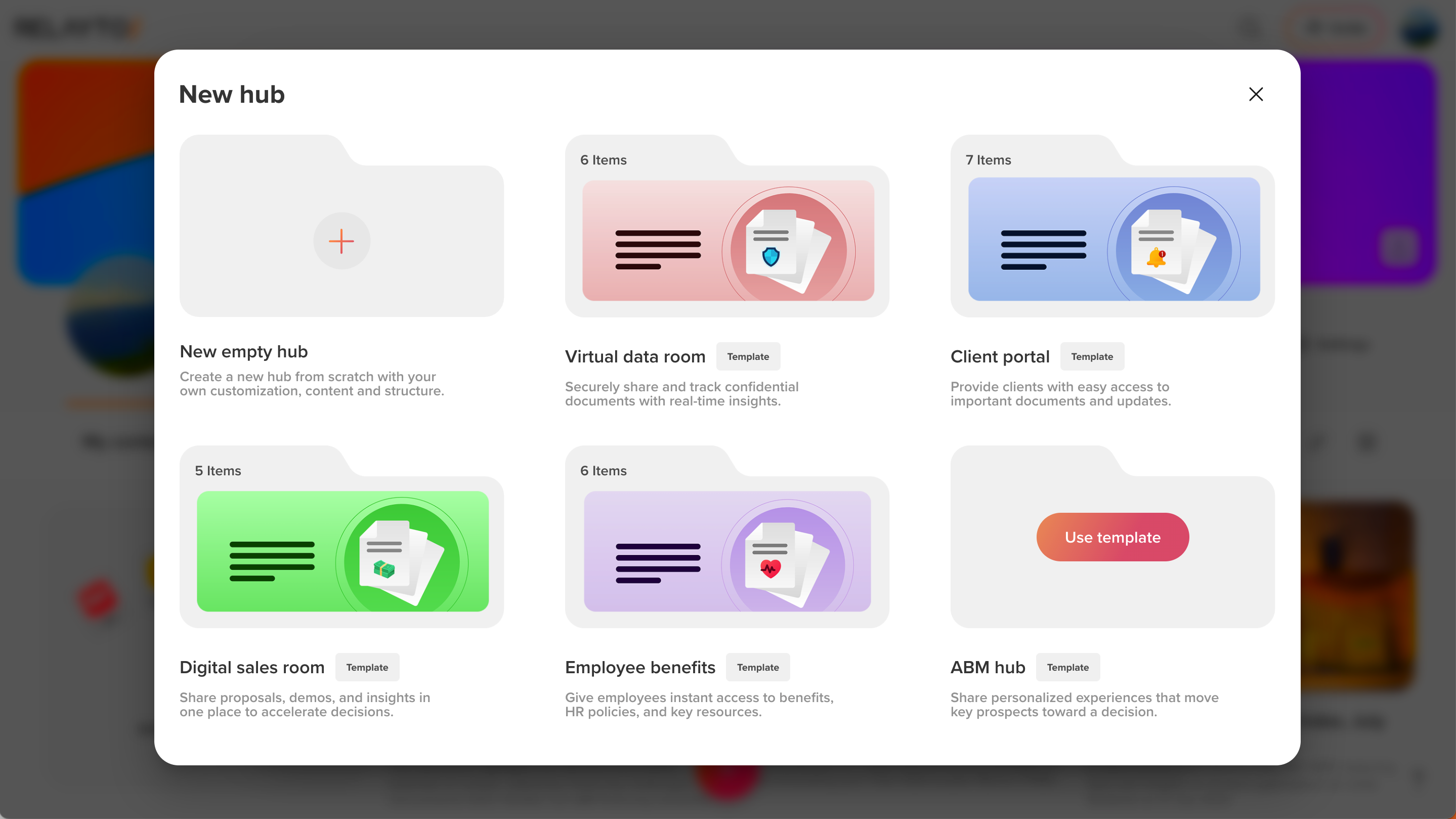
March 4, 2025
🔄 Smarter Navigation Type Selection - 40% Less Manual Effort
- Our navigation system now automatically adapts based on your document’s content, making navigation faster and more intuitive.
What’s New:
- Automatic Navigation: The best navigation style (top menu, sidebar, or thumbnails) is chosen based on the document.
- Smarter Content Recognition – A more advanced system deeply understands document layout and context to ensure the most seamless navigation.
- 0% Less Manual Effort – Reduce the time spent configuring navigation, so you can focus on what matters.
March 3, 2025
🚀 2x Faster Automatic Navigation Extraction 🔄
- We’ve improved Automatic Navigation Extraction to make PDF uploads faster, now supporting batch uploads and external API integrations.
What’s New:
- x Faster Uploads: Optimized parallel processing cuts navigation generation time in half.
- Batch Uploads: Process multiple PDFs simultaneously without slowdowns.
- API Integration: External platforms can now plug in instantly to automate navigation at scale.
These upgrades mean less waiting, more automation, and a workflow that keeps up with your pace.
February 28, 2025
 Better OCR Accuracy for Navigation Generation
We’ve made improvements to how the Navigation Generator reads and extracts information from PDFs, making it easier to create accurate tables of contents (ToC) and navigation.
What’s New:
- Better Table of Contents Recognition – Improved compatibility with smaller pages.
- More PDFs Supported – A wider range of documents will be processed accurately.
- Improved Navigation Creation – Navigation will now be more precise, making it easier to use.
February 25, 2025
📍New “Hub Placeholder” Button
- The “Hub Placeholder” button now has a refined look, making it easier to navigate and understand how to use hubs, fitting seamlessly in all dashboard views.
February 19, 2025
💡 New “Academy” Button in Workspace Switcher
- The new Academy button is now available in the workspace switcher, making it easier than ever to access learning resources directly from your workspace.
February 17, 2025
🚀 Printing support for web docs: print without the pain
- Users can now print RELAYTO Web Docs with precision—clean layouts, crisp text, and no distracting UI elements. Because even in a digital-first world, print matters.
- Web Docs can now be printed with polished layouts and sharp text, free from unnecessary UI elements.
February 14, 2025
🚀 Optimized Analytics Loading
We've made improvements to how analytics load, making it faster and more efficient. By loading important data first and reducing unnecessary requests, analytics now appear quicker with a smoother experience.
What’s improved:
- Faster load times for analytics.
- Reduced server load for better performance.
- Smoother navigation without delays or congestion.
February 10, 2025
📊 Introducing Hub Analytics
We’re excited to roll out Hub Analytics feature! Now, you can track engagement at the campaign level with real-time insights into visitor behavior, traffic sources, and content performance—all in one easy-to-use dashboard.
With Hub Analytics, you can:
- Gain deeper insights into how visitors are interacting with your content.
- Optimize campaigns in real-time to boost engagement.
- Prove ROI with comprehensive data on traffic and performance.
Whether you're focusing on ABM, digital sales, or investor outreach, Hub Analytics is here to help you make smarter decisions and drive better results.
February 5, 2025
⚙️ Navigation Enhancement
- Smarter RELAYTO AI now automatically generates navigation for PDFs with a Table of Contents upon upload, making it easier to navigate without any extra steps.
January 30, 2025
🔧 Flipbook Content Enhancement
- Enhanced Flipbook content to ensure it remains visible and functions seamlessly alongside background video pages.
January 27, 2025
🔧 Sidebar Button Improvement
- Improved sidebar buttons for hub content to ensure they now always work as expected, providing consistent and reliable navigation
January 17, 2025
🔧 Settings Improvement
- We’ve updated default AI Content Chat settings to ensure smoother functionality by enabling key content settings by default for a more seamless experience.
January 15, 2025
🔧 Sidebar Fix
- Resolved an issue where the default hub sidebar was not working properly for certain company hubs, ensuring smoother navigation across all hubs.
January 13, 2025
🚀 Content Chat UI Changes
- We’ve updated the layout of the AI Content Chat icon and main CTA. The Content Chat icon now appears at the bottom of the sidebar, while the main CTA is positioned at the top.
- If content has a top menu with items already added, the main CTA will be moved into the top menu for improved accessibility.
January 9, 2025
🔧 Content Chat Improvements
- Improved the automatic re-indexing process for Content Chat, ensuring smoother and more reliable performance after previous failures.
January 7, 2025
🔧 Mobile Usability Fix
- Content Sidebar: Improved the content sidebar for smoother and more consistent navigation on mobile devices.
January 2, 2025
🚀 PDF Optimization 2.0: flawless, fast, frictionless
We’ve eliminated rendering issues and fine-tuned our PDF engine for crisp, seamless viewing. Whether on desktop, mobile, or embedded experiences, every document looks sharp and loads fast.
Upgraded PDF rendering ensures crisp, fast-loading documents across all devices and embedded experiences.