

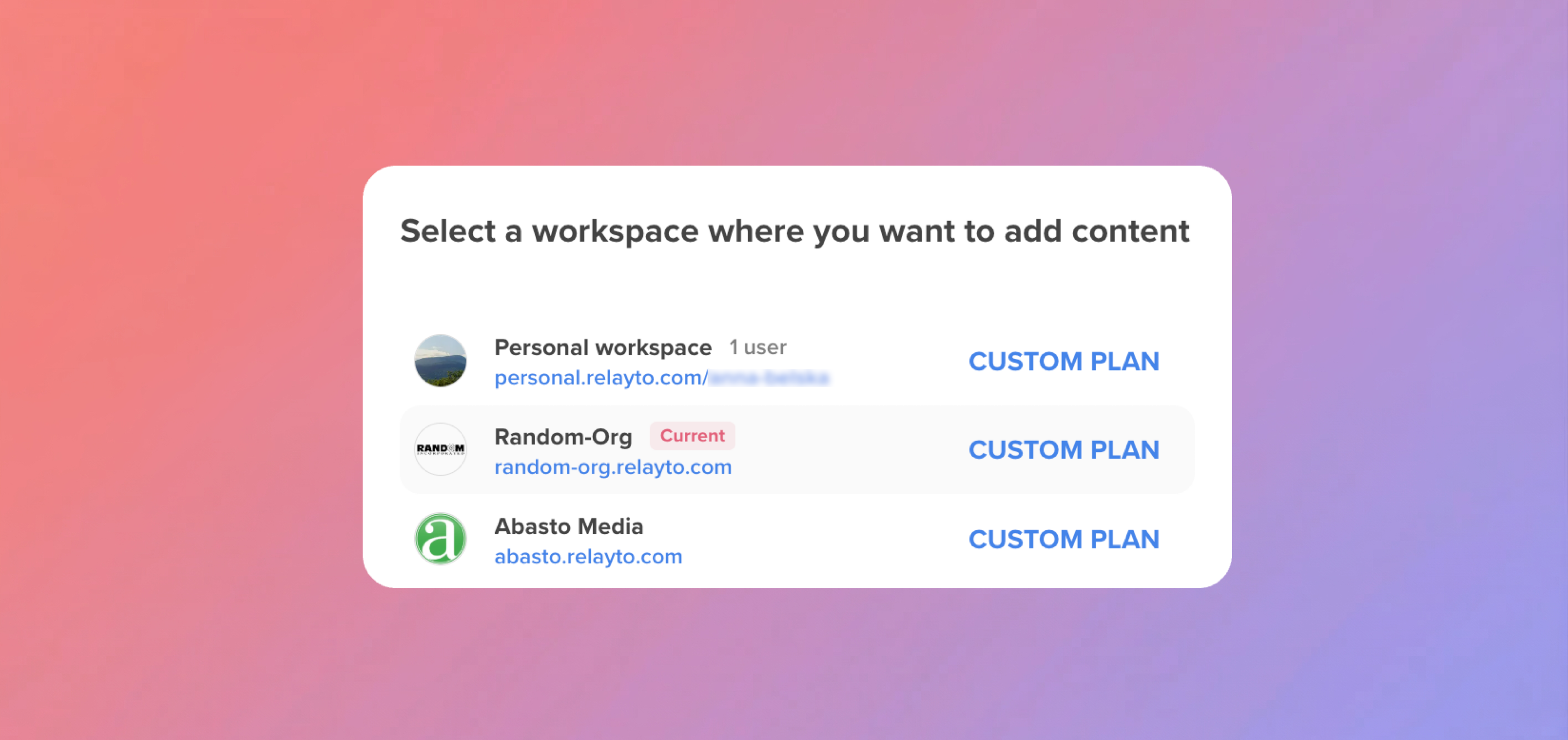
🏷️ Workspace Switcher – Current Workspace Now Clearly Highlighted
March 31, 2026
- Your active workspace is now shown at the top and clearly marked.
- Switching between multiple workspaces is faster and easier.
Why It Matters:
- Instantly see where you are, even across many workspaces.
- Faster navigation when working across teams or accounts.
📚 Outline Navigation in Web Docs – Automatic Bookmarks Now Fully Reliable
March 30, 2026
- Outline navigation now automatically generates bookmarks from blog headings right after editing.
- Bookmarks (including nested sections) are now saved reliably, excluding failures.
Why It Matters:
- Blog navigation appears instantly and feels complete.
- Long-form content is easier to scan and explore.
🔑 Social Sign-In – Added Support for Microsoft & LinkedIn
March 27, 2026
- Expanded support for improved Microsoft and LinkedIn sign-in using a more stable login flow.
- More consistent experience across all social login methods.
Why It Matters:
- Fewer login issues caused by blocked or failing popups
- A smoother, more dependable sign-in experience no matter the provider
📦 Hub Performance & Accuracy Improvements
March 25, 2026
- Faster Hub Loading – Large and nested Hubs open noticeably quicker.
- Smoother Navigation – Hub actions feel lighter and more responsive.
- Cleaner Content Views – Removed content no longer appears or affects what users see.
- More Reliable Access – Hub structure loads correctly for all visitors, including non-logged-in users.
Why It Matters:
- Hubs feel faster, cleaner, and more dependable to use.
- Information stays accurate across all updates and interactions.
🔑 Login via Google – Seamless Access to Your Workspace
March 23, 2026
- Unified authentication across all login methods (popup, redirect, and Google login).
- Users are now consistently routed to the correct company workspace or dashboard.
- Improved reliability of session handling across subdomains and login flows.
Why It Matters:
- No matter how users sign in, they always land in the right place.
- A smoother, more predictable login experience across the platform.
🤖 AI Chat – Reliability Improvements
March 20, 2026
- Improved Stability – AI Chat now handles resets and feature changes smoothly behind the scenes.
- Better Data Handling – Chat behavior is more consistent, with cleaner state management.
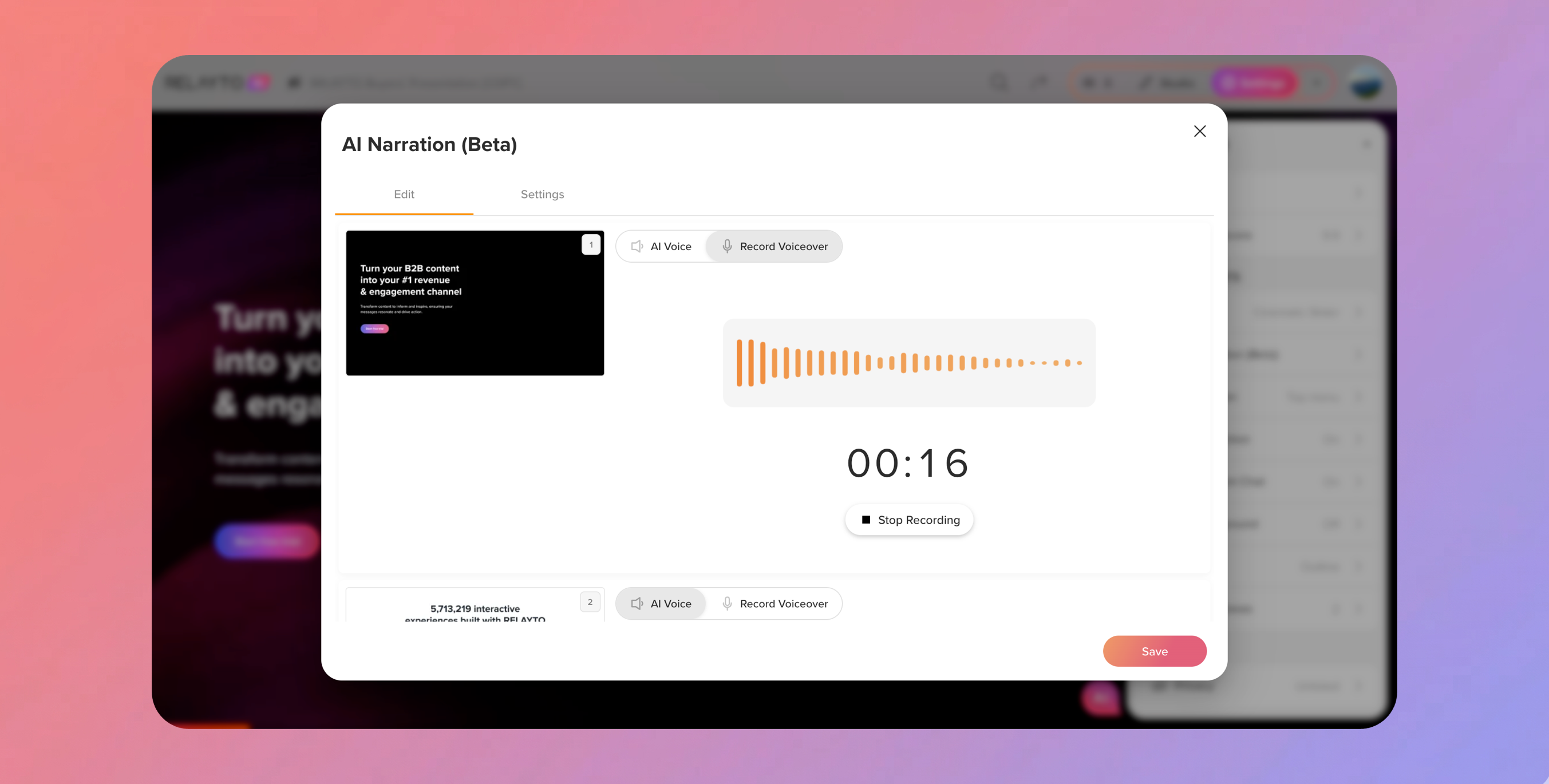
🎤 Record Your Own Voice Narrations
March 18, 2026
- Personal Voice – Record narrations directly in the editor.
- Live Previews – Listen to your voice input in real time while editing narration settings.
Why It Matters:
- More Personal – Add your own voice for presentations and content.
- Easy & Interactive – Record, preview, and use voiceovers seamlessly.
- Professional Results – Blend human narration with AI audio for polished presentations.
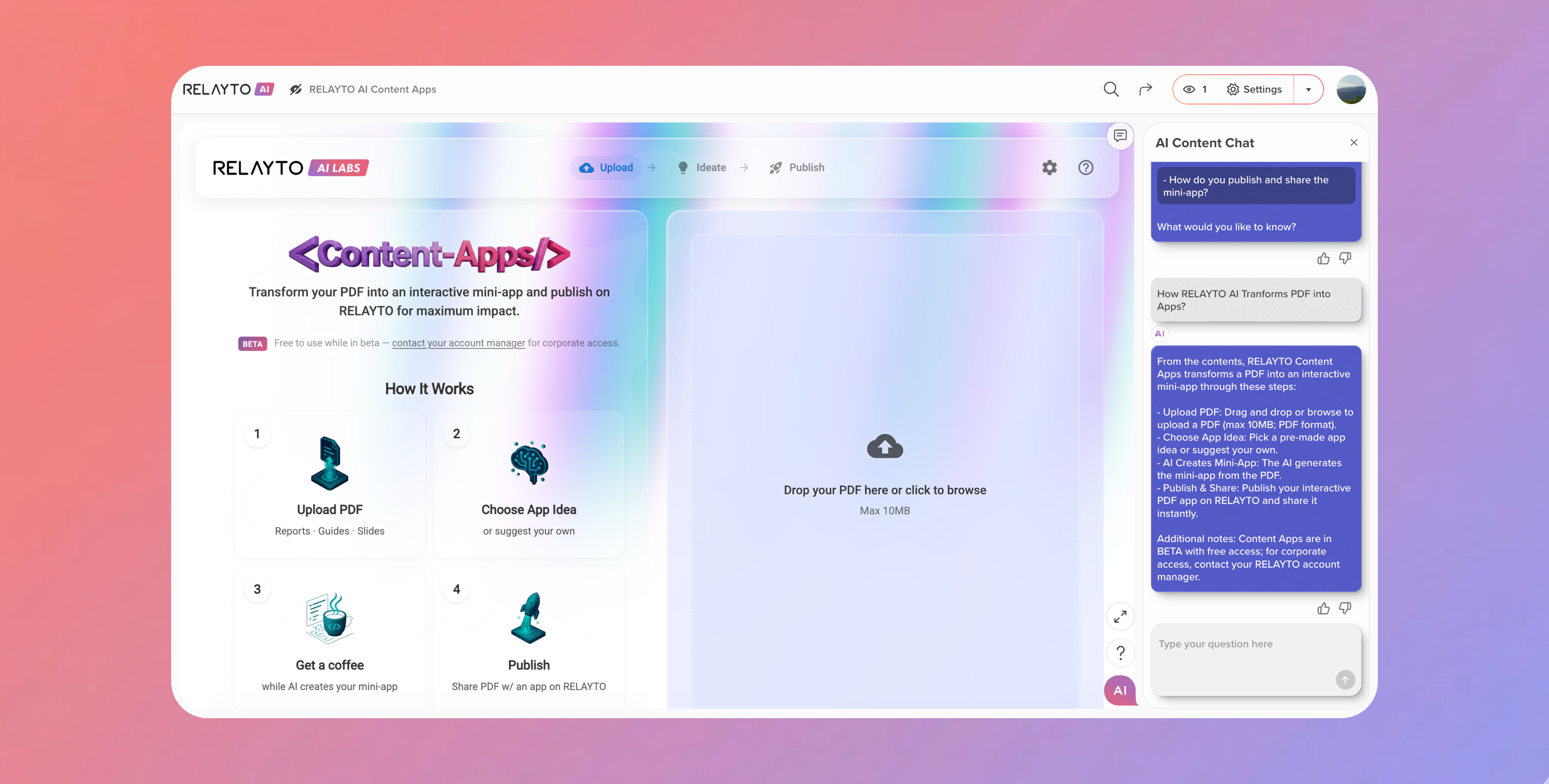
🤖 AI Content Chat – Now Supports Embedded Web Content
March 17, 2026
- Works Anywhere – AI chat can now answer questions on web content from any online source.
- Visitors Get Answers – Interactive AI responds directly to text on embedded pages.
- Seamless Experience – Ask questions and get insights from all your web-based content.
Why It Matters:
- Boost Engagement – Visitors can interact with your web content instantly.
- Better Understanding – AI helps users find answers without leaving the page.
- Expand Reach – Any web content becomes interactive and discoverable through AI.
💾 Content Edits – Saving Made Reliable
March 16, 2026
- Identified rare cases where content changes weren’t saving correctly.
- Editing titles, settings and other updates of Web Docs now save reliably every time.
🐞 Pagination Fix – Smooth Browsing
March 13, 2026
- Content lists now load correctly across dashboards and hubs in all views.
- Large datasets display reliably, so navigation is smooth on all screens.
- Pages no longer break or disappear for certain cases, making it easier to find what you need.
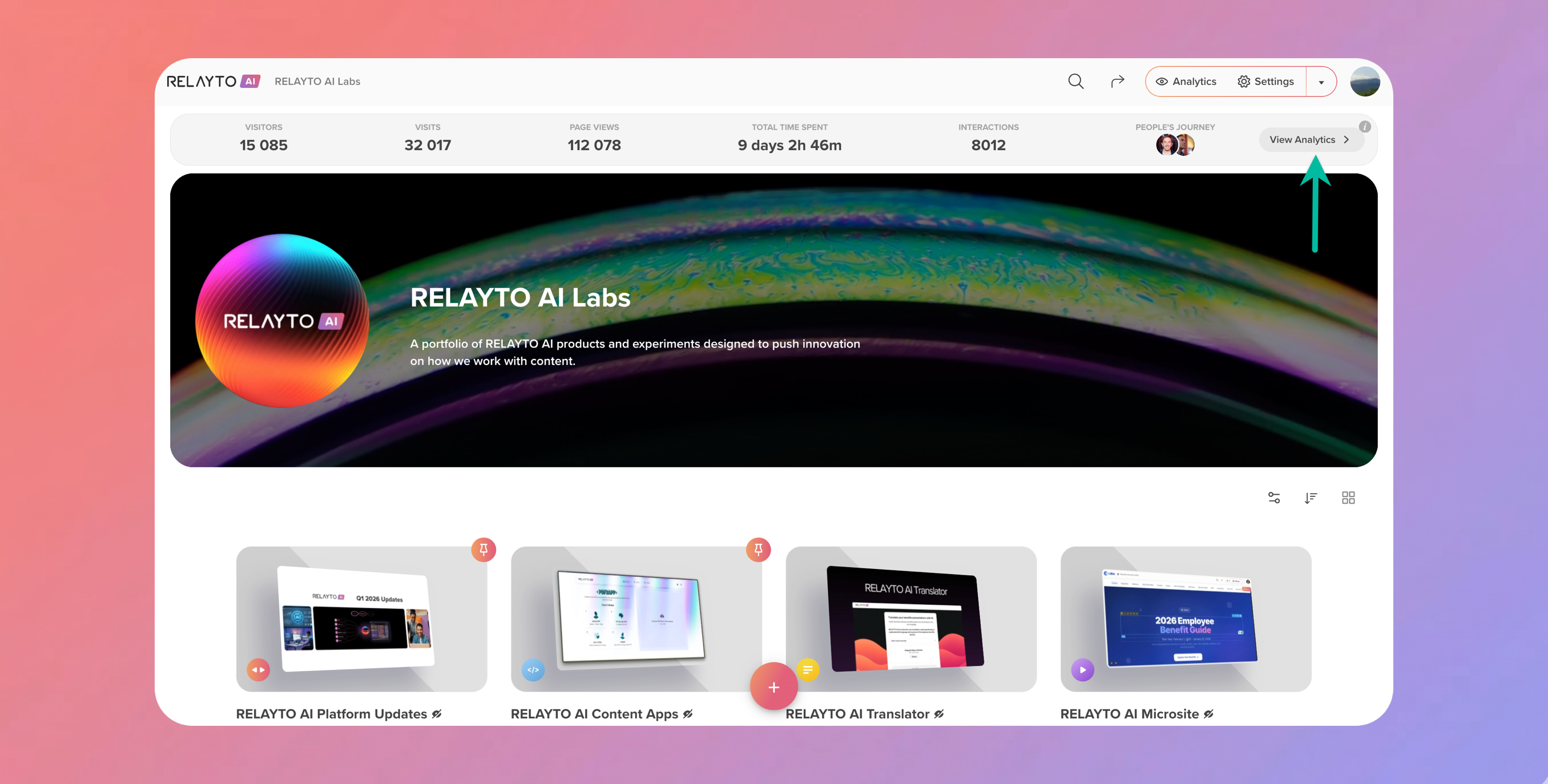
📊 New Hub Analytics Insight Panel
March 11, 2026
- Instant Insights – See key hub metrics at a glance: Visitors, Visits, Page Views, Total Time Spent, Interactions, and People’s Journey.
- Owner-Only View – Visible exclusively to hub owners for a clean, private overview.
- Quick Access – Jump straight to full Hub Analytics from the snapshot above the hub cover.
Why It Matters:
- Fast Decisions – Key metrics are always front and center.
- Streamlined Workflow – No need to navigate away to see important stats.
- Clear Overview – Understand hub performance instantly with a compact, informative view.
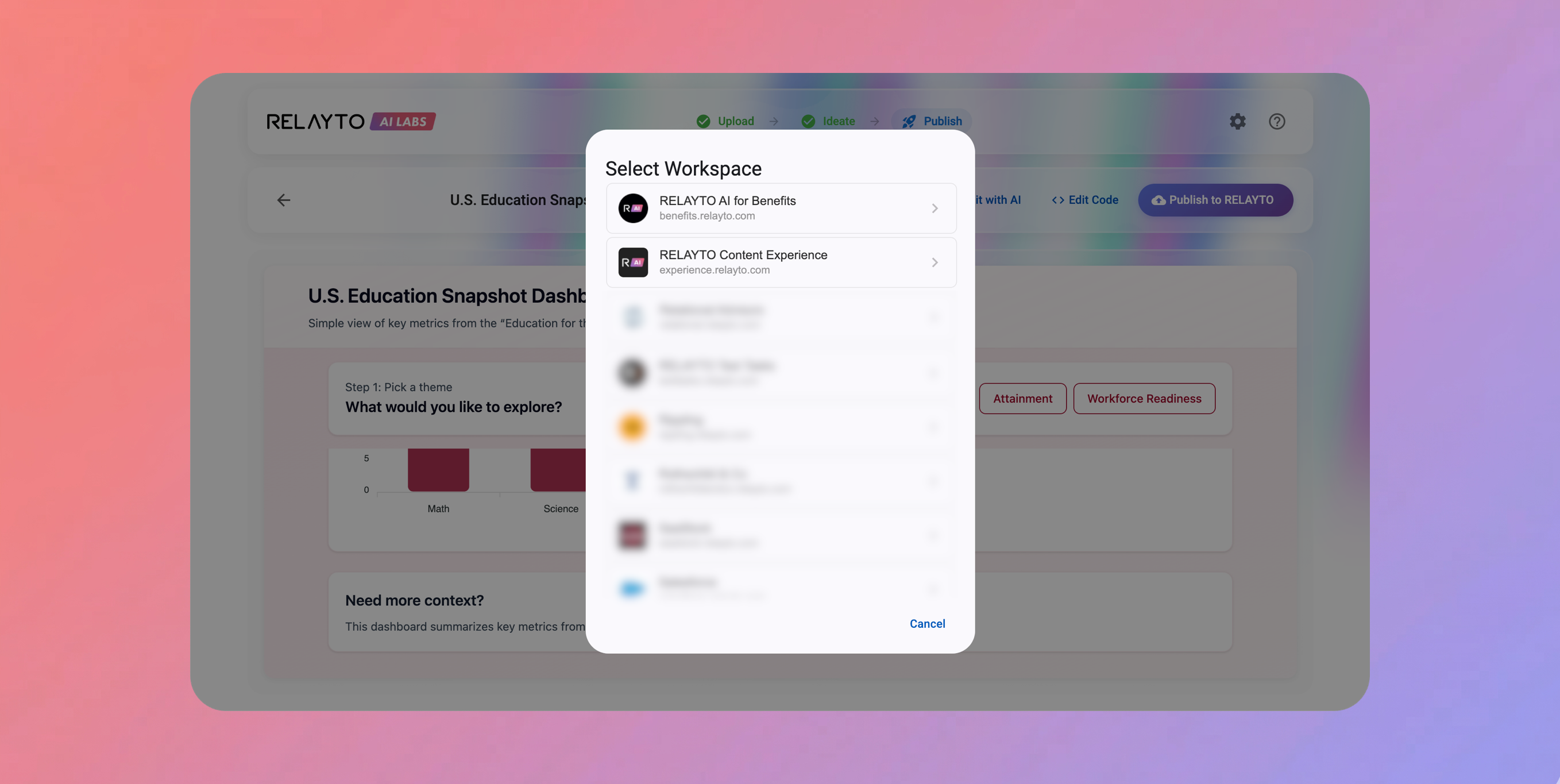
🚀 PDF2APP – Publish to Selected Workspace
March 10, 2026
- Choose Workspace – Select which workspace your new app is published to before confirming.
- Consistent Publishing – No more apps defaulting to your personal workspace.
Why It Matters:
- Better Control – Publish apps exactly where you need them.
- Streamlined Workflow – Avoid accidental uploads to the wrong workspace.
🔑 Sign-In Redirect – New Account Links Fixed
March 9, 2026
- Fixed occasional redirect issues for new account links, ensuring users consistently land in the correct workspace.
- Sign-in flow now feels smooth and reliable.
📊 Hub Analytics Improvements – Cleaner & Mobile-Ready
March 6, 2026
- Better Content List Layout – All pages visible without wasted space.
- Simplified Timing – Easy-to-read, short time values.
- Focused Interactions – Hides negligible actions for cleaner data.
- Mobile Optimized – Fits all key info on one screen without clutter.
Why It Matters:
- Faster Insights – See meaningful engagement at a glance.
- Clearer Decisions – Understand trends and user behavior instantly.
- Anywhere Access – Works smoothly on desktop and mobile.
📧 Email Gate Consent – Company-Wide Control
March 4, 2026
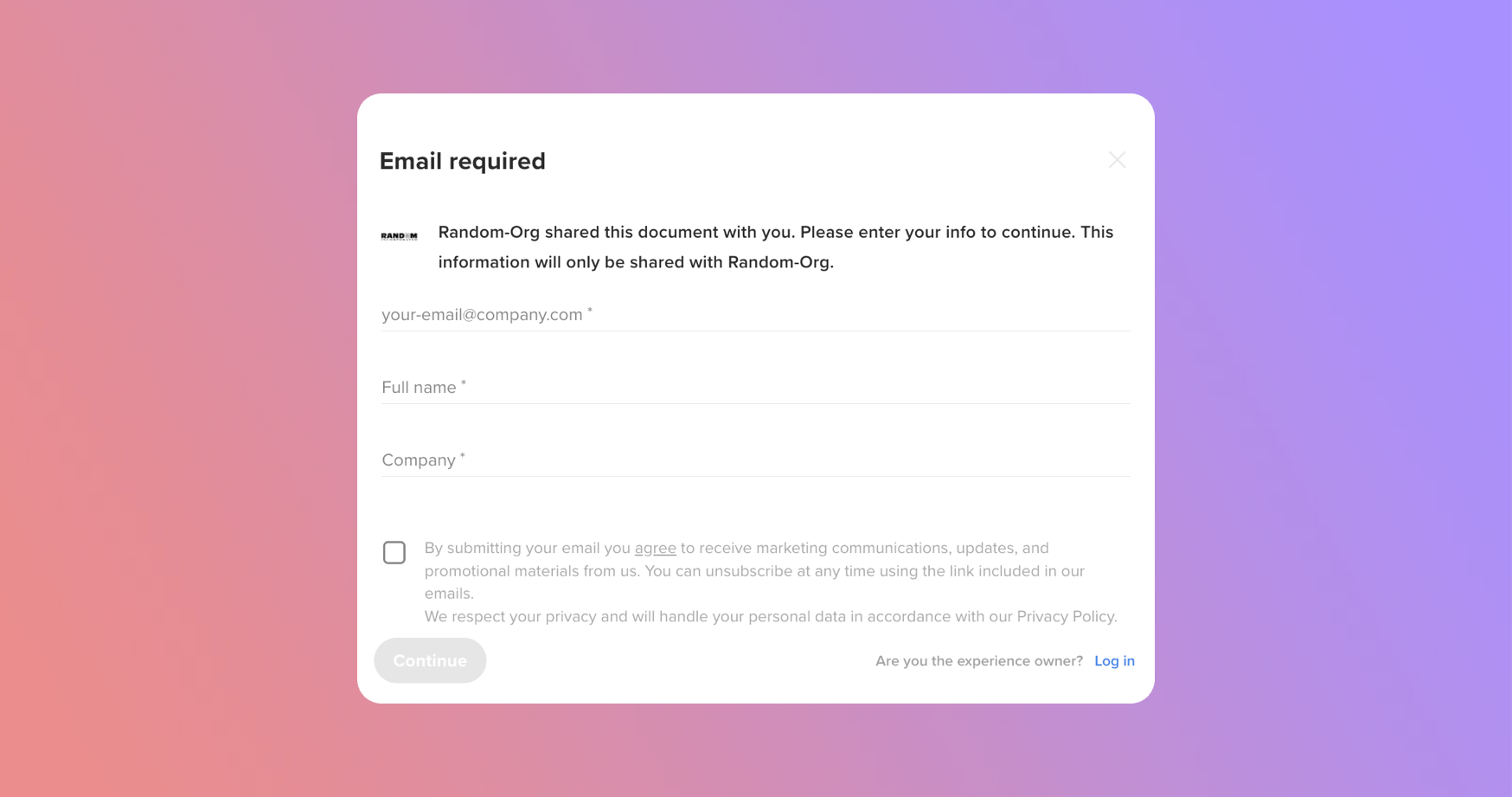
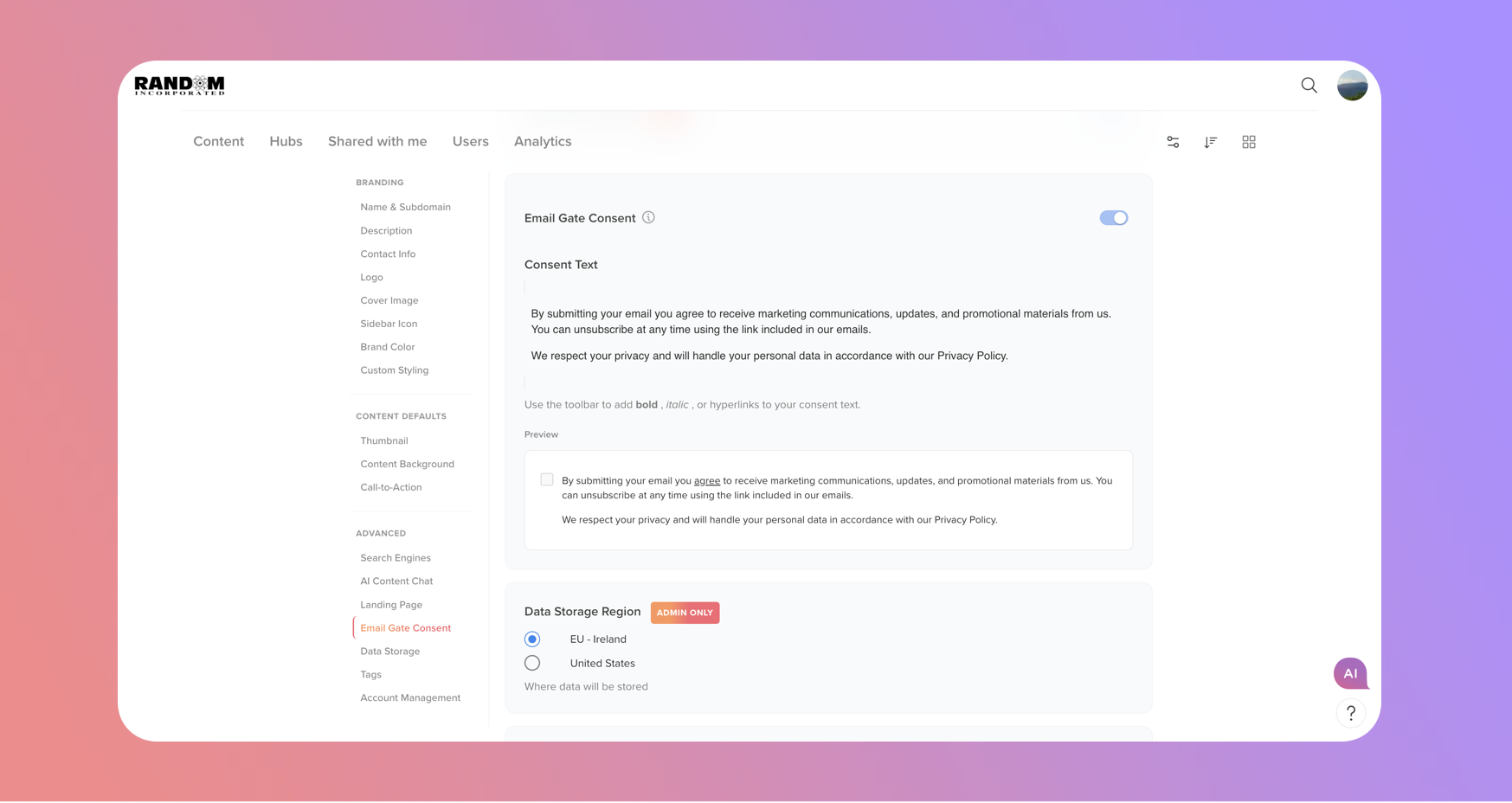
- Toggle Consent – Enable or disable the checkbox from Company Settings.
- Custom Text – Match legal or marketing requirements.
- Automatic Enforcement – Applies to all hubs and content using “Require email to view.”
- Mandatory Confirmation – Viewers must agree before submitting emails.
Why It Matters:
- Stronger Compliance – Align with privacy standards.
- Centralized & Consistent – Manage consent across all content.
- Build Trust – Clear communication for viewers.
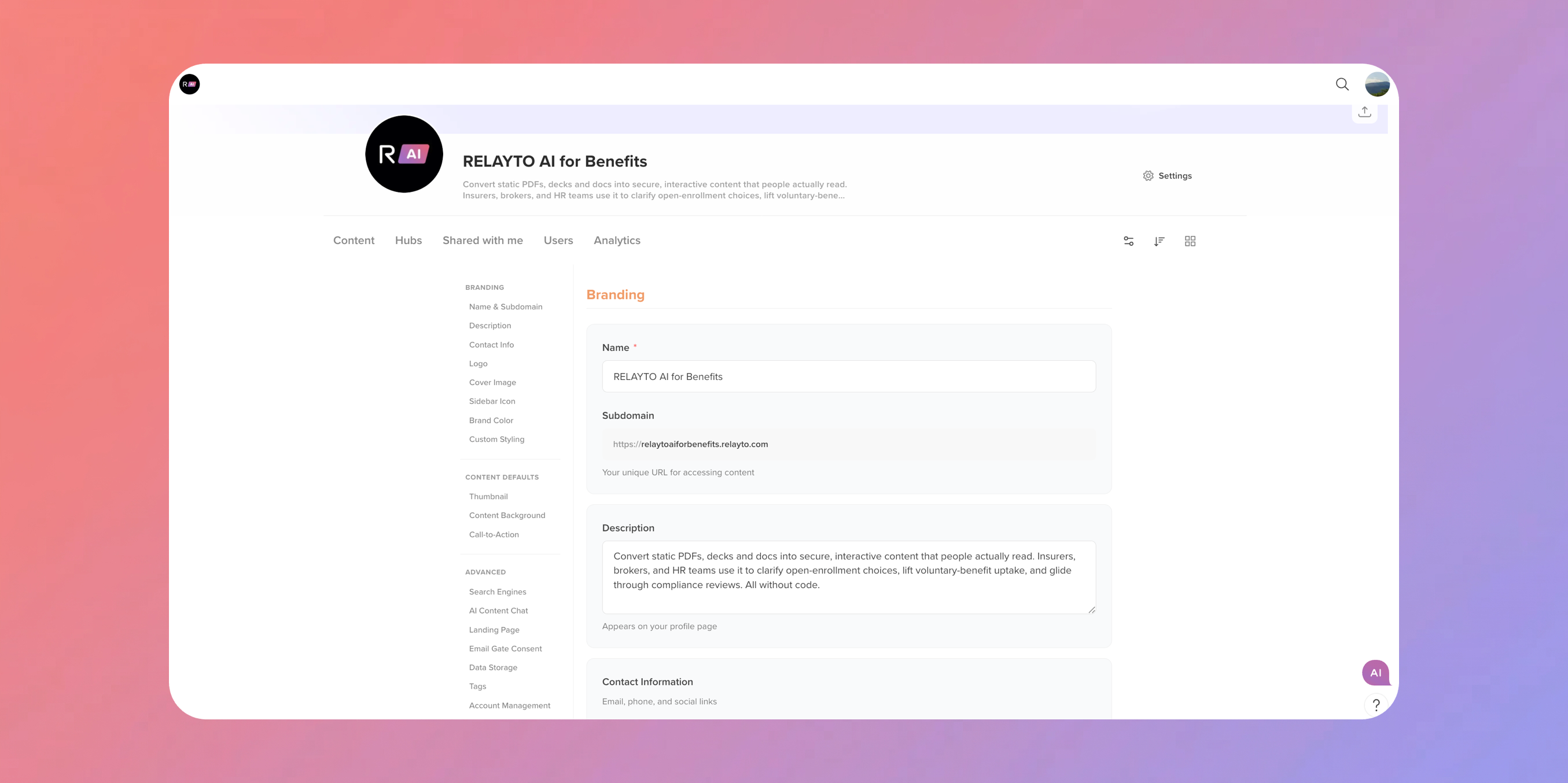
🎨 New Company Settings UI – All-in-One Control
March 2, 2026
We’ve redesigned Company Settings so you can manage your workspace with ease and precision:
- Branding & Identity – Logo, colors, sidebar icon, and custom styling all in one place.
- Content Defaults – Set thumbnails, backgrounds, and call-to-actions consistently across your digital experiences.
- Advanced Controls – Manage AI Chat, search, email consent, and more without digging through.
Why It Matters:
- Everything in One Place – Quick access to the settings that matter most.
- Work Confidently – Apply changes knowing they affect your workspace exactly as intended.
- Cleaner, Faster Workflow – Spend less time navigating, more time creating.