

Step 1
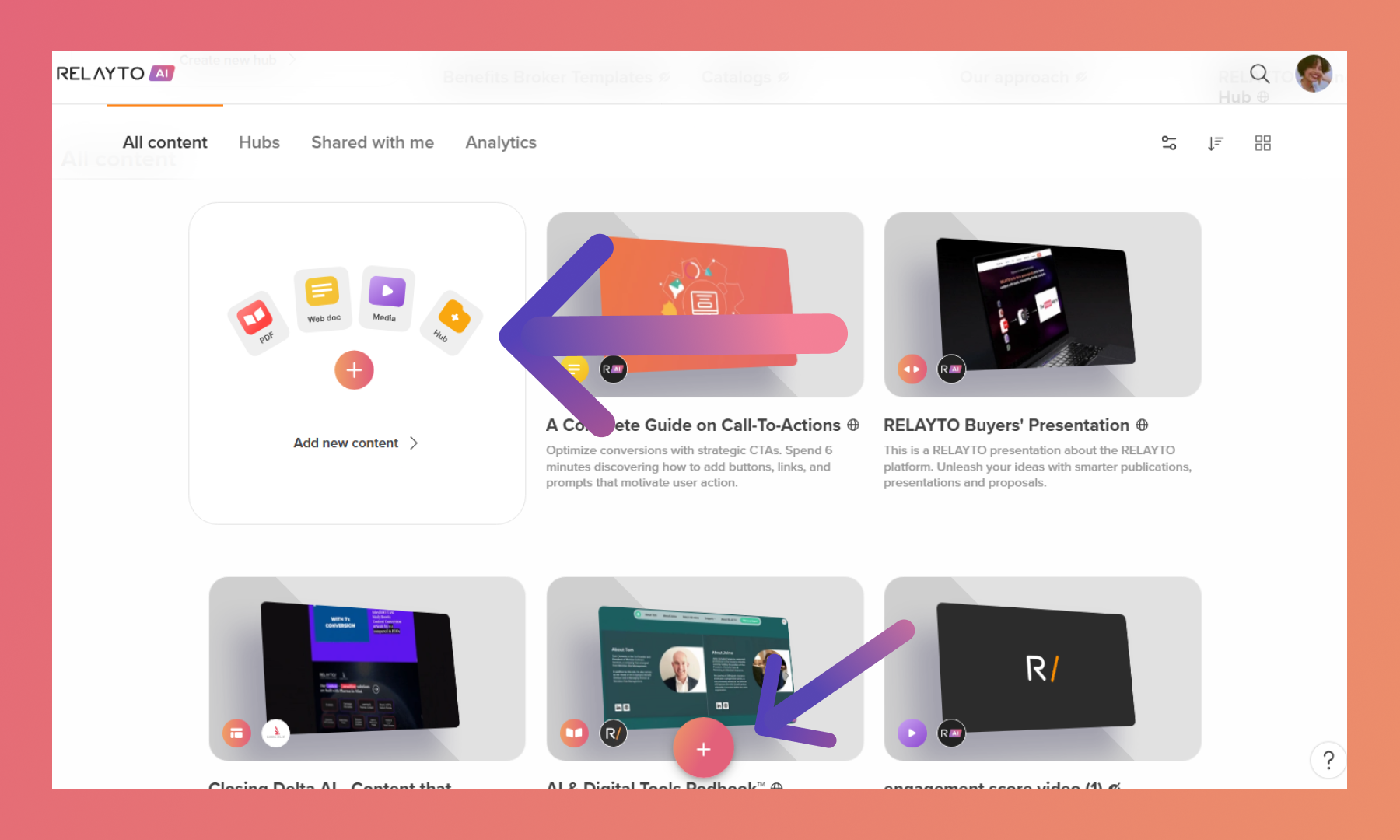
Scroll your dashboard and click the "Add New Content" button in the "All Content" tab. You can also click the plus sign (+) in the middle of the screen.
Step 2
Click "Browse files" or drop the PDF. You can upload PDFs, videos, images, MP3 files, or even web pages to RELAYTO.
.png)
Unique URL Management in RELAYTO
RELAYTO assigns a unique URL to each page of your digital experiences, ensuring flexibility and consistency:
Creating a Digital Experience: Uploading a 5-page PDF generates 5 unique URLs, forming a cohesive digital experience.
Copying an Experience: When you make a copy of an experience (e.g., "Version One"), the new version ("Version Two") will have 5 new unique URLs.
Updating Content: If you update the original PDF and re-upload it as "Version Two," the unique URLs from "Version One" remain intact, ensuring link continuity.
Related Articles:
🔄 How to change the view of your content
Thank you for joining us in this tutorial! If you have any questions or need help, feel free to email us at support@relayto.com or book a call here.