

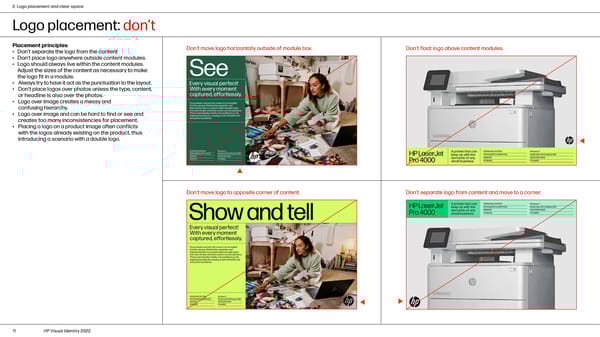
2. Logo placement and clear space Logo placement: don’t Placement principles Don’t move logo horizontally outside of module box. Don’t float logo above content modules. • Don’t separate the logo from the content • Don’t place logo anywhere outside content modules. • Logo should always live within the content modules. Adjust the sizes of the content as necessary to make the logo fit in a module. • Always try to have it act as the punctuation to the layout. • Don’t place logos over photos unless the type, content, or headline is also over the photos. • Logo over image creates a messy and confusing hierarchy. • Logo over image and can be hard to find or see and creates too many inconsistencies for placement. • Placing a logo on a product image often conflicts with the logos already existing on the product, thus introducing a scenario with a double logo. Don’t move logo to opposite corner of content. Don’t separate logo from content and move to a corner. 11 HP Visual Identity 2022
 HP Brand Book Page 10 Page 12