

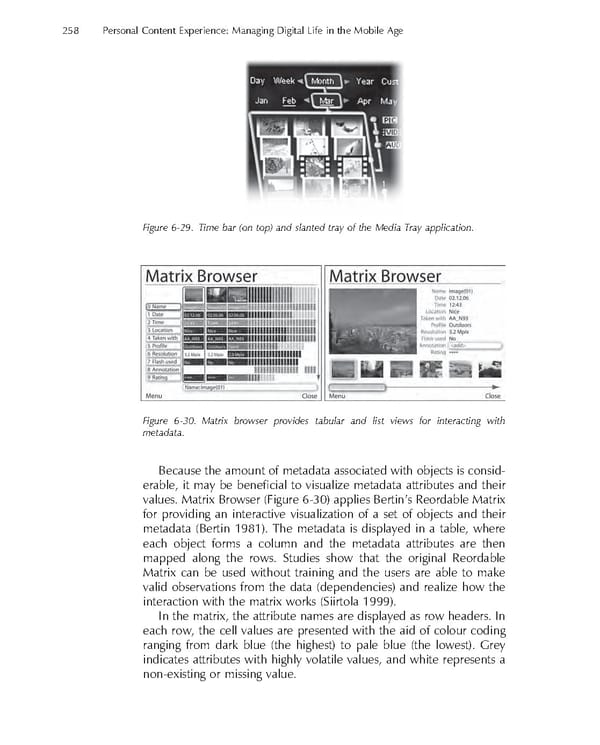
258 Personal Content Experience: Managing Digital Life in the Mobile Age Figure 6-29. Time bar (on top) and slanted tray of the Media Tray application. Figure 6-30. Matrix browser provides tabular and list views for interacting with metadata. Because the amount of metadata associated with objects is consid- erable, it may be benefi cial to visualize metadata attributes and their values. Matrix Browser (Figure 6-30) applies Bertin’s Reordable Matrix for providing an interactive visualization of a set of objects and their metadata (Bertin 1981). The metadata is displayed in a table, where each object forms a column and the metadata attributes are then mapped along the rows. Studies show that the original Reordable Matrix can be used without training and the users are able to make valid observations from the data (dependencies) and realize how the interaction with the matrix works (Siirtola 1999). In the matrix, the attribute names are displayed as row headers. In each row, the cell values are presented with the aid of colour coding ranging from dark blue (the highest) to pale blue (the lowest). Grey indicates attributes with highly volatile values, and white represents a non-existing or missing value.
 Personal Content Experience Page 281 Page 283