

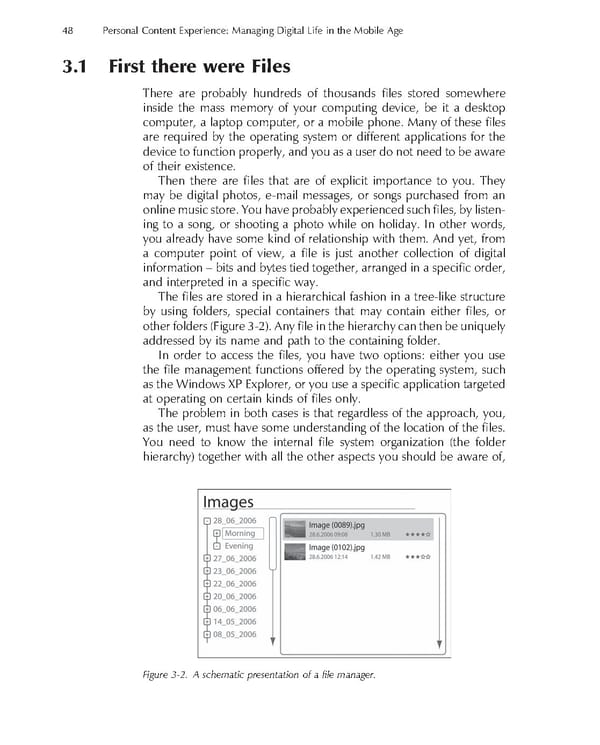
48 Personal Content Experience: Managing Digital Life in the Mobile Age 3.1 First there were Files There are probably hundreds of thousands fi les stored somewhere inside the mass memory of your computing device, be it a desktop computer, a laptop computer, or a mobile phone. Many of these fi les are required by the operating system or different applications for the device to function properly, and you as a user do not need to be aware of their existence. Then there are fi les that are of explicit importance to you. They may be digital photos, e-mail messages, or songs purchased from an online music store. You have probably experienced such fi les, by listen- ing to a song, or shooting a photo while on holiday. In other words, you already have some kind of relationship with them. And yet, from a computer point of view, a fi le is just another collection of digital information – bits and bytes tied together, arranged in a specifi c order, and interpreted in a specifi c way. The fi les are stored in a hierarchical fashion in a tree-like structure by using folders, special containers that may contain either fi les, or other folders (Figure 3-2). Any fi le in the hierarchy can then be uniquely addressed by its name and path to the containing folder. In order to access the fi les, you have two options: either you use the fi le management functions offered by the operating system, such as the Windows XP Explorer, or you use a specifi c application targeted at operating on certain kinds of fi les only. The problem in both cases is that regardless of the approach, you, as the user, must have some understanding of the location of the fi les. You need to know the internal fi le system organization (the folder hierarchy) together with all the other aspects you should be aware of, Figure 3-2. A schematic presentation of a fi le manager.
 Personal Content Experience Page 71 Page 73