

RELAYTO/ Navigation Best Practices
Guide | 8 Pages
RELAYTO/ Best Practices for Navigation Best practices for the navigation of your RELAYTO interactive documents to create seamless experiences.
CONTENTS Navigation Layout Add Call-to-Action 1 5 Navigation Layout - Top Add Icons to Key Areas 2 6 Navigation Layout - Side 3 Optimize Titles for Layout 4 Share Link within PDF 7 Track & Repeat 8
Navigation Navigation for your documents is essential for creating seamless experiences. It provides viewers the ability to know where they are within an experience, along with the ability to deep dive & go broad again during an oral presentation. This RELAYTO feature creates conversational experiences, rather than maintain the feel of an ordinary presentation.
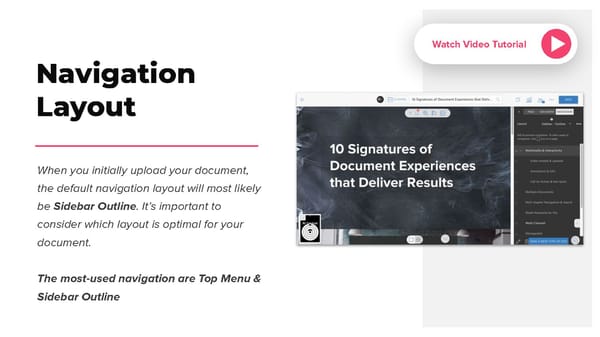
Watch Video Tutorial Navigation Layout When you initially upload your document, the default navigation layout will most likely be Sidebar Outline. It’s important to consider which layout is optimal for your document. The most-used navigation are Top Menu & Sidebar Outline
Navigation Layout - Top Top Menu A must for scroll view & the switchable viewing experience [between scroll & slide views]. Optimal for a larger viewable slide experience & condensable navigation titles. Must be used when you have a prominent rla.to/relayto2020 left sidebar hub.
Navigation Layout - Side Sidebar Outline Optimal for longform, scrollable & A4 portrait print PDFs. It accommodates a larger area for title, width & content sections. https://rla.to/10-signatures-that-deliver-results
Optimize Titles for Layout RELAYTO navigation titles can help the viewer quickly & easily find the desired content page. To achieve this, titles must be condensed to fit into a digestible reading experience, especially, in the Top Menu where you have limited space. rla.to/pitch
Watch Video Tutorial Add Call-to-Action Call-to-Actions (CTAs) add more value & engagement to your navigation. For example, a proposal document may have a ‘Respond to Email’ which allows the client to respond directly to the intended audience, all while viewing the document. They can also direct to web links, open internal media & much more... rla.to/relayto2020
Add Icons to Key Areas RELAYTO has the capability to add any PNG icon to both navigation views. This practice can improve the overall look & feel of navigating through the experience, along with clearly distinguishing the sections of the document. Furthermore you can use icon to draw attention to an area of importance as they stand out. A simple Watch Video Tutorial video icon to draw to summary MP4 rla.to/proposal-template