RELAYTO/ Submission Best Practices
Guide | 8 pages
RELAYTO/ Best Practices for Submission Best practices for the submission of your RELAYTO interactive documents to create seamless experiences.
Guidance for Submission If your content incorporates various multimedia & supporting assets on top of the main experience , then RELAYTO’s multi realm hub solution is the best way to create a coherent, interactive experience. In order to ensure that the RELAYTO team understands your vision, please follow these best practices so we can effectively bring your vision to life.
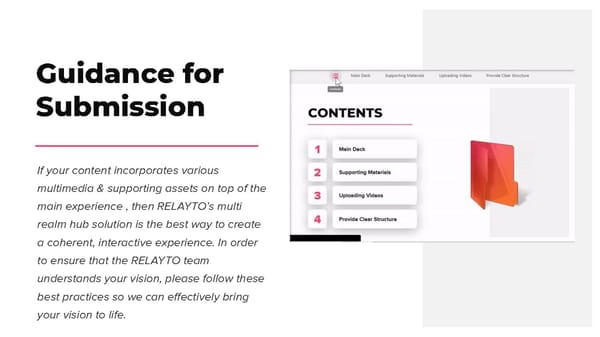
CONTENTS Main Deck 1 Supporting Materials 2 Uploading Videos 3 Provide Clear Structure 4 Share Link within PDF 7 Track & Repeat 8
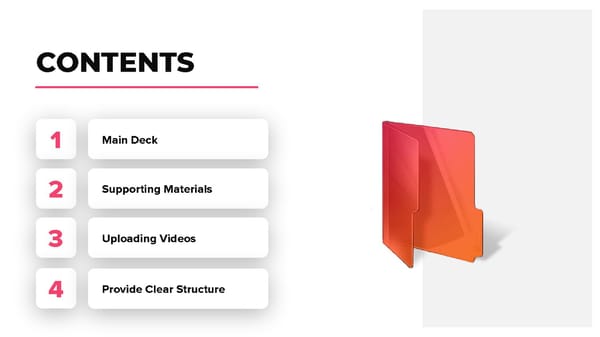
Providing the Main Deck Providing a well-organized main deck is crucial for preparing a wow-factor experience. Before sending the main PPT / PDF, consider the flow of the presentation. If the presentation will include embedded slides, separate the main experience & the supporting content into 2 different PPTs / PDFs to help our team determine where the content is supposed to go.
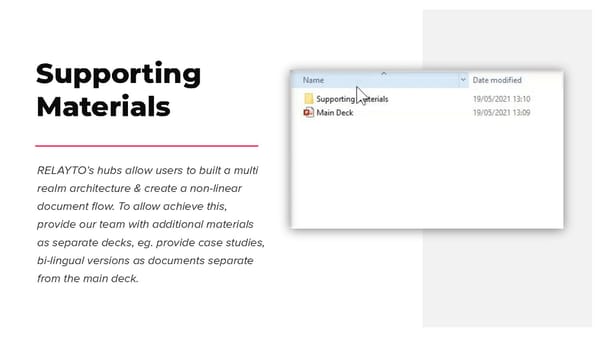
Supporting Materials RELAYTO’s hubs allow users to built a multi realm architecture & create a non-linear document flow. To allow achieve this, provide our team with additional materials as separate decks, eg. provide case studies, bi-lingual versions as documents separate from the main deck.
Uploading Videos Videos are an engaging way to convey your ideas, therefore we encourage you to include them in your multimedia experience. The most optimal practice is to provide videos in MP4 format & a thumbnail (JPG or PNG). Clearly indicate where videos should be placed (i.e. putting a note with the page number).
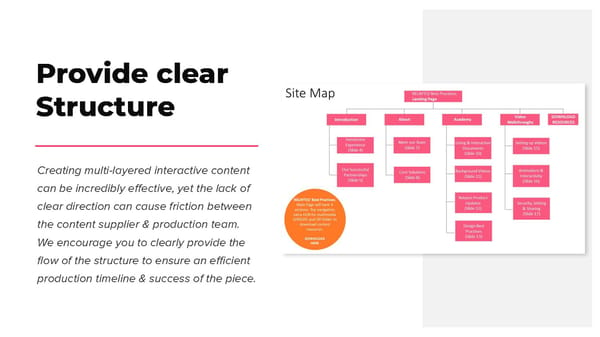
Provide clear Structure Creating multi-layered interactive content can be incredibly effective, yet the lack of clear direction can cause friction between the content supplier & production team. We encourage you to clearly provide the flow of the structure to ensure an efficient production timeline & success of the piece.
Templates to Download In this section, you will find materials that will help you with organizing files for submission to RELAYTO/’s Team. Clearly labeled folders will indicate where you should place your own files and additional elements.