

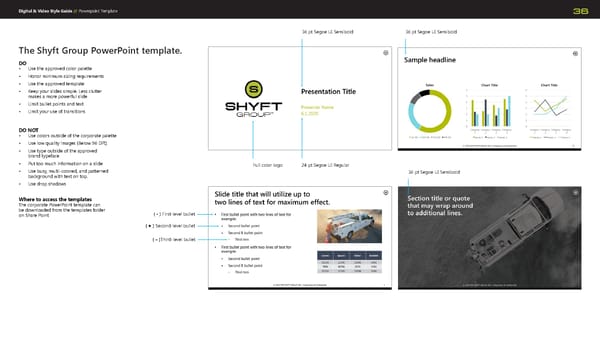
Digital & Video Style Guide // 36 The Shyft Group PowerPoint template. DO • Use the approved color palette • Honor minimum sizing requirements • Use the approved template • Keep your slides simple. Less clutter makes a more powerful slide • Limit bullet points and text • Limit your use of transitions DO NOT • Use colors outside of the corporate palette • Use low quality images ( Below 96 DPI ) • Use type outside of the approved brand typeface • Put too much information on a slide • Use busy, multi-colored, and patterned background with text on top. • Use drop shadows Where to access the templates The corporate PowerPoint template can be downloaded from the templates folder on Share Point Full color logo 24 pt Segoe UI Regular 36 pt Segoe UI Semibold 36 pt Segoe UI Semibold Powerpoint Template 36 pt Segoe UI Semibold ( • ) First-level bullet ( ) Second-level bullet ( – ) Third-level bullet
 The Shyft Group Brand Book Page 35 Page 37