

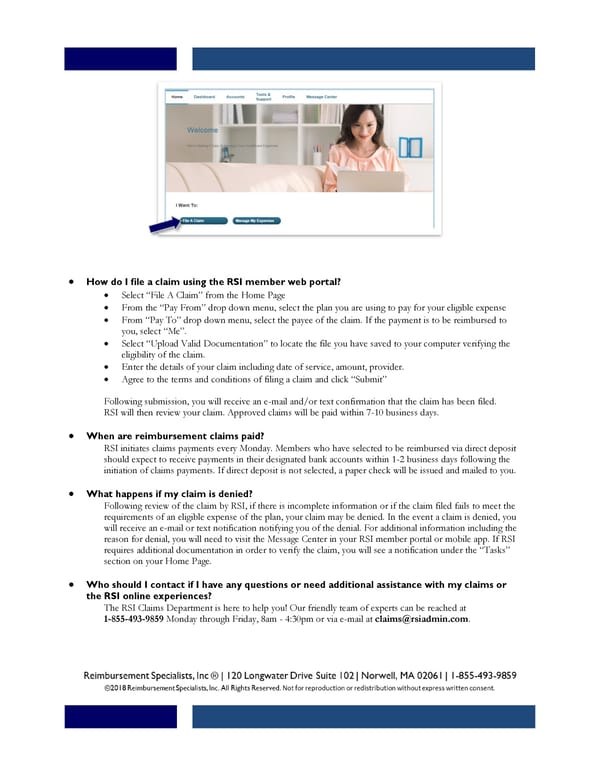
• How do I file a claim using the RSI member web portal? • Select “File A Claim” from the Home Page • From the “Pay From” drop down menu, select the plan you are using to pay for your eligible expense • From “Pay To” drop down menu, select the payee of the claim. If the payment is to be reimbursed to you, select “Me”. • Select “Upload Valid Documentation” to locate the file you have saved to your computer verifying the eligibility of the claim. • Enter the details of your claim including date of service, amount, provider. • Agree to the terms and conditions of filing a claim and click “Submit” Following submission, you will receive an e-mail and/or text confirmation that the claim has been filed. RSI will then review your claim. Approved claims will be paid within 7-10 business days. • When are reimbursement claims paid? RSI initiates claims payments every Monday. Members who have selected to be reimbursed via direct deposit should expect to receive payments in their designated bank accounts within 1-2 business days following the initiation of claims payments. If direct deposit is not selected, a paper check will be issued and mailed to you. • What happens if my claim is denied? Following review of the claim by RSI, if there is incomplete information or if the claim filed fails to meet the requirements of an eligible expense of the plan, your claim may be denied. In the event a claim is denied, you will receive an e-mail or text notification notifying you of the denial. For additional information including the reason for denial, you will need to visit the Message Center in your RSI member portal or mobile app. If RSI requires additional documentation in order to verify the claim, you will see a notification under the “Tasks” section on your Home Page. • Who should I contact if I have any questions or need additional assistance with my claims or the RSI online experiences? The RSI Claims Department is here to help you! Our friendly team of experts can be reached at 1-855-493-9859 Monday through Friday, 8am - 4:30pm or via e-mail at claims@rsiadmin.com.
 RSI Online FAQ Page 1