

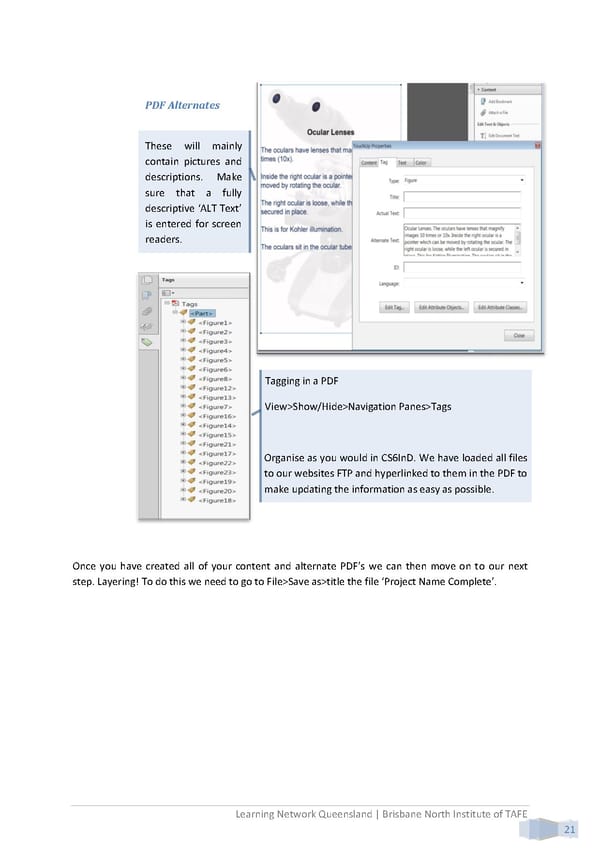
PDF Alternates These will mainly contain pictures and descriptions. Make sure that a fully descriptive ‘ALT Text’ is entered for screen readers. Tagging in a PDF View>Show/Hide>Navigation Panes>Tags Organise as you would in CS6InD. We have loaded all files to our websites FTP and hyperlinked to them in the PDF to make updating the information as easy as possible. Once you have created all of your content and alternate PDF’s we can then move on to our next step. Layering! To do this we need to go to File>Save as>title the file ‘Project Name Complete’. Learning Network Queensland | Brisbane North Institute of TAFE 21
 Building Interactive Content Page 29 Page 31