

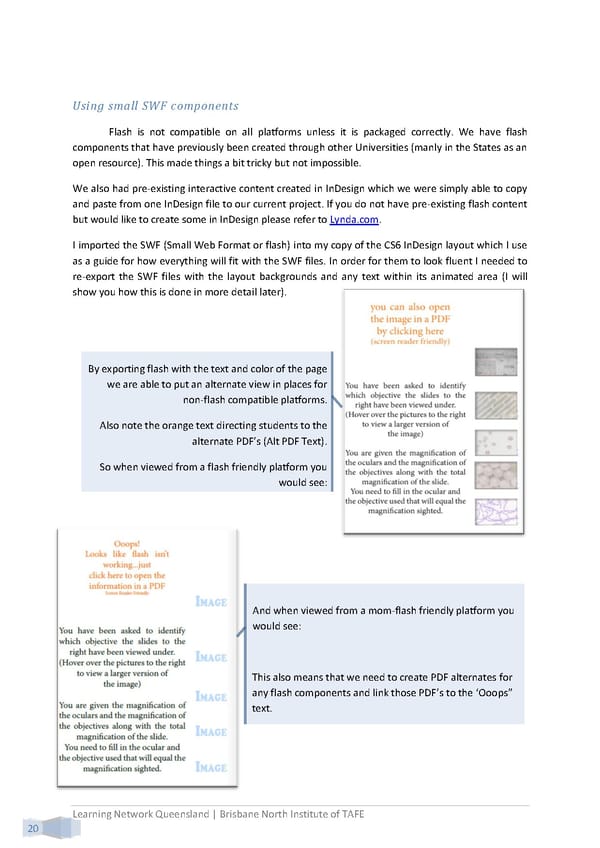
Using small SWF components Flash is not compatible on all platforms unless it is packaged correctly. We have flash components that have previously been created through other Universities (manly in the States as an open resource). This made things a bit tricky but not impossible. We also had pre-existing interactive content created in InDesign which we were simply able to copy and paste from one InDesign file to our current project. If you do not have pre-existing flash content but would like to create some in InDesign please refer to Lynda.com. I imported the SWF (Small Web Format or flash) into my copy of the CS6 InDesign layout which I use as a guide for how everything will fit with the SWF files. In order for them to look fluent I needed to re-export the SWF files with the layout backgrounds and any text within its animated area (I will show you how this is done in more detail later). By exporting flash with the text and color of the page we are able to put an alternate view in places for non-flash compatible platforms. Also note the orange text directing students to the alternate PDF’s (Alt PDF Text). So when viewed from a flash friendly platform you would see: And when viewed from a mom-flash friendly platform you would see: This also means that we need to create PDF alternates for any flash components and link those PDF’s to the ‘Ooops” text. Learning Network Queensland | Brisbane North Institute of TAFE 20
 Building Interactive Content Page 28 Page 30