

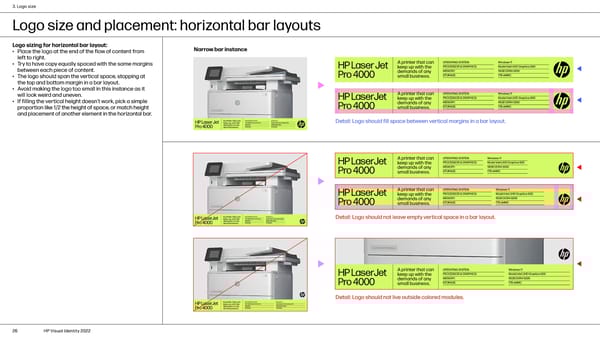
3. Logo size Logo size and placement: horizontal bar layouts Logo sizing for horizontal bar layout: Narrow bar instance • Place the logo at the end of the flow of content from left to right. • Try to have copy equally spaced with the same margins between each piece of content. • The logo should span the vertical space, stopping at the top and bottom margin in a bar layout. • Avoid making the logo too small in this instance as it will look weird and uneven. • If filling the vertical height doesn’t work, pick a simple proportion like 1/2 the height of space, or match height and placement of another element in the horizontal bar. Detail: Logo should fill space between vertical margins in a bar layout. Detail: Logo should not leave empty vertical space in a bar layout. Detail: Logo should not live outside colored modules. 26 HP Visual Identity 2022
 HP Brand Book Page 25 Page 27