

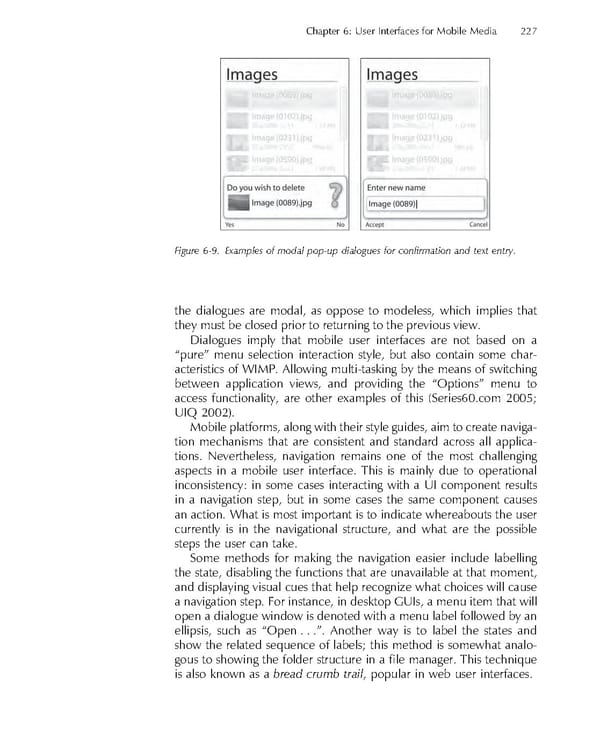
Chapter 6: User Interfaces for Mobile Media 227 Figure 6-9. Examples of modal pop-up dialogues for confi rmation and text entry. the dialogues are modal, as oppose to modeless, which implies that they must be closed prior to returning to the previous view. Dialogues imply that mobile user interfaces are not based on a “pure” menu selection interaction style, but also contain some char- acteristics of WIMP. Allowing multi-tasking by the means of switching between application views, and providing the “Options” menu to access functionality, are other examples of this (Series60.com 2005; UIQ 2002). Mobile platforms, along with their style guides, aim to create naviga- tion mechanisms that are consistent and standard across all applica- tions. Nevertheless, navigation remains one of the most challenging aspects in a mobile user interface. This is mainly due to operational inconsistency: in some cases interacting with a UI component results in a navigation step, but in some cases the same component causes an action. What is most important is to indicate whereabouts the user currently is in the navigational structure, and what are the possible steps the user can take. Some methods for making the navigation easier include labelling the state, disabling the functions that are unavailable at that moment, and displaying visual cues that help recognize what choices will cause a navigation step. For instance, in desktop GUIs, a menu item that will open a dialogue window is denoted with a menu label followed by an ellipsis, such as “Open . . .”. Another way is to label the states and show the related sequence of labels; this method is somewhat analo- gous to showing the folder structure in a fi le manager. This technique is also known as a bread crumb trail, popular in web user interfaces.
 Personal Content Experience Page 250 Page 252