

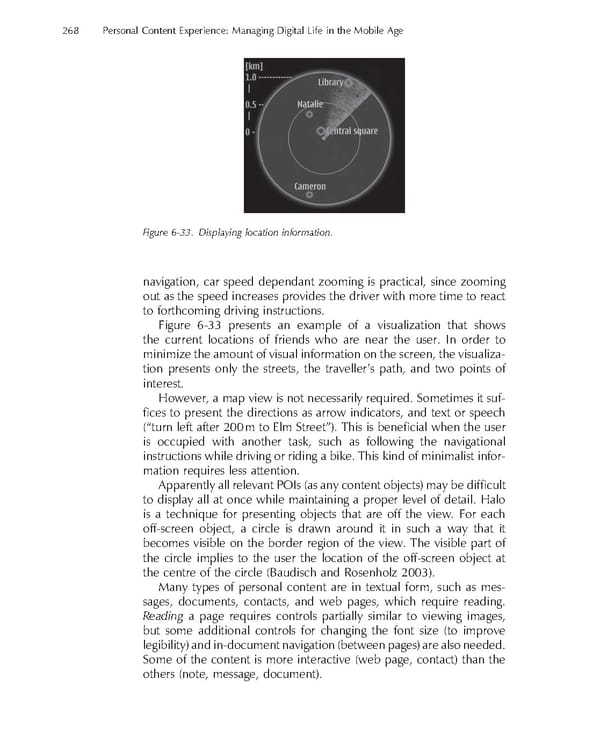
268 Personal Content Experience: Managing Digital Life in the Mobile Age Figure 6-33. Displaying location information. navigation, car speed dependant zooming is practical, since zooming out as the speed increases provides the driver with more time to react to forthcoming driving instructions. Figure 6-33 presents an example of a visualization that shows the current locations of friends who are near the user. In order to minimize the amount of visual information on the screen, the visualiza- tion presents only the streets, the traveller’s path, and two points of interest. However, a map view is not necessarily required. Sometimes it suf- fi ces to present the directions as arrow indicators, and text or speech (“turn left after 200 m to Elm Street”). This is benefi cial when the user is occupied with another task, such as following the navigational instructions while driving or riding a bike. This kind of minimalist infor- mation requires less attention. Apparently all relevant POIs (as any content objects) may be diffi cult to display all at once while maintaining a proper level of detail. Halo is a technique for presenting objects that are off the view. For each off-screen object, a circle is drawn around it in such a way that it becomes visible on the border region of the view. The visible part of the circle implies to the user the location of the off-screen object at the centre of the circle (Baudisch and Rosenholz 2003). Many types of personal content are in textual form, such as mes- sages, documents, contacts, and web pages, which require reading. Reading a page requires controls partially similar to viewing images, but some additional controls for changing the font size (to improve legibility) and in-document navigation (between pages) are also needed. Some of the content is more interactive (web page, contact) than the others (note, message, document).
 Personal Content Experience Page 291 Page 293