

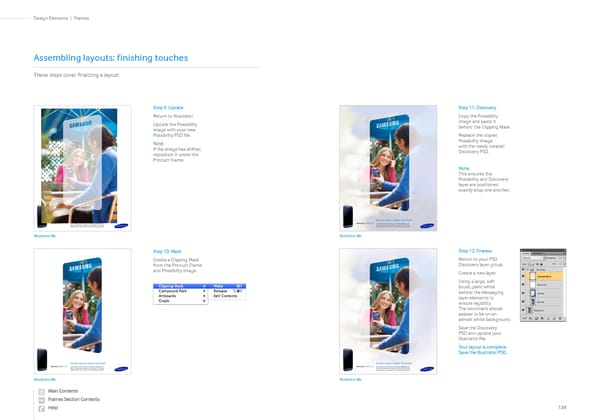
Step 9: Update Return to Illustrator. Update the Possibility image with your new Possibility PSD file. Note: If the image has shifted, reposition it under the Product Frame. Step 10: Mask Create a Clipping Mask from the Product Frame and Possibility image. Assembling layouts: finishing touches These steps cover finalizing a layout. Step 11: Discovery Copy the Possibility image and paste it behind the Clipping Mask. Replace the copied Possibility Image with the newly created Discovery PSD. Note: This ensures the Possibility and Discovery layer are positioned exactly atop one another. Step 12: Finesse Return to your PSD Discovery layer group. Create a new layer. Using a large, soft brush, paint white behind the Messaging layer elements to ensure legibility. The wordmark should appear to be on an almost white background. Save the Discovery PSD and update your Illustrator file. Your layout is complete. Save the Illustrator PSD. Illustrator file Illustrator file Illustrator file Illustrator file Samsung GALAXY S 3 Lorem ipsum dolor sit amet. Lorem ipsum dolor sit amet, consectetur adipiscing elit. Erat ac nulla semper molestie nec sed justo. Proin cursus dapibus metus nec tempor. Donenulla semper molestie. Samsung GALAXY S 3 Lorem ipsum dolor sit amet. Lorem ipsum dolor sit amet, consectetur adipiscing elit. Erat ac nulla semper molestie nec sed justo. Proin cursus dapibus metus nec tempor. Donenulla semper molestie. Lorem ipsum dolor sit amet. Lorem ipsum dolor sit amet, consectetur adipiscing elit. Erat ac nulla semper molestie nec sed justo. Proin cursus dapibus metus nec tempor. Donenulla semper molestie. Samsung GALAXY S 3 Lorem ipsum dolor sit amet. Lorem ipsum dolor sit amet, consectetur adipiscing elit. Erat ac nulla semper molestie nec sed justo. Proin cursus dapibus metus nec tempor. Donenulla semper molestie. Samsung GALAXY S 3 139 Frames | Design Elements
 Samsung Brand Book Page 68 Page 70