

Startup Tools: Surveys and Testimonials




Video overview of the benefits of Mechanical Turk to run experiments
Scientific publications on Mechanical Turk
Buhrmester, M., Kwang, T., & Gosling, S. D. (2011). Amazon's Mechanical Turk A New Source of Inexpensive, Yet High-Quality, Data?. Perspectives on Psychological Science, 6(1), 3-5.
Paolacci, G., Chandler, J., & Ipeirotis, P. (2010). Running experiments on amazon mechanical turk. Judgment and Decision Making, 5(5), 411-419.
AHN, D., & YO, N. (2011). Social science for pennies. Science.
Article in Behavior Research Methods
Online resources on Mechanical Turk
A go-to site aimed at the research community, that aggregates resources as well as having regular blogs.
Sample blog posts: Emailing workers using Python, Screening participants using Qualtrics, The Fundamental AMT Articles.
How to set up Mechanical Turk in 5-10 minutes?
What to do if you need help right now?
A go-to site aimed at the research community, that aggregates resources as well as having regular blogs.
Sample blog posts: Emailing workers using Python, Screening participants using Qualtrics, The Fundamental AMT Articles.
Getting started using Mturk
These are some useful links for how Amazon Mechanical Turk can be used for asking people to participate in studies.
(1) Use a script in the HIT to pipe MturkIDs into Qualtrics survey URL
(2) Match participants' MturkIDs to a list kept in an embedded data field in Qualtrics survey flow
The search bar in mturk, and what an HIT with an autogrant qualification might look like.

Using a pre-screening image survey
This idea is based on the notion that workers will remember an image better than an mturk requester or type of HIT. You'll set up a survey with an image that will redirect people to another survey. This is imperfect, but it has the added bonus of being able to redirect to any survey you would like. This method relies on appending an embedded data value to the survey url -- for more information on this, see http://www.qualtrics.com/university/researchsuite/append-information-to-the-url
Creating the image survey
To do this, first create a new survey in Qualtrics. This survey only needs one block, and does not need to have an actual question. The block should have an image (it doesn't matter what the image is, so long as it is distinctive and recognizable) and some text saying something along the lines of "If you recognize this image, please do not take this survey."
Next, go into the survey flow. The first thing you will want to do is add an embedded data block right at the very top with a single embedded data field. You can name the embedded data field anything you'd like, but it will be the variable that controls what survey people are sent to after clicking through your image survey (see screenshot below).
Next, for every value you want the embedded data field to have (with each value representing a separate survey you want to redirect to), create a conditional branch where the condition specifies what to do if the embedded data field is equal to that value (again, see screenshot).

Under each branch, add an end of survey element, and hit the customize button. Select the "redirect to a URL" option, and paste the URL to the survey you want people to take into the box. See the screenshot below. Do this for every individual survey you want to use this particular image.

Using Bonuses
You can't pay someone directly, and so you can create a HIT with zero reward, and then bonus somebody who you want to compensate.
Intermediate level information
Block Worker from taking same HIT multiple times ( link)
Specific Goals
How to Contact Mturk Workers, Do follow up experiment
How to link Mturk with Qualtrics (Not recommended by Dave)
http://reactiontimes.wordpress.com/2012/02/08/connecting-mturk-to-qualtrics-to-scriptingrt/
Other resources
This website has a collection of programming tools built up around Mturk, and the owner is looking to open source it: Headlampresearch.com link
These links may give ideas for other ways that Mturk can be used: With a bit of creativity, it probably offers valuable solutions for subcontracting out other work that is involved in doing research, developing experiments, running a lab, finding resources, providing & assessing online education, & providing & assessing web-based resources for habit and health behavior change.
This has to be one of my favorite customer development tips: using Mechanical Turk to do customer interviews.
Nick Soman, Founder of LikeBright, and I discuss how he used Mechanical Turk to interview 100 customers in 4 hours, and how that got him into TechStars Seattle.
If you haven't heard of Mechanical Turk (mTurk), here's what you need to know:
- it's a website were lots of people, do small amounts of work, for small amounts of money
- Who does work on mTurk? Although a bit stale, these stats indicate a fairly representative cross-section of the population.
- Why would they do work for such little $? Something to do during free time. It's a replacement for solitaire, not a replacement for a job.
Since Nick and I talked, I've done a couple dozen interviews this way and the results have been fantastic. Nothing like "getting out of the building" at home, at midnight, with an ice cream sandwich in hand.
Sample interview and instructions:
1. Write the interview script
To make sure I accurately test my hypothesis, and so I don't forget any questions, I always write up my interview script ahead of time. Coming up with good interview questions is another post on its own, but here's the intro I use:
Hi there, my name is Justin. Can I get your first name please? *
Great, thanks ______. Like I said, my name is Justin and I'm here in Seattle doing a little research. I'm happy to tell you about the project I'm working on, but so that I don't accidently bias any of your answers, I'll wait until we finish the survey. Is that alright?
Great. So that I don't have to slow us down to take notes while we're chatting, is it okay if I record this call? Great, here we go.
*Note: about half the time, people hang up after my first line. My assumption is that the hangups were expecting an automated phone survey, as opposed to a personal interview.
2. Get a (new?) Google Voice number
You're going to post this number on mTurk, and strangers are going to call it so if you're not down with that, create a new Google Voice account and grab a new number. I've been using my actual Google Voice number and haven't had any negative affects so far, but do what makes sense for you.
Outside the US/Canada: Google Voice is restricted to US/Canada so if you're not there, here's a great blog post on how to borrow a Google Voice number. (Note: may be against Google's TOS. Use your judgement.)
3. (Optional) Forward Incoming Google Voice calls to your Gmail
I like answering my interview calls via GTalk within Gmail for a couple reasons:
- The gmail interface makes it easy to record the call
- It's easier for me to talk hands-free with my computer
Instructions on forwarding Google Voice calls to your gmail are here: http://support.google.com/chat/bin/answer.py?hl=en&answer=187936.
4. Create a HIT on mTurk
Create a new HIT on http://requester.mturk.com
Describe the HIT
Pick a Price
Write up the HIT
Feel free to copy and paste this HTML:
<p><span style="font-family: Arial;">If you are a parent who picks your kids at day care at least once/week, please call us for a 5-10 minute phone survey.</span></p>
<p><span style="font-family: Arial;">Please dial the following number:</span></p>
<ul>
<li><span style="font-family: Arial;">*67 [your google voice number]</span></li>
</ul>
<p><span style="font-family: Arial;">Note: dialing *67 before the actual phone number will protect the privacy of your phone number. </span><span style="font-family: Arial;">If you reach voicemail again, please wait 10 minutes.</span></p>
<p><span style="font-family: Arial;"> <b>Required after Calling</b> - after we finish the survey, we will give you a password to confirm you successfully completed it. Please enter it below:</span></p>
<p><span style="font-family: Arial;"><b>Password:</b> <textarea rows="1″ cols="80″ name="answer"></textarea></span></p>
<p><span style="font-family: Arial;">Thank you very much! We really appreciate your help! </span></p>
*Note: the "password" is a word you tell your interviewee to type in once the interview is complete. You'll see what they type in before you approve the HIT (i.e. pay them) so you can ensure only the people who successfully completed the interview get paid.
Outside the US - mTurk needs a US address to sign up. I've heard of people using any US address to create their accounts if they're outside the US. Again, may be against TOS. Use your judgement.
5. Publish the HITs
6. Get an ice cream sandwich
Now it's time to wait for your first call. When it comes, answer it with your intro and once you have permission, record the call so you can share it with your team or review it later.
When you're done, you can review the calls on Google Voice
Video Walkthrough
Using mTurk for the first time can be a bit confusing, so here's a video walkthrough of the mTurk steps above:
Conclusion
If your target customers are on mTurk, which is likely if you're building a B2C company, this is an awesome way to get lots of interviews in a short amount of time.
Thoughts, questions, or other suggestions for quick customer interviews? We'd love to hear 'em.
Big thanks again to Nick Soman from LikeBright for sharing this tip, Andy Sack for making him do it, and Dan Shapiro for teaching all of us the power of mTurk for customer development.
Join the experiment - follow along via Email or RSS for updates on our next post: Prioritizing Customer Segments with Excel.

Link/Embed/Facebook We won't ask for the actual e-mail addresses of your list. Instead we offer you 3 convenient ways to launch your surveys. Get the short link and distribute via e-mails, IMs, twitter etc. Example" Get embed code and place the survey right on your blog/Web page Example".Or run your survey right on Facebook. See example"
$0.95+/complete Our pricing is simple. You pay per relevant survey complete which starts at only $0.95 for a survey in US/$0.75+ for a Global survey of 10 questions. Every complete comes with 10 standard traits regardless of targeting. You'll see price increase as you restrict your target audience, add more questions or extra features.
You always see the price of your survey before launching.
Check the cost of your study"
Professional Survey Edits There is an old saying that a wisely put question contains half of an answer. On the flip side there are quite a lot of mistakes that one can make creating a survey. Get a peace of mind and let our experts take your input and use it to create meaningful balanced survey following your goals and best practices.
Advanced Survey Analysis Creating a great survey, properly targeting and fielding it is just 2/3 of the success. Extracting the right insights from the data is an art and a science that requires a lot of experience and skills. Our Research Specialists will slice and dice the stats for you, perform crosstab analysis to make sure you get maximum value out of your study.
Custom report with voiceover When data is analyzed it's time to deliver the results and explain them in a way that would make sense to you. We found that a well prepared PowerPoint or Keynote presentation is just the right medium for the job. Add a voiceover from the researcher recorded for you and walking you through the findings and you'll fully appreciate the elegancy and thoroughness of our solution.
Fast turnaround We understand that you are on a tight deadline. We all are. The Expert solution is designed to streamline the process, remove all unnecessary back and fourths and deliver your report as quickly as possible without compromising the results. We do our best to turn most surveys around within 7 business days.
Survey Programming We don't encourage long surveys. Our platform was built with ease of use and customer experience in mind. However sometimes surveys can get quite complicated with many question types, skip logic, custom randomization etc.
If you have a draft but don't have much time, we'll do the legwork for you.
Aytm Seal of Quality We stand behind the quality of our Expert studies. In fact we go as far as putting a Seal of Quality on the surveys that were ran by our experts and approved by clients without changes. Such Seals have a unique ID with a link that opens a digital certificate page hosted on our servers to verify the authenticity of the Seal and confirm the qualities of your study.




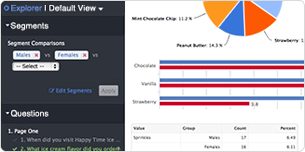
Most folks spend the bulk of their time designing the survey and less time with the data -- we imagine that's because so many reporting tools are painful to use.
SurveyGizmo's reporting and analytics tools allow you to analyze your data quickly, share it with other decision makers easily and have fun while you're exploring your data.
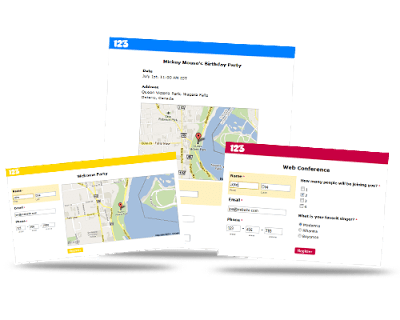

OVER 100,000 HAPPY CUSTOMERS USE FLUIDSURVEYS

Online & mobile surveys made easy. Collect the data you need to make smarter decisions.

Easily create interactive, engaging surveys & forms
Build your own surveys using an easy drag & drop editor, or work off expert designed templates. Access tons of features: over 40 question types, logic, branding, and more!

Collect responses online, offline & via mobile
Collect responses in real-time with ease online, offline or on mobile devices. All surveys are responsive and work on any device. Distribute your surveys using web links, emails, social media, QR codes, and more.

Gain intelligent insights with powerful analytics
Gain actionable insights with powerful analytics. Create & share reports and display your results grapically, export data into Excel, Word, PDF, SPSS and PPT, drill down with filters, benchmark, and more!

Integrate with the web's most useful tools
Integrate FluidSurveys with the tools you use everyday and get the most out of your data. Salesforce, Freshbooks, Cint, Olark, Zapier, Dropbox, Box.net, and more.

"Not only has FluidSurveys been great for all of our surveys, but it has come in handy in many unforeseen ways. We use it to gauge customer satisfaction, retrieve important information from our customers and keep a record of services that we provide. FluidSurveys is a powerful survey tool and we're happy campers!"
Josh Fruhman is the head of deployment at breadcrumb by groupon
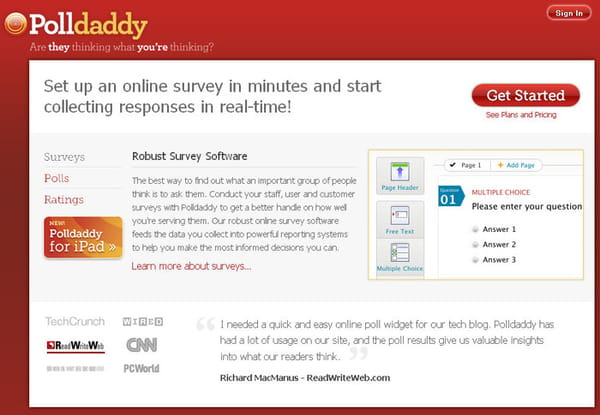
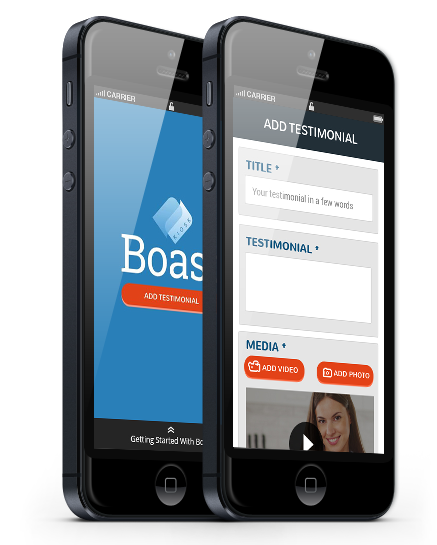
Testimonial Collection Made Easy
Nothing can help establish credibility for your business quite like countless videos from sincerely satisfied customers. With Boast, it's easy for customers to share their stories and rave about your brand and their experiences. Simply add the submission widget to your website or have your customers download the mobile app to start collecting praise.
How It Works "


