

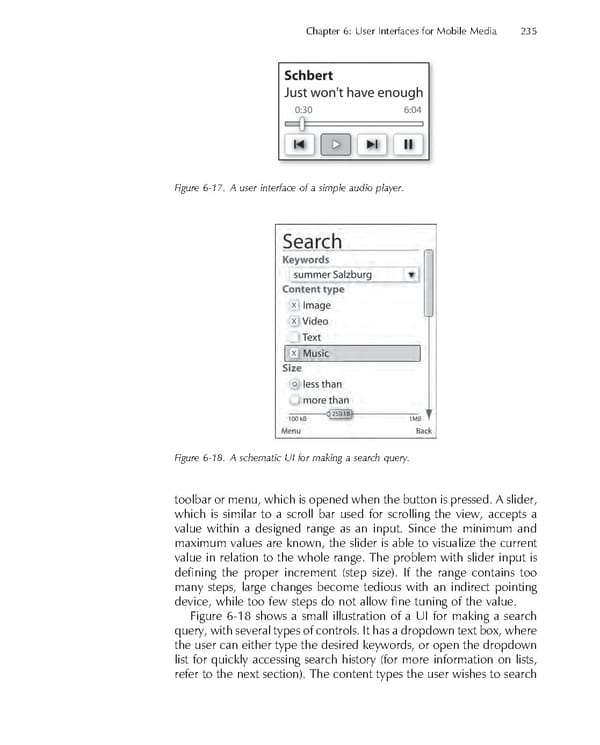
Chapter 6: User Interfaces for Mobile Media 235 Figure 6-17. A user interface of a simple audio player. Figure 6-18. A schematic UI for making a search query. toolbar or menu, which is opened when the button is pressed. A slider, which is similar to a scroll bar used for scrolling the view, accepts a value within a designed range as an input. Since the minimum and maximum values are known, the slider is able to visualize the current value in relation to the whole range. The problem with slider input is defi ning the proper increment (step size). If the range contains too many steps, large changes become tedious with an indirect pointing device, while too few steps do not allow fi ne tuning of the value. Figure 6-18 shows a small illustration of a UI for making a search query, with several types of controls. It has a dropdown text box, where the user can either type the desired keywords, or open the dropdown list for quickly accessing search history (for more information on lists, refer to the next section). The content types the user wishes to search
 Personal Content Experience Page 258 Page 260