

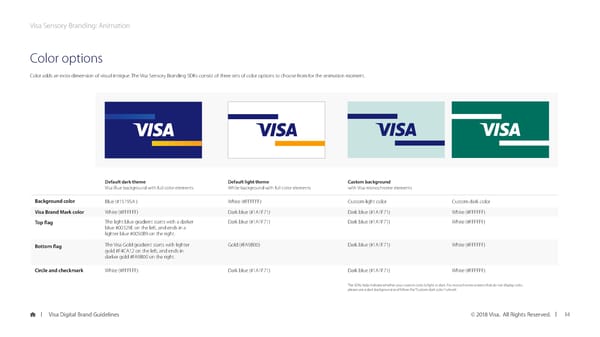
Visa Sensory Branding: Animation Color options Color adds an extra dimension of visual intrigue. The Visa Sensory Branding SDKs consist of three sets of color options to choose from for the animation moment. Default dark theme Default light theme Custom background Visa Blue background with full color elements White background with full color elements with Visa monochrome elements Background color Blue (#15195A ) White (#FFFFFF) Custom light color Custom dark color Visa Brand Mark color White (#FFFFFF) Dark blue (#1A1F71) Dark blue (#1A1F71) White (#FFFFFF) Top flag The light blue gradient starts with a darker Dark blue (#1A1F71) Dark blue (#1A1F71) White (#FFFFFF) blue #00329E on the left, and ends in a lighter blue #0050B9 on the right. Bottom flag The Visa Gold gradient starts with lighter Gold (#FA9B00) Dark blue (#1A1F71) White (#FFFFFF) gold #F4CA12 on the left, and ends in darker gold #FA9B00 on the right. Circle and checkmark White (#FFFFFF) Dark blue (#1A1F71) Dark blue (#1A1F71) White (#FFFFFF) The SDKs help indicate whether your custom color is light or dark. For monochrome screens that do not display color, please use a dark background and follow the “Custom dark color” rule set. Visa Digital Brand Guidelines © 2018 Visa. All Rights Reserved. 14
 Visa Brand Book Page 13 Page 15