Remote Sales & Marketing
Report | A Guide to Moving Your Business Online | 25 Pages
Remote Sales & Marketing: A Guide to Moving Your Business Online
Table of Contents Online Operations 4 Online Marketing 8 Online Sales 14 Working Remotely 19 Get Connected 23 Conclusion 24 A handy guide we created with help from our friends at Slack. | 2
The idea of moving your business online and remote work policy, you’ll be inadvertently building transitioning your employees to remote work can a more diverse and inclusive workforce (with lower seem daunting at first. With any upheaval of the overhead). traditional on-site work experience there is a learning To be successful in your market, it is critical to know curve and transition period that can be scary to what your customers need. In this increasingly tech- managers. While it is necessary to address these savvy modern workforce, those needs often include an concerns and note their validity, it is also important to expectation that your product or services are available acknowledge that online businesses and remote work online. If you are waiting for the day your customers are here to stay. The amount of people who work tell you that they want you to move online, you’ve remotely at least once per week has grown by 400% already lost them. In addition to retaining your existing since 2010, while 99% of people said they’d choose customers, expanding your visibility by moving online to work remotely, at least part-time, for the rest of their guarantees that you will reach new ones. careers. By the end of this ebook you will be ready to transition By creating a remote work policy at your company, you your business, including operations, marketing, and will be communicating to your existing employees that sales online by supporting your teams and online their personal productivity and happiness is a priority sales force. You’ll learn how to translate your current of yours, while being able to attract top talent from all marketing strategy to the digital sphere and train your corners of the world. When you retain and hire skilled, employees to successfully work remotely all while innovative employees with your comprehensive maintaining what makes your company special. A handy guide we created with help from our friends at Slack. | 3
CHAPTER ONE The first hurdle to overcome when transitioning your Online business online is the misconception that managing remote teams requires a vastly different skill set than Operations managing on-site employees. Regardless of office location, the way you lead your teams is fundamentally the same. As your team makes the shift to fully online work, it is critical that you work with them, set the appropriate expectations for how they will be implementing processes and programs moving forward, develop an effective remote communication strategy, and utilize the appropriate software so they can find success as an essential part of your online business. To best support your team as they move online: A handy guide we created with help from our friends at Slack. | 4
Set the appropriate expectations. Implement a communication strategy. As the leader at your company, it will be your actions When shifting your business and company online, more that set the standard for how to successfully transition communication is not necessarily better communication. your business online. By setting an attainable, clear Implement a communication strategy with your standard, your team will be able to set deliberate team leaders that includes your expectations for the expectations (SMART goals) for the transition process. appropriate cadence of communication. Collaborate When expectations are set in advance, ground rules with your team to establish this strategy by answering are established from the get-go allowing your team to questions such as: adhere to lines of accountability. Create collaborative • When should remote employees respond to performance and logistical goals and timelines for the emails/messages? transition. • What follow up steps should be taken regarding a lack of response? • When are unscheduled calls permitted? • What necessitates a virtual team meeting? When leading remote teams, it is important that your employees understand their obligation to communicate efficiently. A handy guide we created with help from our friends at Slack. | 5
Utilize the top software. As your team moves online, their success becomes dependent on the software they utilize. Along with the standard toolset you’ll use to quickly communicate with staff like email and Slack, (which has built-in security for protected documents), you’ll need software that helps your team meet virtually, stay organized, and collaborate while out of the office. HR teams need software that makes their personnel-focused tasks easier, while allowing them to manage employee records from anywhere, on any device. Before selecting your team’s remote software stack, consider the following: • Does the user interface offer an intuitive experience, or will there be a strenuous training period? • Can this software scale as your company grows? • Is the system designed for your industry and company size? • Are there available features for managing contractors or freelance employees? • And the most important question for remote work: Is the system cloud-based? Test the software that checks all your prerequisites, and choose the one that fits your utility and price. A handy guide we created with help from our friends at Slack. | 6
Some of the top operations team software for 2020 include: Slack Google Drive Slack helps your team communicate with You’ll be able to keep all of your documents one another, wherever they may be around in one place using Google Drive. Work in the globe. documents and spreadsheets, and keep track of your contacts. Trello Trello helps get your team organized by Zoom allowing online collaboration and project Virtual meetings are made easy using Zoom planning to go smoothly and efficiently. — you can hop on a video call with your teammates and schedule virtual meetings. A handy guide we created with help from our friends at Slack. | 7
CHAPTER TWO When moving your business online, the biggest Online operational change you will face is how you market your business. Although this transition will ultimately Marketing impact your long-term online success, it is important to start simple. SEO ranking and involved social media campaigns are key parts of digital marketing, but they are not the first steps you should be taking. Before you dive right into your first online marketing meeting you need to lay a basic digital foundation for your company, then it’s time to integrate your old offline tactics with new online marketing strategies, before transitioning to strictly virtual. Lay a Digital Foundation In order to market your company online, you need to have a strong digital presence. Before you post that first blog entry or send out your inaugural tweet be sure to build your website, create social media accounts, and register your business on digital registries. A handy guide we created with help from our friends at Slack. | 8
Build your website. Create social media accounts. If you don’t have one already, now is the time to create Your social media strategy doesn’t need to start off with your business website. Your business website is required intricate posting patterns and hashtag research, instead to jumpstart your online marketing presence, and it you should start by creating social media accounts on all should be able to support a multitude of activities. As a the major platforms that apply to your target audience start, your website should include: like Instagram, Pinterest, LinkedIn, Twitter, and Facebook. • Your company contact information Use the same handle and logo for consistent branding. • A products and services information page • An “About Us” page with your personal story and background • Appealing visuals of you and your products Use forms on your website to collect information about your prospects which will later help you with targeted Register your business on digital directories. marketing and communications. Half of creating a thriving online presence is to attract new customers. One essential way to ensure your brand A handy guide we created with help from our friends at Slack. | 9
is in front of the largest audience possible is to get generates new leads, and grows your customer insight. listed on local and national business directories. (Here’s The blog posts you write should be approachable and a tip, the majority of national directories pull from local attainable. It should be clear that a friendly human is ones, so the first step towards a national listing is to get blogging for your company, not a keyword spewing listed locally.) Almost half (49%) of businesses listed on robot. Additionally, your blog posts should offer genuine Google get over 1,000 searches per month. value to your audience. When a customer trusts your blog to provide valuable information and helpful insight to your industry, they will keep coming back for more. Grow your Online Presence When you are brainstorming blog posts, start a quick voice or video call from Slack. Sometimes, a face-to- One you have built your website, created enticing social face or verbal conversation can help get the creativity media accounts, and registered your business on online flowing. directories it is time to expand your online footprint. Bonus Tip Whenever you have a particularly lovely customer experience in real life, share the experience on your blog or through a customer testimonial. Potential customers trust companies who they know others trust as well, Blog from your website. don’t hesitate to repurpose your customer encounters to Effective blogging is the backbone of any successful attract new clients. digital marketing strategy. When done correctly and with an eye on SEO, blogging from your website drives traffic, A handy guide we created with help from our friends at Slack. | 10
• Promote offline events on your social media accounts. Even if you have advertised an in-person even in your store and utilized email marketing, Tweet about the event and create an event page for it on Facebook to help spread the word. Post to your social media accounts. • Utilize real-time marketing to post live Instagram The marketing moment your excited fingers have been videos of your events. After the event, create a waiting for, it is time for you to start posting to social hashtag for event goers where they can share media. Before diving right in, pause to create your social their pictures and experience for the online world media marketing strategy. Social media marketing is a to see. delicate art that consists of creating content to promote • Create discounts that are only redeemable your business via unique content that is tailored through social media activity. Instead of specifically to the platform on which it is posted. For advertising in-store coupons and special offers, a full course on social media marketing,check out our allow customers to get a discount if they Tweet a ultimate guide here. photo of themselves in your store or share their Remember, the social media content you post can and customer experience with a hashtag. should be repurposed as blog posts and vice versa. To repurpose your existing offline marketing strategy as social media marketing you can: A handy guide we created with help from our friends at Slack. | 11
Create a webinar. If hosting a virtual conference seems like too much too soon, start by creating a webinar. Webinars are online events that use live and recorded streaming services to engage your target audience from wherever they are located. Your webinar content should be billed as necessary information that is memorable and leads your Host a virtual conference. viewers directly to your website and product. Download Virtual conferences, such as panels and promotional this free strategy guide to get started. events, are an increasingly popular medium that succeed at reaching a large audience. Shifting your current business events to the virtual world not only expands the reach of your audience by growing your awareness, but helps you to build lasting relationships with influencers and other companies with similar audiences by offering avenues for partnerships to form. Additionally, virtual events create a revenue stream from sponsorships. To read more about the step by step process of how to host, and execute a successful virtual conference, here is how HubSpot launched Inbound Sales Day. A handy guide we created with help from our friends at Slack. | 12

Integrate live chat software. In order to waste no time connecting with your website visitors, add a live chat feature to your site so you can convert new leads and provide customer support in real time. The inclusion of live chat software can be the difference between a new customer and a lost opportunity. By integrating a live chat feature you will be able to interact with potential customers when they are the most engaged— right when they click on your website. With HubSpot’s free live chat software you can easily customize your chat widget to match your brand and create targeted welcome messages for each page of your site. Additionally, every conversation gets automatically stored in your inbox with the customer’s timeline, so your digital marketing team can have a clear customer profile from just one conversation. A handy guide we created with help from our friends at Slack. | 13
CHAPTER THREE Your online sales operations focus on everything from Online lead management to sales strategy, compensation plans to sales automation. And, most essentially, data Sales management and lead generation. To successfully support your sales team as you move your business online, you will need to have it all in one database and choose the correct payment software for your company. You’ll also need to arm them with the best messenger, video, and audio software out there. The role of your online sales operation team is to enhance the business impact of your sales team, to accomplish this, your sales operations department must include: A handy guide we created with help from our friends at Slack. | 14
Inside Sales Operations Sales Forecasting A successful sales operations department includes In order for sales operations a variety of positions, all of which play separate and to forecast future sales and equally important roles: develop sales goals they study past data and performance trends across your industry. When sales forecasting is done correctly, your sales team will be able to spot potential issues with enough foresight to avoid them. Sales Data Management In order to determine the effectiveness of your product or services, your sales operations must measure and evaluate their collected sales data. Otherwise, you will not know when to implement a new sales strategy. This data management should keep an eye on the external Lead Generation market and competitor research so you can keep your sales strategy (and hit your sales goals) ahead of the The process of attracting and then converting strangers competition. Using a CRM will help your sales team stay and prospects into customers is a many layered cake organized, keep track of their pipeline, and make sure that fuels the inbound marketing methodology. The they have all the necessary sales data and context at beginning steps of successful lead generation are: their fingertips — set up the HubSpot CRM for free. A handy guide we created with help from our friends at Slack. | 15
• A prospect discovers your company through one Sales Representative Management of your many marketing channels such as your A main function of sales social media accounts or blog operations is to support your • That prospect then engages with your call-to- internal salespeople. You can action, which takes them to a new landing page do this by providing sales that captures their information in exchange for an compensation plans and offer incentives, as well as setting • Your offer must have enough perceived value to up rewards systems for superior performance. A convince the prospect to provide their personal little healthy competition in the #Sales Slack channel information, such as an informative ebook, course, never hurt anyone… Additionally, you will be creating or free template processes for resolving poor performance and • Once on the landing page, your prospect fills out encouraging more efficient sales techniques. This can an information form requesting personal data be achieved by providing leads and training on time such as their company email, business size, and management skills. Sales operations influences the industry. organization of your sales team, and is tasked with maximizing its performance. • Congratulations, you’ve just generated a new lead! Technology Management For our complete beginner’s guide to Lead Generation, Sales operations oversees the implementation of all here is our free guide. sales team tools and platforms, they often work hand- in-hand with the IT team to make online sales more efficient. A handy guide we created with help from our friends at Slack. | 16
Online Payment If you’re a software or an e-commerce business, you’ll Authenticate the login process. want to set up your online payment software. It is critical Once customers create an account that your payment software integrates with your other with you, they want to be ensured existing software. Your online payment system should do that their private information is the following: secure. Always require multiple Provide multiple login options. authentication layers before you store their login information. For example, when making purchases your customers should always have the option to check out as a “Guest” rather than making them create an account. You should also offer customers the option to log in through one Follows the PCI Compliance. of their social media profiles, this will not only reduce If you’re the host of an ecommerce platform it is your registration friction but responsibility to ensure PCI compliance, regardless of make the login process your revenue volume. To find out how to achieve PCI much faster for all compliance, click here. parties involved. A handy guide we created with help from our friends at Slack. | 17
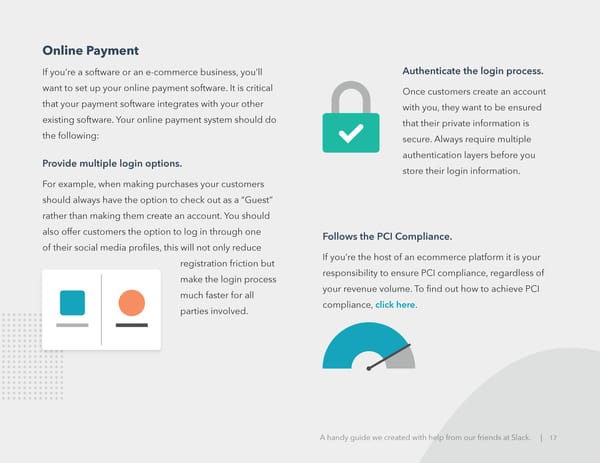
Has a visible checkout button and optimized checkout page. This one may seem like a no-brainer, but it is always a good idea to be reminded! Put your checkout button (and all call-to-actions now that I mention it) in a color that stands out against your web pages. The best checkout pages are functional, user-friendly, secure, and Contains an integrated payment processor. well designed. Having an integrated payment solution that processes your customer’s information on your own server allows Send a confirmation email. for more flexibility and customization. You don’t want online shoppers to be redirected off of your website Now that your customer has to a seperate pay site, instead your payment processor had a successful ecommerce should integrate directly into your website. For example, experience, you want to Stripe integrates directly into HubSpot. send them an automated confirmation email that Is SSL certified. includes their order number, In order to protect your customers’ personal and product and payment details, and shipping information. payment information, your website will need an SSL Send this confirmation email from a real email address certificate. Without it, your customers will be susceptible that the customer can reply to if they have questions to hackers and they will lose their faith in your company. regarding their order after the fact. If your customer checked out as a guest, the confirmation email is a great place to offer them the option to sign up for an account. A handy guide we created with help from our friends at Slack. | 18
CHAPTER FOUR When transitioning your business online, it is imperative Working that your staff is trained on the technology they will now be required to use. Don’t make the mistake of assuming Remotely your employees can learn by themselves at home. In order to set your newly remote employees up for success: • Provide pre-recorded videos to show your team how to set up their home system • Set up office hours (try Slack office hours) where your employees can feel comfortable asking their remote work questions • Make sure your IT team is available during this transition period and is capable of assisting your remote workers • Install employee feedback software, like TinyPulse, to best utilize the feedback you will surely be receiving from your remote employees A handy guide we created with help from our friends at Slack. | 19
How to Use Slack with your Remote Teams Create an announcement channel for the Now that your employees work remotely, they can’t pop whole company their head into one another’s office for a quick chat or This is your go-to source for company-wide catch up on their weekend highlights at the water cooler. updates. You can create sub-groups like #boston- Just because you aren’t meeting face to face means announcements if you have multiple locations. your communication should suffer. With Slack you can message full teams and individuals, provide updates, share files, receive company-wide announcements, and Connect all your tools and apps much more. To get you started implementing Slack at your remote Slack connects with G Suite, Office 365, Dropbox, company, here are a few tips: Zoom, and others. Check out all the integrations in the App Directory. Leverage shared channels for internal and external stakeholders Shared channels let you connect with your vendors, clients, and partners in the same Slack workspace so you can easily share information, tools and files in a single channel. A handy guide we created with help from our friends at Slack. | 20
Use channels for project management and... Use features like statuses and calls everything • Alert your teammates when you’re working • Create channels with key stakeholders for and when you’re wrangling the kids down projects. This way, you can share files and for a nap by setting your Slack status. collaborate in real-time with everyone who • Call coworkers via video or voice call right needs to be involved. Use reactions to run from Slack. polls and get the group’s feedback in no If you already have voice or video time. software, check out Slack’s App • Create team channels for departments and Directory to see if you can use them individual teams. together. • Create channels for #parents or #gamers, or one for the streamers #netflixpicks. • Make a channel for a certain role or for a certain region, the possibilities are endless. • Channels can replace emails, meetings, or daily standups. A handy guide we created with help from our friends at Slack. | 21
Using the Slack HubSpot Integration Thanks to the new Slack HubSpot integration, you can Turn Slack Conversations into HubSpot Tasks add HubSpot tasks, trigger notifications, and use slash Sales reps can create a task and associate it with commands directly from within Slack. The days of a contact, company, or deal in HubSpot—directly switching back and forth between tools are behind you, within Slack. now you can work from anywhere with HubSpot and Slack. HubSpot CRM Notifications Receive notifications within Slack when activities happen in your HubSpot CRM. Customize which notifications you want to receive from options such as reminders, mentions, follows, document views, form submissions, and more. Save Time Using Slash Commands You can use slash commands to search for, then share a HubSpot CRM contact. You can also give quick feedback to the HubSpot team about the Slack integration— all without leaving Slack. A handy guide we created with help from our friends at Slack. | 22
CLICK HERE to connect and A handy guide we created with help from our friends at Slack. | 23

CHAPTER FIVE Conclusion Moving your business online is a concentrated effort that is well worth the time and energy. Taking the essential steps to move to remote-friendly operations will actually help your business grow and thrive, improve communication at your company, and show opportunities for growth that may have been hidden in the day-to-day. You may find that taking these steps will get you closer to your goals than ever before. We can’t wait to see what the future holds for you and your new online business. A handy guide we created with help from our friends at Slack. | 24
Mentioned tools and resources for moving your business online: • 40 Remote Work Statistics to Know in 2020 • Use the Stripe integration with quotes • Social Media Marketing: The Ultimate Guide in HubSpot • How to Launch a Virtual Conference for • A Beginner’s Guide to SSL: Lead Generation and Customer Acquisition: What It Is & Why It Makes Your Website A Step-by-Step Guide More Secure • Free Webinar Planning Kit • Your guide to working remotely in Slack • Free Live Chat Software • Slack brings the team together, • Lead Generation: A Beginner’s Guide wherever you are to Generating Business Leads the • How to Manage Remote Employees: Inbound Way A Leadership Guide to Supporting your • Online Security & Protection Measures: Distributed Team What All Ecommerce Owners Need to Know About PCI Compliance A handy guide we created with help from our friends at Slack. | 25