
Documents people finish, and AI can read
Publish reports, decks and guides on a content experience platform: each becomes a web page that reads itself aloud and answers questions, citing the page.
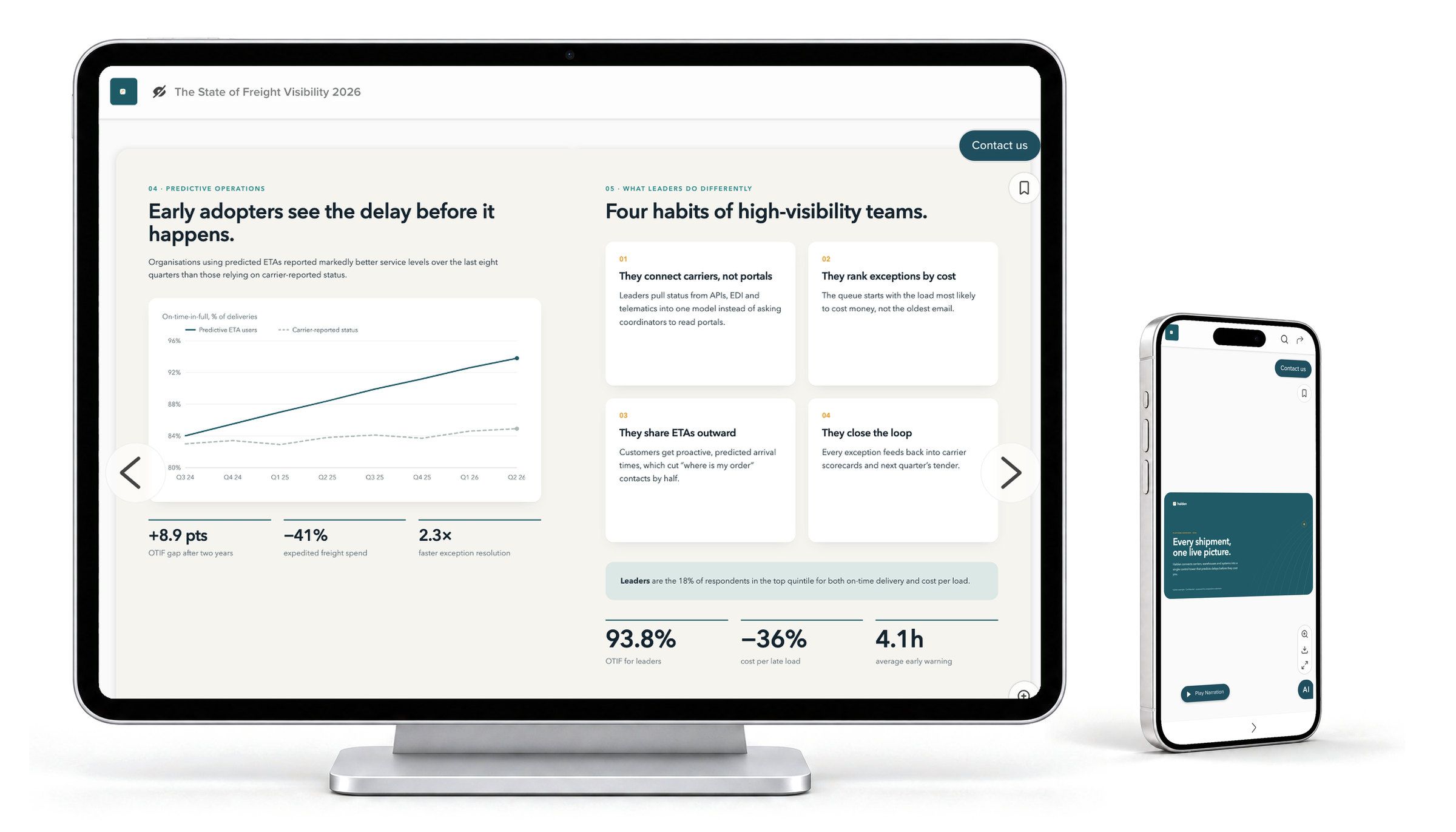
Omnicom Group saw an 1100% increase in target account engagement with RELAYTO.




Pages that read themselves aloud
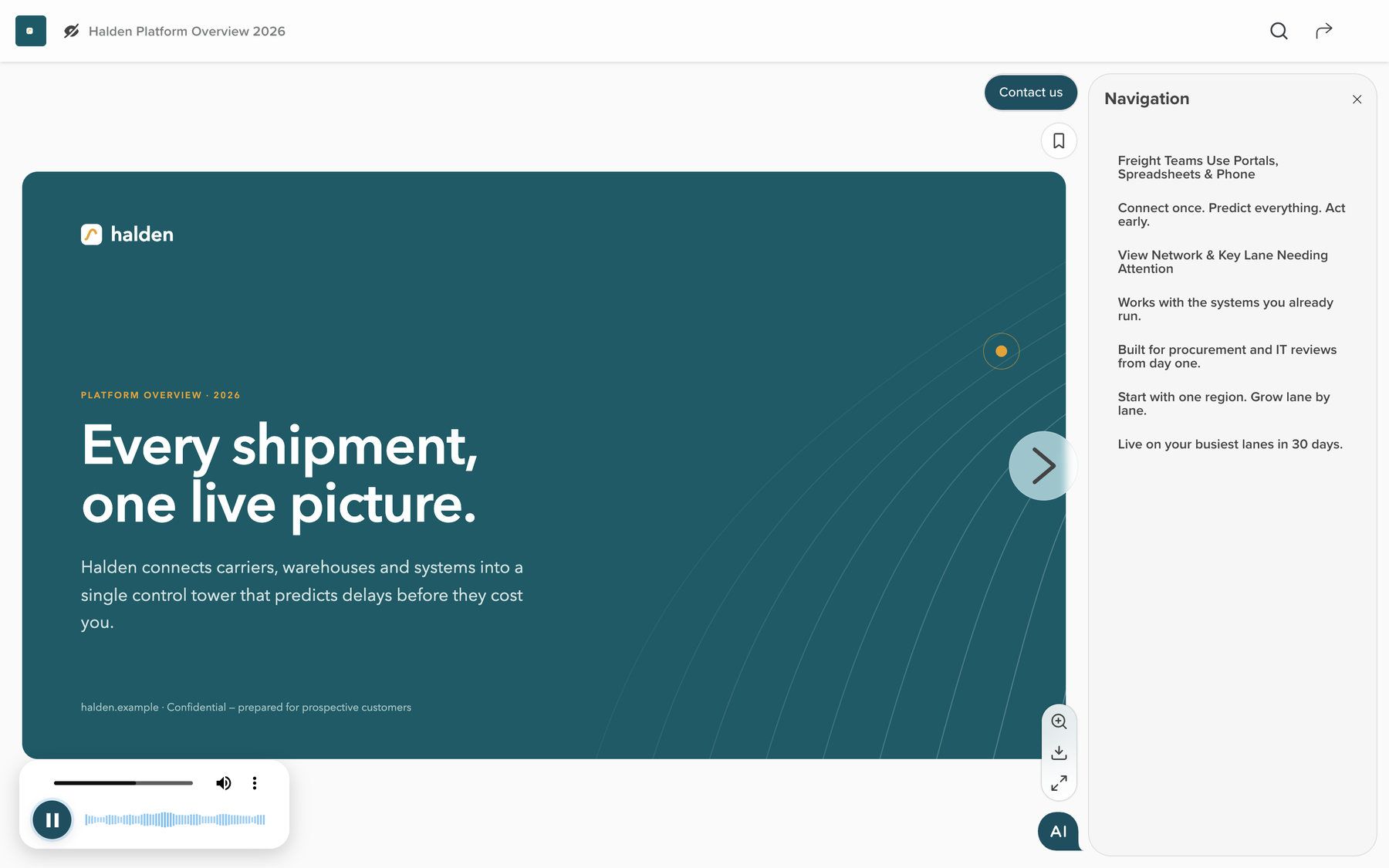
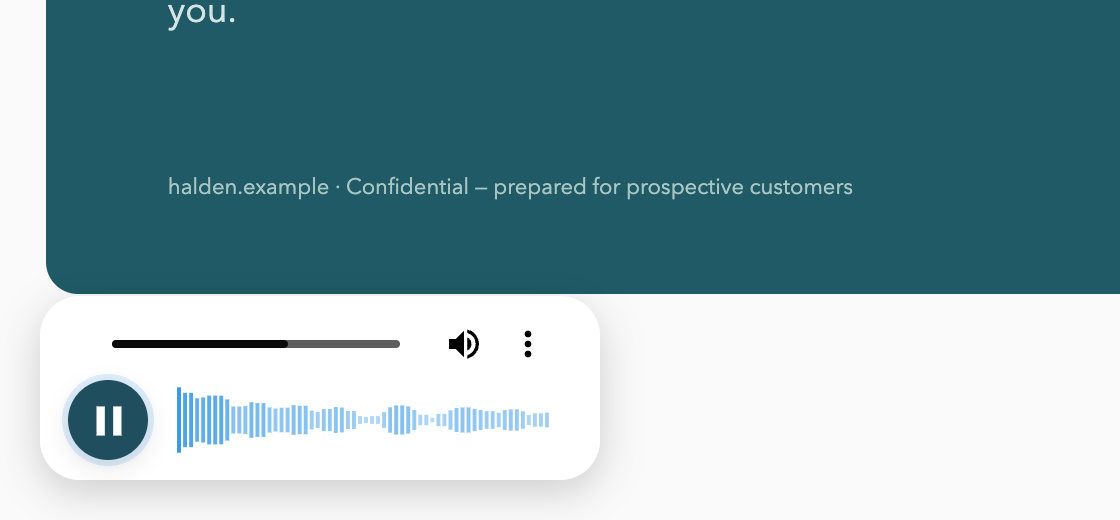
Some readers would rather listen, on the train or long after the meeting. With AI Narration, in beta, the document presents itself page by page, in your words.
An AI voice, or yours
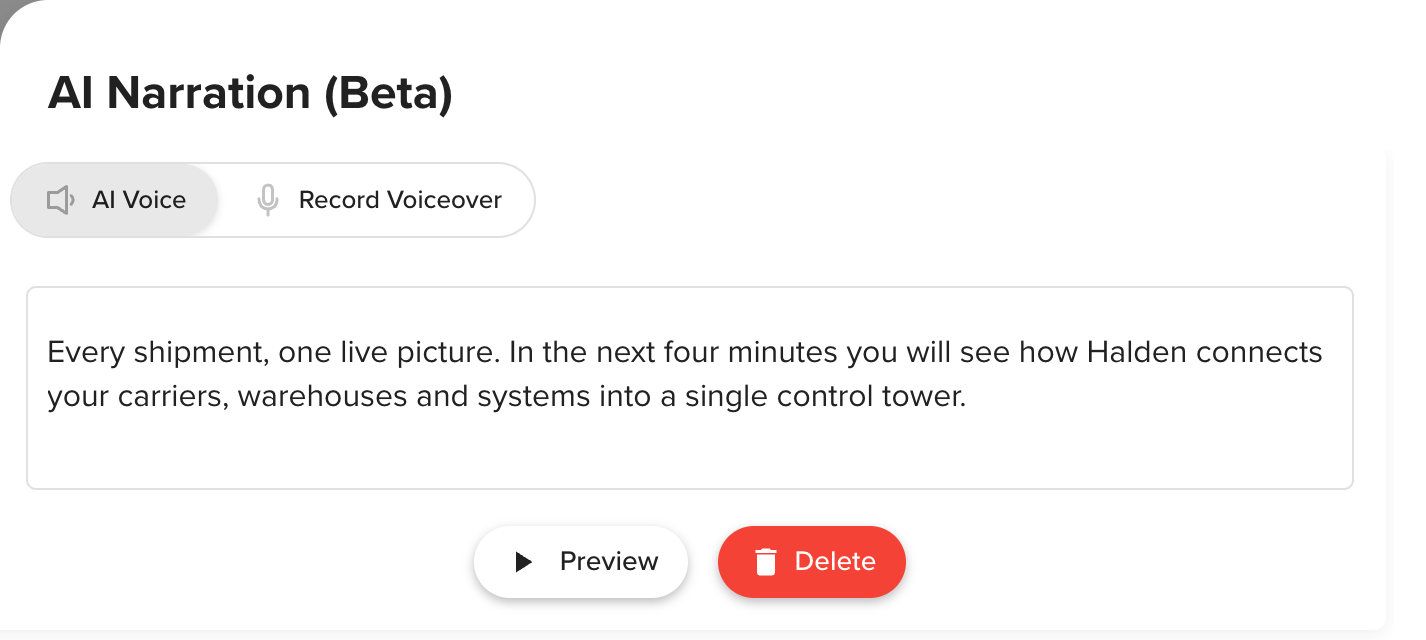
Type a script for each page, or record your own voice in the browser.
Voices in nine languages
English, Spanish, French, German, Italian, Portuguese, Japanese, Korean and Mandarin.
Press play, or let it run
Narration can start as each page opens, then turn to the next page itself.
Animation and video
Animate a page’s parts in, or play a video behind it.
Answers with the page they came from
With AI Content Chat, readers ask the document in plain words, in their own language. Answers name the page they come from, and the chat says so when the document holds no answer.
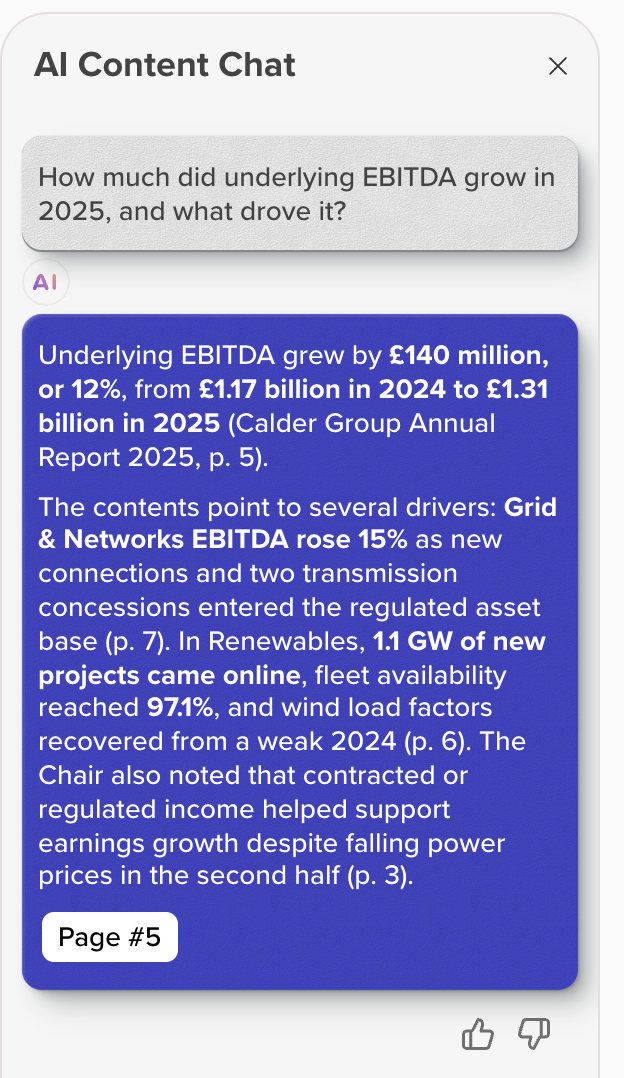
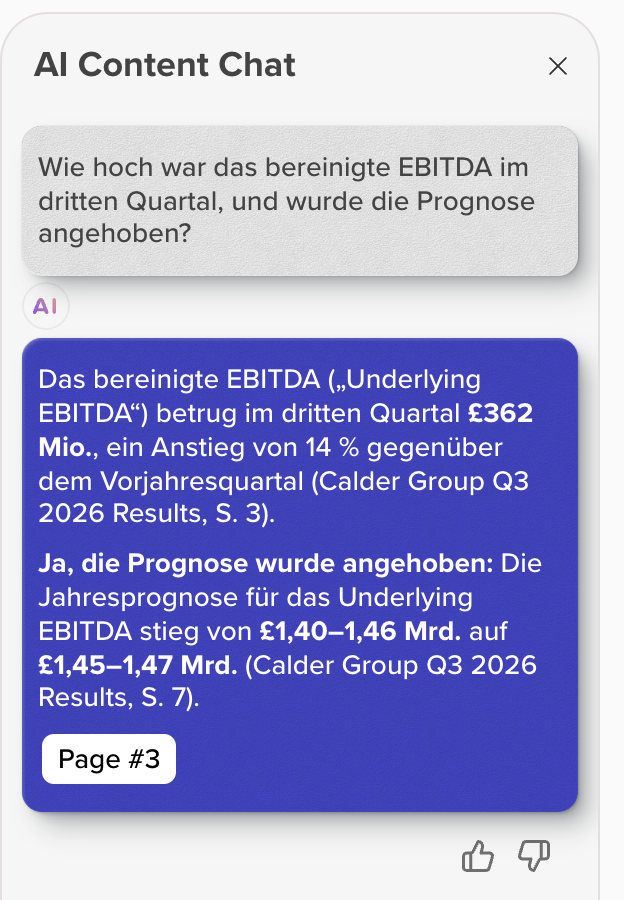
- A question in plain words, on Calder Group’s annual report.
- The answer from the report itself, each figure with its page.
- One click opens the cited page.
- Asked in German on the results deck, it answers in German.
“Since using RELAYTO, I’ve seen a clear shift—our interactive content cut down early demos, boosted engagement, and now supports 40% of our deals.”
 Łukasz HińczSenior Presales Engineer, Alpega Group40% · Presales & proposals
Everything the content experience platform does
- AI Narration: text-to-speech or your own voiceover
- Per page: an AI voice reading your script, or a recording; preview before saving.
- AI Animation
- Four entrance effects, with duration and direction, on one page or all.
- AI Background Video
- A video behind any page, uploaded or from your library, under a colour wash.
- AI Navigation & smart outline
- Section titles written by AI from the pages, in a sidebar or top menu.
- AI Content Chat: ask the document
- Answers from the document with the page named; you set the starter questions.
- Immersive Links
- Links preview where they go; supported media links open inside the page.
- Four views: Scroll, Slides, Flipbook, Microsite
- Nine views in all; pageless scroll is the microsite. Readers switch if you allow.
- Subtitles & multi-language
- Voices in nine languages, chat answers in the reader’s, subtitle files on videos.
- Accessibility: WCAG tags, alt-text, contrast, screen readers
- Pages keep their real text; editors check contrast and add alt text.
What your security team will ask
Who can open each document, and whether its AI chat is on, is up to your team.
SOC 2 Type 2, GDPR, HIPAA and CCPA, documented in the Trust Center.
How Content Security works- What the chat reads
- Answers come from the document, or from its hub if you allow it.
- AI chat on or off
- Switch the chat off for the whole workspace, one hub or one document.
- Who can open it
- Public, unlisted (anyone with the link), password protected, or private to people you invite.
- One link, always current
- Edits and new PDFs go live at the same link; old versions are kept.
- Your own domain and brand
- Documents open on your domain, in your colours, without RELAYTO’s name.
- Where files are kept
- Each workspace’s files are stored in the EU (Ireland) or the United States.
One document, narrated and shared
Nothing to redesign and no developer: start with a PDF or deck you publish today.
- Step 1
Upload what you have
A PDF, PowerPoint or Word file opens as a web page.
- Step 2
Pick its layout
Slide, flipbook, page scroll, pageless or one of five more.
- Step 3
Add a voice and the chat
Write or record narration page by page, and switch the chat on.
- Step 4
Share one link
Send it or embed it on your site, then see who read which pages.
Documents embed on your website or intranet and include media from 880+ providers, such as YouTube and Vimeo. Reader data exports as CSV for HubSpot, Salesforce or a spreadsheet. See every integration
Works with the rest of RELAYTO
- PDF to WebPDFs and decks as web pagesBring in the PDFs and decks you already publish.
- Interactivity StudioMake your PDFs interactiveTurn a reader into a lead with a form or booking on the page.
- HubsDigital sales rooms and portalsPut the document in a hub with everything else your readers need.
- AnalyticsSee who read what, page by pageSee who read each page, and for how long.
Common questions
About the category, the AI chat, narration, AI assistants, accessibility and accounts.
What is a content experience platform?
A content experience platform is software that publishes content as web pages people read on any device, and shows you how they read it. RELAYTO starts from the documents you already have, such as an annual report or a sales deck, and adds nine reading layouts, narration, an AI chat whose answers name their page, and page-by-page analytics.
What is a RELAYTO content experience?
A RELAYTO content experience is one of your documents, such as a report or a proposal, published as an interactive web page. Readers open it in any browser without downloading a file. It stays at one link: when you edit it or replace the PDF, everyone with the link sees the new version.
Can readers ask the document questions?
Yes. The AI chat answers readers’ questions from the document, or from every document in its hub if you allow it. Answers name the page they come from, and a click opens that page. Readers can ask in their own language. If the answer is not in the document, the chat says so. You can rename the chat, set its starter questions or switch it off.
Can a document read itself aloud?
Yes. With AI Narration, in beta, an AI voice reads the script you write for each page, or you record your own voice in the browser. Voices speak English (US or UK), Spanish, French, German, Italian, Portuguese (Brazil or Portugal), Japanese, Korean and Mandarin Chinese, each female or male. A recording replaces the AI voice on its page.
Can ChatGPT and other AI assistants read our content?
Yes, when it is public. RELAYTO gives ChatGPT, Claude, Copilot and search engines each page as text: its words and figures, its picture labelled with the document and page, and an address of its own. An assistant can then quote the page and link straight to it. Documents behind a password or a sign-in are not served this way.
How does it support accessibility?
Pages keep their real text, so readers can select it, enlarge it and have a screen reader read it, and narration gives every page a spoken version. Editors check contrast when they set text over an image, and add alt text. Tell us which standard your review uses and we will go through each feature with your team.
Do readers need an account or an app?
Not unless the document is private. A content experience opens in the browser on a phone, tablet or computer, and readers can use the AI chat without making an account. A private document or hub opens only for invited people, after each signs in with a RELAYTO account or creates one.
Bring the document you most need read
The demo starts from a report or deck you already publish, and ends with it reading itself aloud and answering questions.