
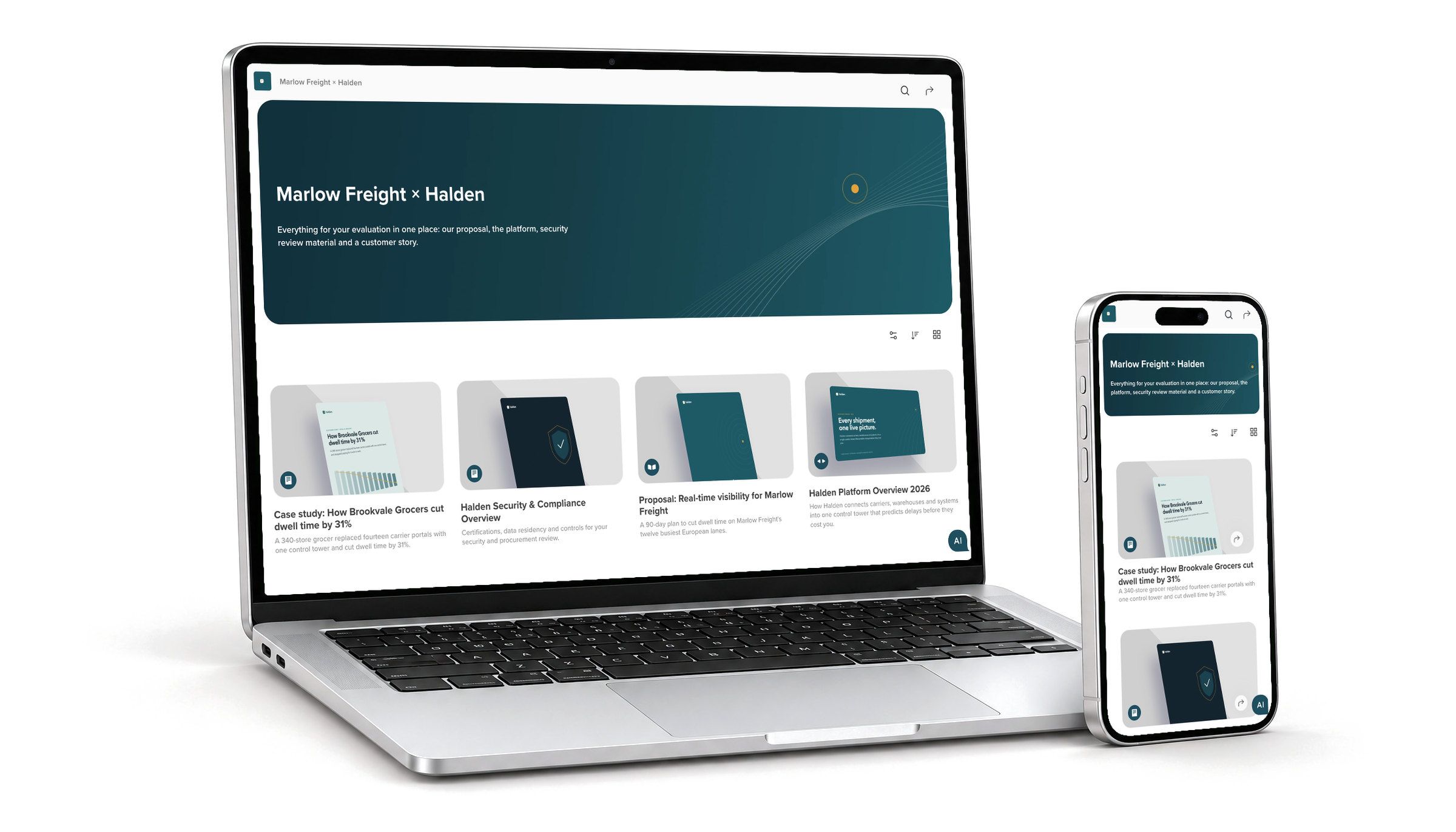
Everything they need to decide, behind one link
Give every deal a digital sales room, and every client, partner or team a portal, on your brand. You decide who gets in and see what they read.
Hotspot Therapeutics closed a $100M Series C with RELAYTO experiences and content hubs.





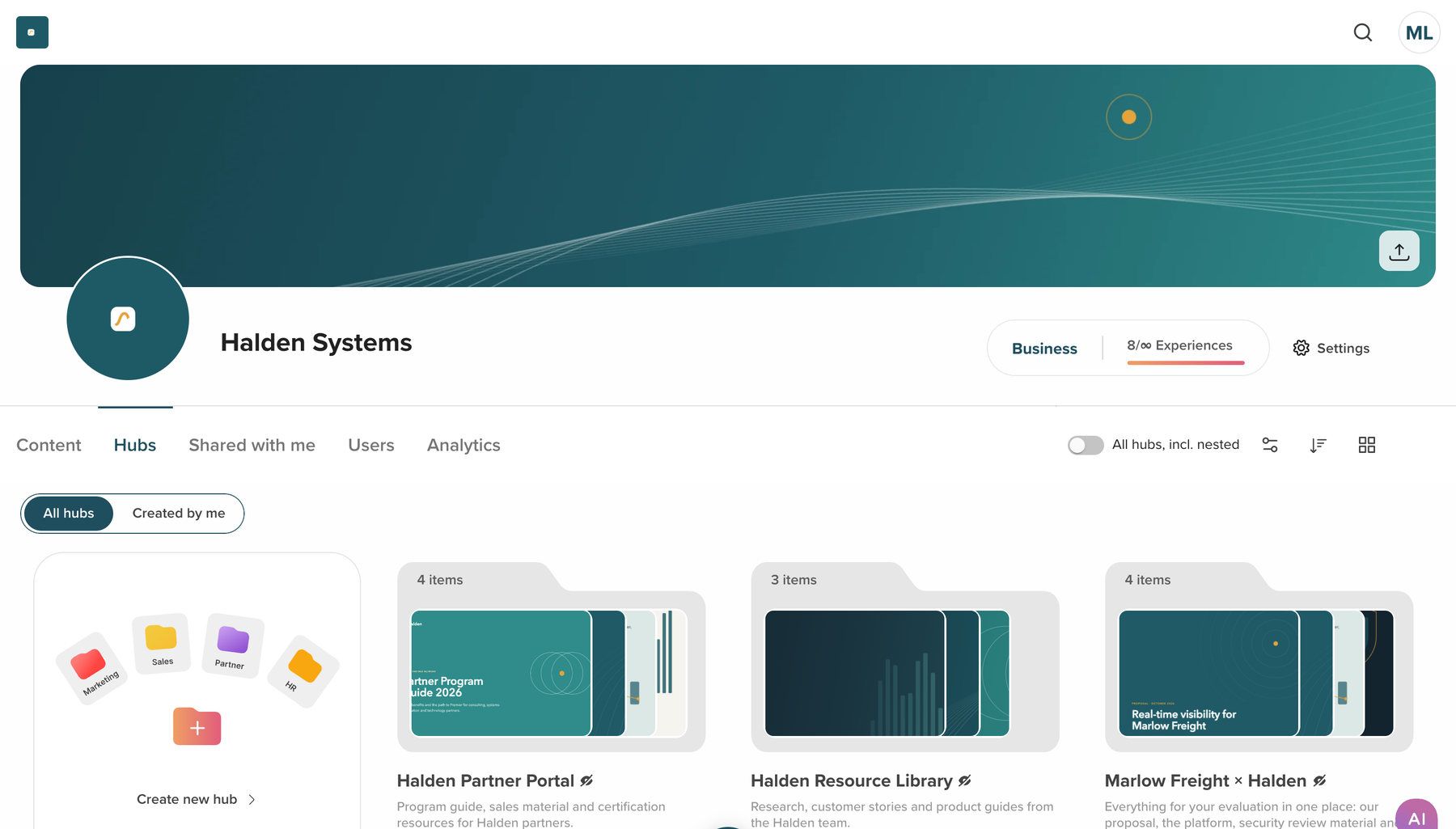
Your own team builds and updates every room
Start from a template or a blank hub, add the documents you have, set the cover, navigation and call to action, and decide who gets in. Your editors do it without a developer.
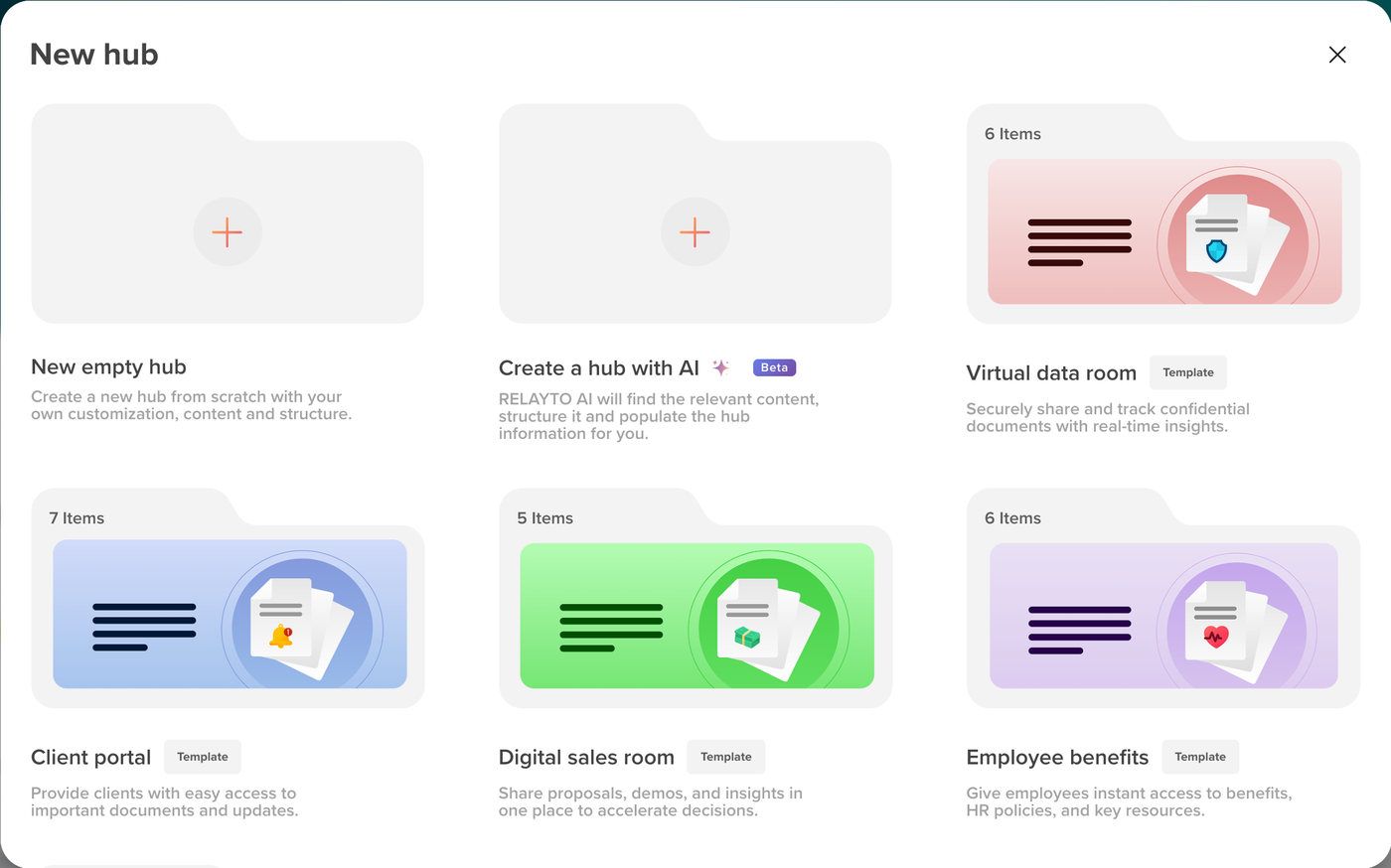
A template for each room
Digital sales room, virtual data room, client portal and employee benefits, ready to fill.
Sections with their own access
Put a hub inside a hub for each topic, with its own cover and access.
Changes go live at once
Edit a hub or its documents, and the same link shows the new version.
Answers from every document in the hub
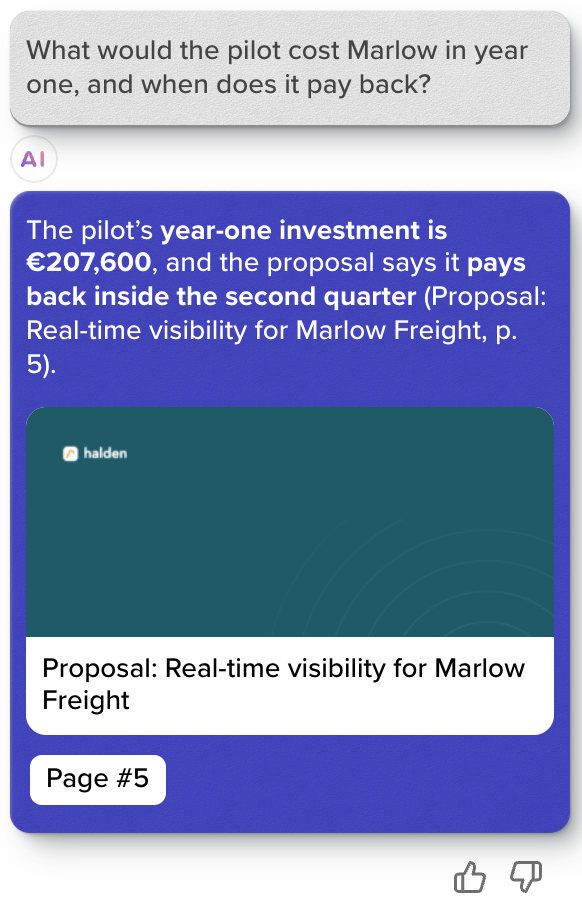
Readers ask the hub a question in plain words, the way they would ask your team, and its AI answers from the documents inside it.
How AI chat works inside a document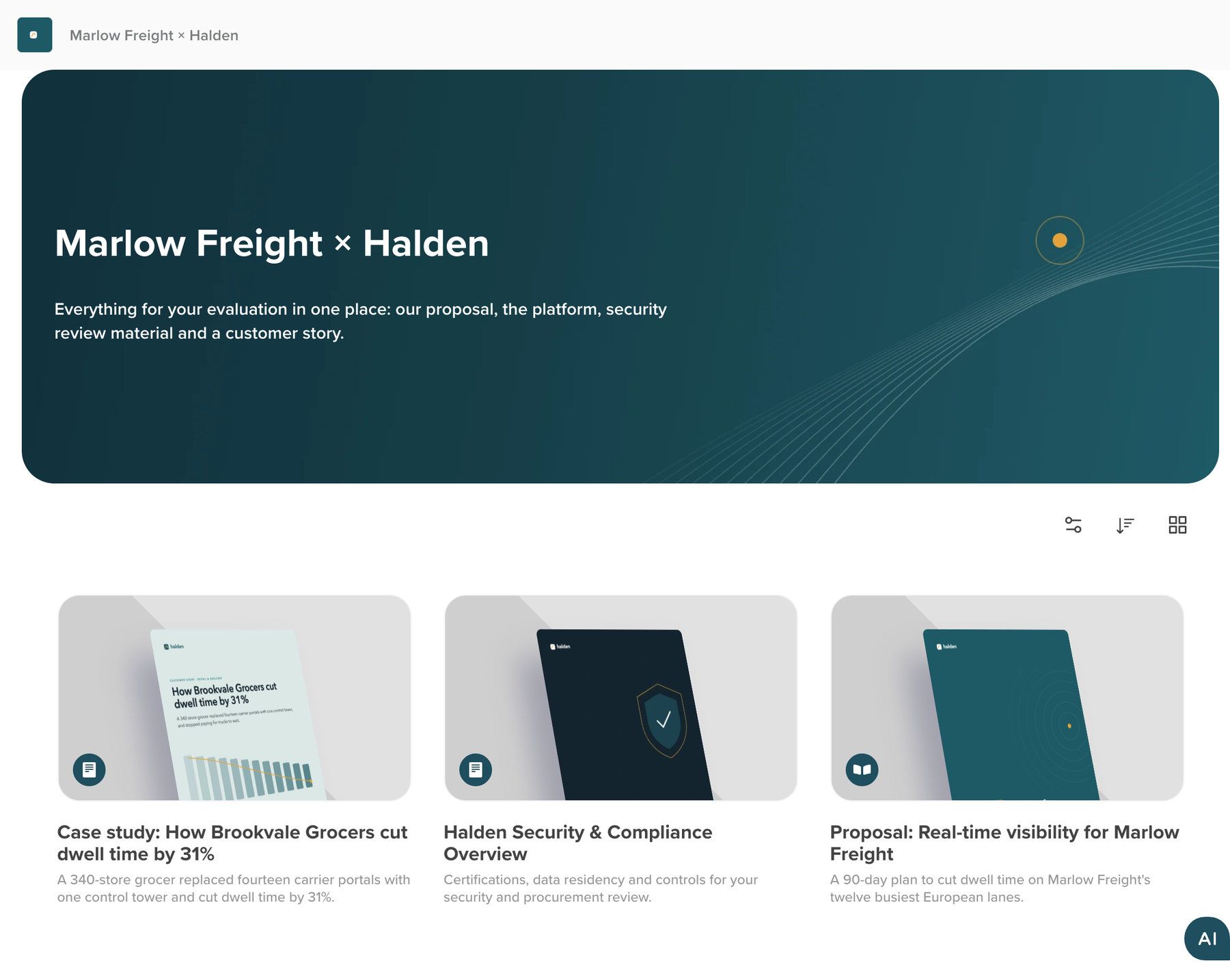
Every document at once
Ask about price, payback or security, and the answer draws on the whole hub.
Answers that cite
Answers name the document and page they come from, and one click opens it.
Yours to set
Turn the chat off for a hub, or choose the questions it suggests.
What the buying group read, and for how long
The hub adds up every visit across its documents, so you know what each person opened before you follow up.
Marlow Freight × HaldenAnalyticsLast 30 days
1This hub
- Visitors
- 11
- Visits
- 37
- Page views
- 548
- Time spent
- 2h 54m
- Interactions
- 64
2People
- DODaniel OkaforVP Operations52 minToday
- PRPriya RamanIT Security38 minYesterday
- ABAnna BergProcurement9 min3 days ago
3Documents
- Proposal: Real-time visibility for Marlow Freight91%
- Halden Security & Compliance Overview73%
- Case study: Brookvale Grocers55%
- Halden Platform Overview 202636%
- The hub in total: visitors, visits, page views, time spent and interactions.
- Each person you invited, and how much of the hub they have read.
- Each document, by the share of visitors who opened it.
“The best feature has been the ability to track when a prospect accessed our proposal and forwarded it on.”
 Tara HeptinstallHead of Marketing, THETA
Everything Hubs does
Every room on this page is a hub, built and secured the same way.
- Sales Rooms
- A private hub per deal, with its own invitations, call to action and analytics.
- Investor Portals
- Public hubs for results, reports and events, with a section for each series.
- Data Rooms
- Behind a password or invitations with end dates; each invited person’s visits recorded.
- Partner & Channel Portals
- Partners at approved domains get in with a one-time email code.
- Employee Benefits & HR Portals
- An Employee benefits template; guides and plans read on any phone.
- Resource & Knowledge Libraries
- Items in a grid, list or rows, sorted by date, name or your order.
- Nested hubs
- Hubs inside hubs; one invitation reaches every level at once.
- Hub search + AI chat across every asset
- Search and AI answers across every item, with suggested questions you set.
- Next-content recommendations
- At the end of each item, the hub offers the next one.
- Hub templates
- Four ready-made templates, or copy a finished hub with its items and design.
Access you can explain to your security team
Your team sets the access rules for each hub, and can show a reviewer who opened what.
SOC 2 Type 2, GDPR, HIPAA and CCPA, documented in the Trust Center.
How Content Security works- Five privacy modes
- Public, unlisted, require an email, password protected, or private to the people you invite.
- Verified emails, approved domains
- Verify each email with a one-time code, or let in only the addresses and domains you approve.
- Roles and end dates
- Owner, editor, commenter, analytics viewer or viewer, each invitation with an optional end date.
- Your domain and brand
- Your logo and colours, on your workspace’s subdomain or a domain our team sets up.
- Single sign-on
- Your team uses Google, Microsoft, LinkedIn or company SSO, which can be made mandatory.
- A record of every visit
- Who opened which document, when, for how long, on what device and from where.
Your first room in four steps
Nothing has to be migrated, so a first hub can go out the day you start.
- Step 1
Start from a template
Pick one of four templates, copy a hub you built, or start blank.
- Step 2
Add what you have
Upload PDFs, decks and videos, or link pages; each opens as a web page.
- Step 3
Decide who gets in
Choose a privacy mode, then invite people or approve their domains.
- Step 4
Share one link
Send it, or embed the hub on your site, then see who opens what.
Hubs embed on your website or intranet and hold content from 880+ providers, such as YouTube, Vimeo and Google Docs. Reader data exports as CSV for HubSpot, Salesforce or a spreadsheet. See every integration
Works with the rest of RELAYTO
- PDF to WebPDFs and decks as web pagesFill a hub from the PDFs and decks you already have.
- AnalyticsSee who read what, page by pageTurn the hub’s visits into people, accounts and the pages they read.
- Content SecurityShare documents securelyOne set of access rules, SSO and your domain across every hub.
- AI BuilderOn-brand microsites from a briefMake the pages that go in it from a brief, on brand.
Common questions
About sales rooms, data rooms, shared drives, access, domains and the AI chat.
What is a digital sales room?
A digital sales room, or deal room, is a private, branded web page for one deal that holds everything the buying group needs, from the proposal and deck to case studies and video, behind one link. In RELAYTO, a sales room is a hub with its own invitations, AI answers and a record of who read what.
What is a RELAYTO hub?
A hub is RELAYTO’s name for one branded web page holding the documents, videos and pages for one audience. It can be a sales room for a deal, a portal for clients, partners, investors or staff, or a resource library. Readers open everything from one link on any device, without downloading files.
Can a hub be used as a data room?
Yes, for sharing due-diligence or investor material. Put the hub behind a password, or invite named people with an end date and see each person’s visits. It has no watermarking, redaction or due-diligence Q&A workflow, so a deal that needs those should use a dedicated virtual data room.
How is a hub different from SharePoint or a shared drive?
A shared drive stores files for your own team; a hub is made for the people outside it. Every file opens as a web page in your brand, readers can search or ask the AI chat across all of it, and you see who opened what. Keep your working files where they are and publish the approved versions to a hub.
Can we limit a hub to named people?
Yes. Make it private to the people you invite, protect it with a password, or let in only verified email addresses at domains you approve. Invitations can carry an end date, and a hub inside a hub can have its own rules. A plain email prompt is a lead form: it collects details but keeps no one out.
Do buyers need an account to open a sales room?
Only if the room is private. A public or unlisted sales room opens in any browser, and one behind a password or an email prompt opens as soon as the buyer fills it in. A private document or hub opens only for invited people, after each signs in with a RELAYTO account or creates one.
Can a hub run on our own domain?
Yes. Our team sets up your own domain, such as rooms.yourcompany.com. Every workspace also has its own address, such as halden.relayto.com, and its hubs carry your logo and colours.
What does the AI chat answer from?
Only from the documents in the hub. Answers name the document and page they come from, so a reader can check them in one click. You can turn the chat off for a hub, and set the questions it suggests.
What will you put in your first hub?
Send us the documents for your next deal, investor update or partner launch, and we will build the hub with you.