
Keep the PDF you approved, lose the download
A PDF viewer for your website: your PDF opens as a web page on any device. Readers search it and ask it questions, and you see which pages they read.
LHD Benefits doubled its win rate in competitive bids with RELAYTO.





Switch on what sits beside the page
Search, answers and narration are for readers, and analytics are for your team. Turn each one on to see where it sits.
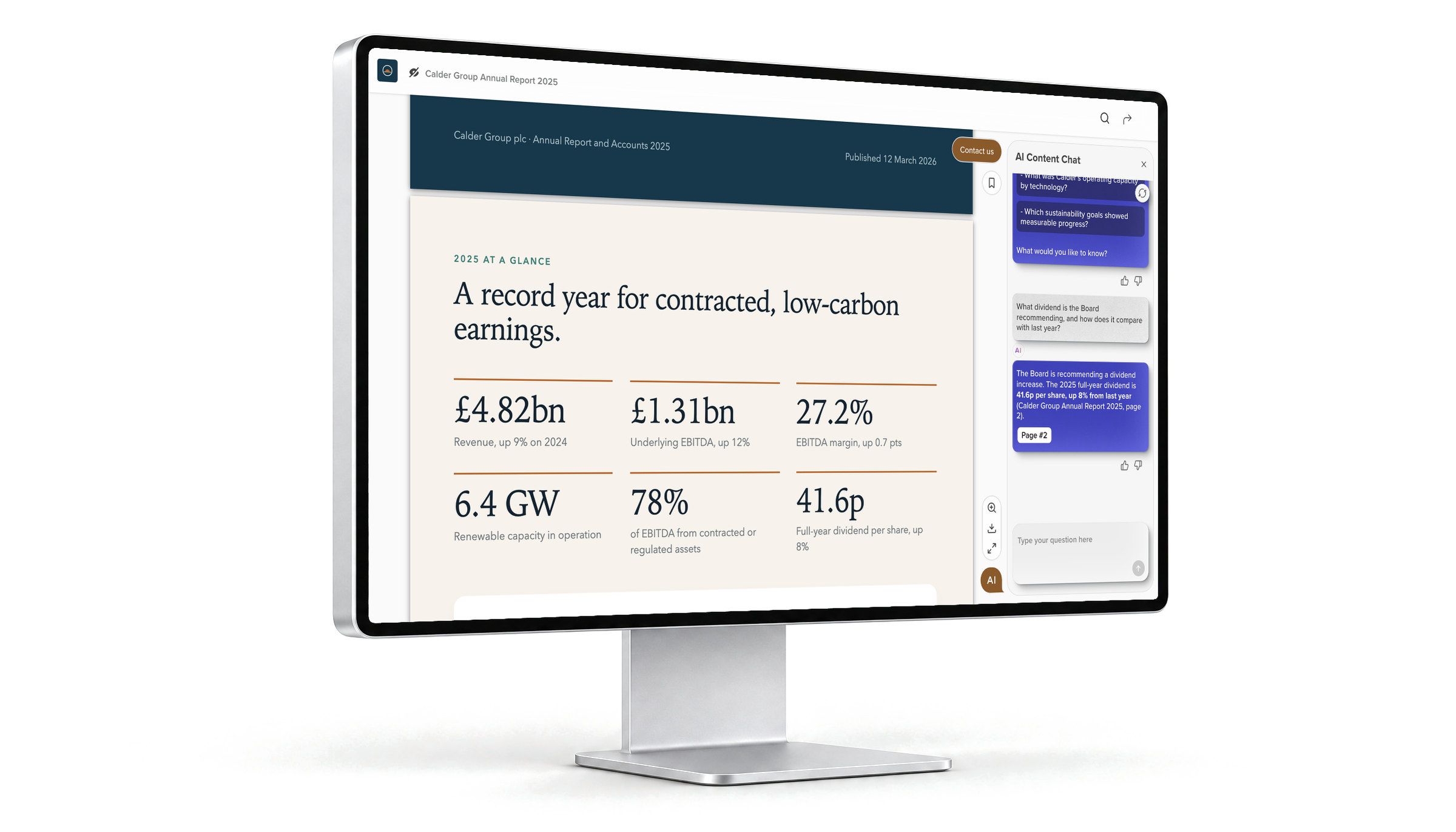
Answers that take readers to the page
Readers ask questions about the PDF in plain words and in their own language. Each answer comes from the document’s text and names the page its figures are on, so anyone can check it.
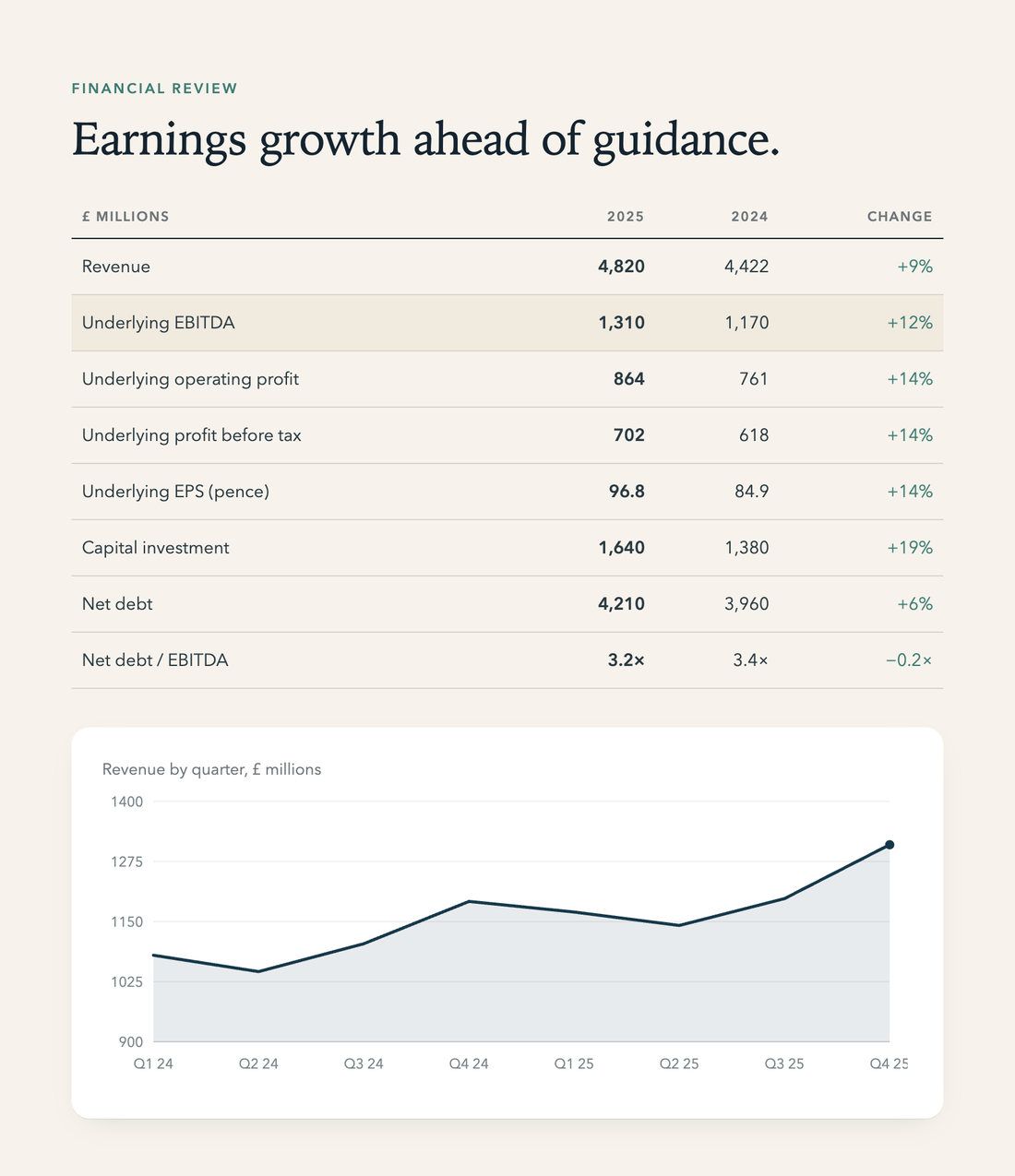
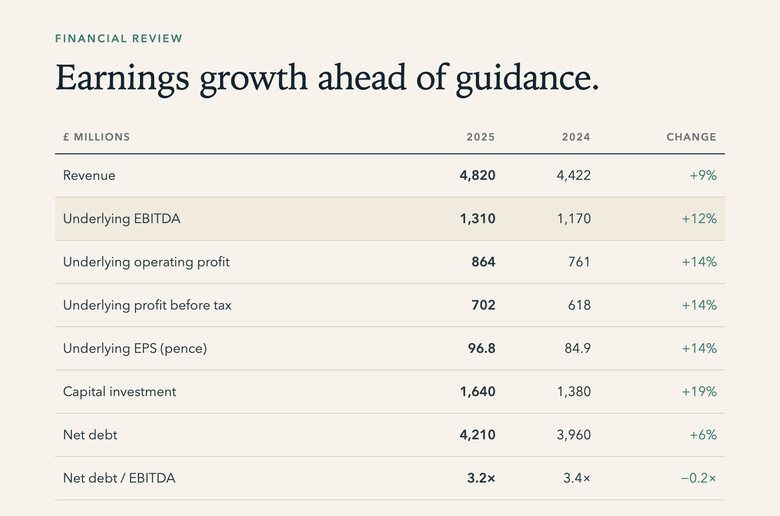
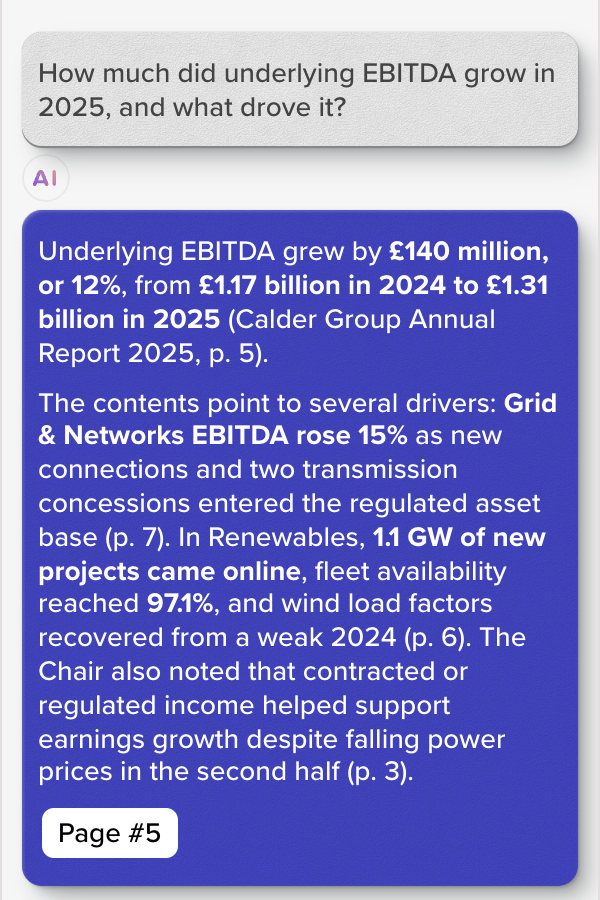
- Each figure in the answer comes with its page: 5, 7, 6 and 3.
- One click on the page button opens page 5.
- Page 5 of the PDF, where the £1.31 billion and the 12% come from.
Search inside the PDF from a phone
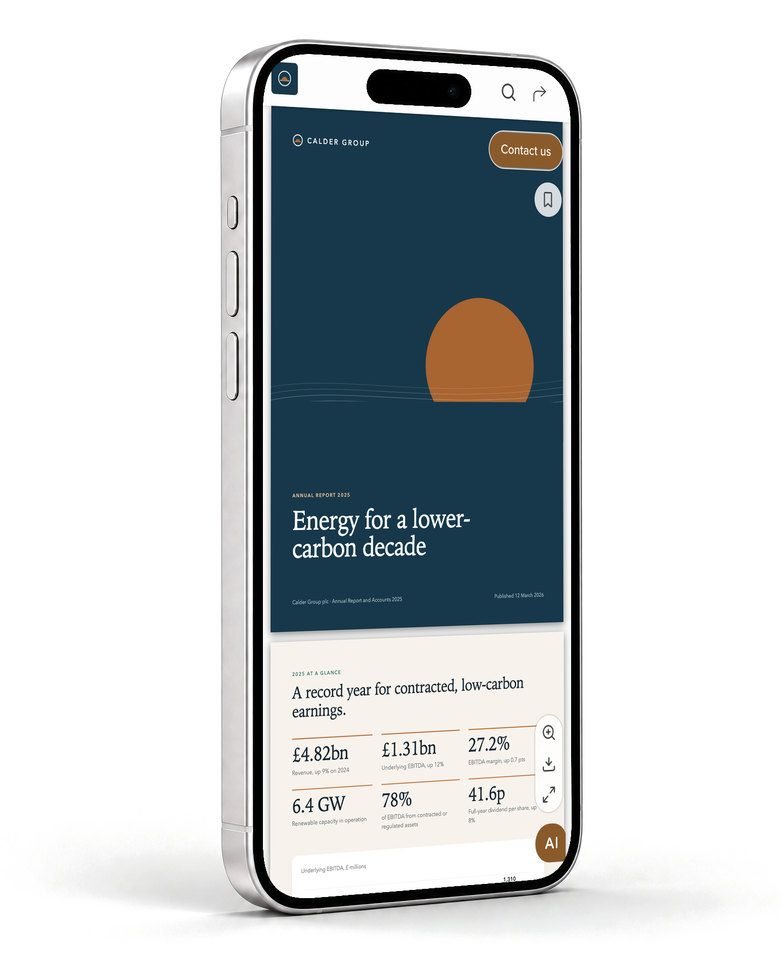
The PDF’s own pages fit the phone’s screen, and one search covers every page of the report.
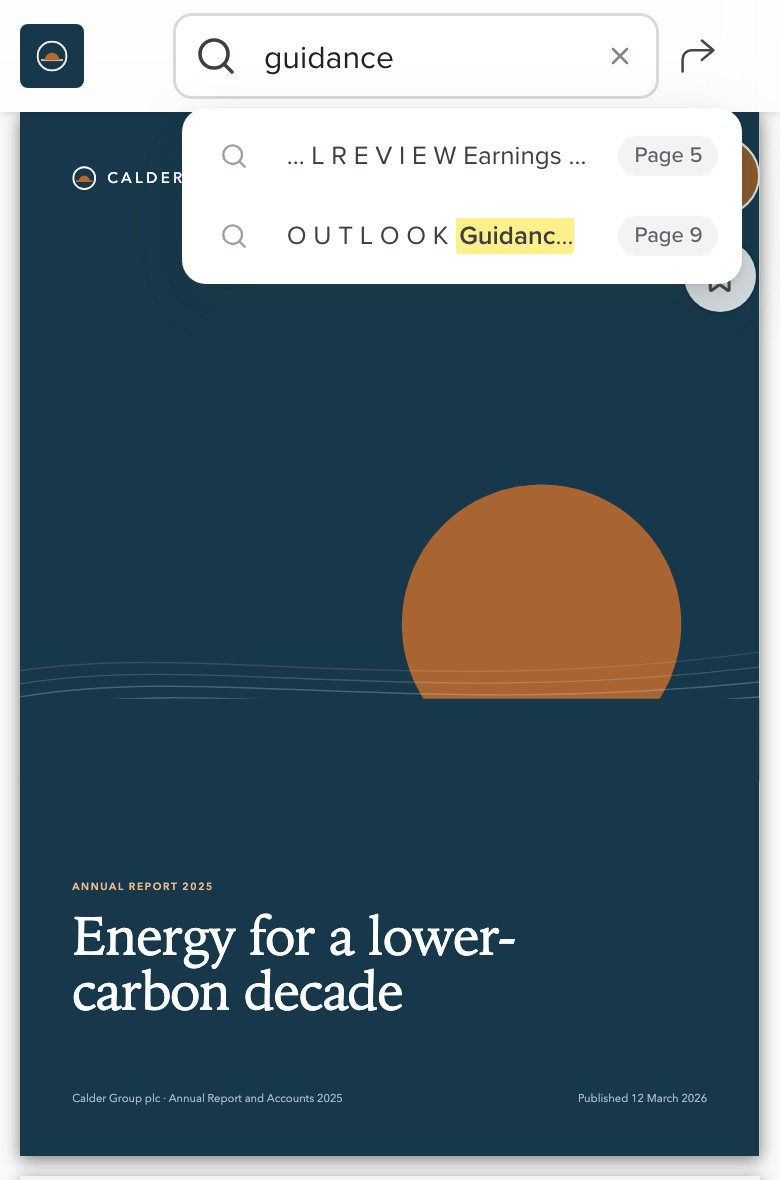
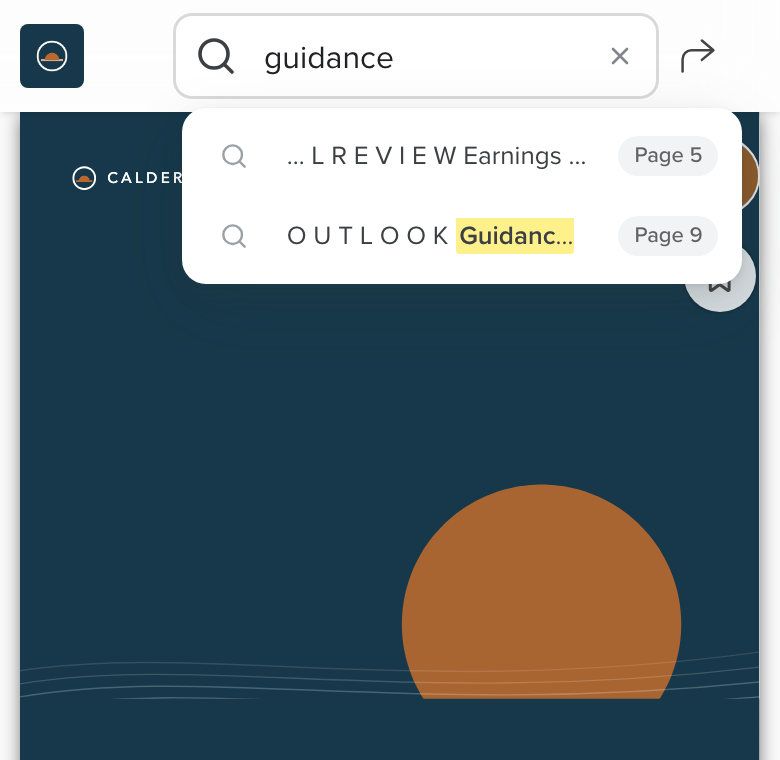
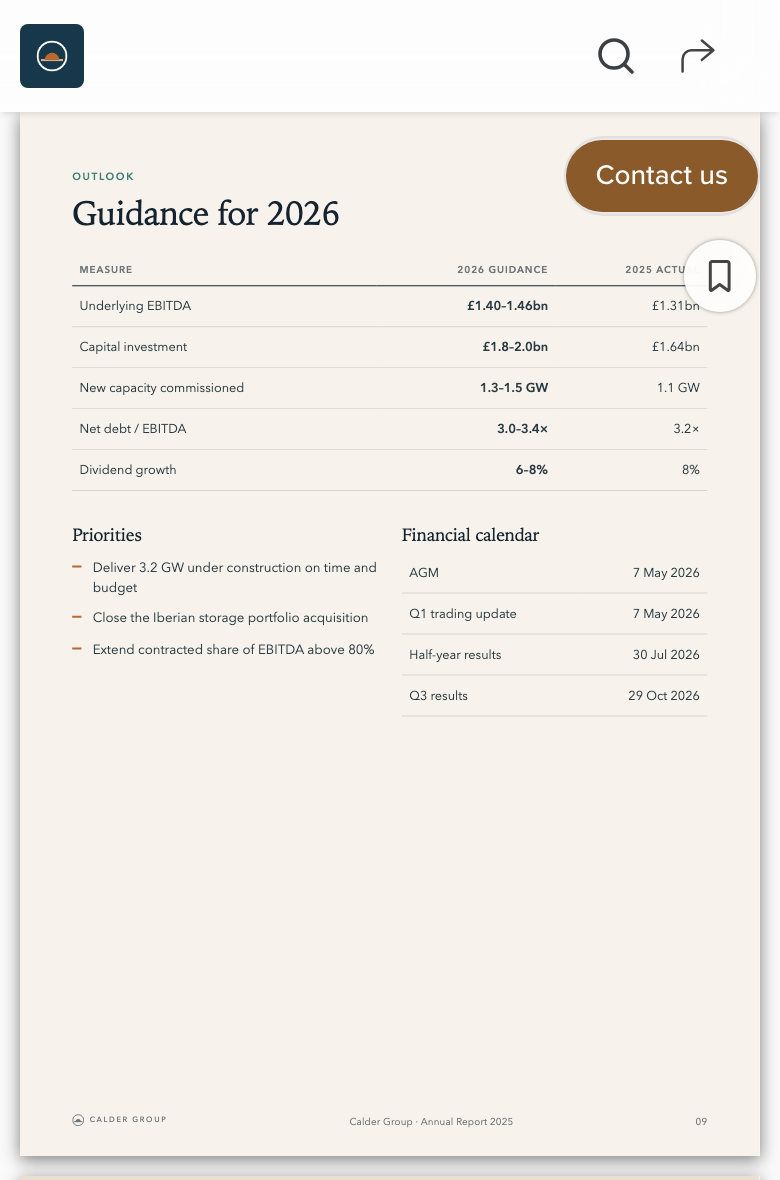
- A search for “guidance” on a phone.
- Two matches, each with its page.
- One tap on Page 9 opens it: “Guidance for 2026”.
A PDF viewer for your website and intranet
To embed the PDF, your web team pastes two lines into any page, and it opens there at the page you choose. Or send a link, or a personal link with a message.
RELAYTO for employee benefits teamsBBrightwell peopleHomeBenefitsPayHelp

Open enrollment 2027Enrollment closes November 30. Read the guide, ask it anything, then choose your plan.

Embed
ViewerCard
2Automatic size
The content will adjust automatically to the page
3Start at page6
Autoplay5sec/page
Code:
<script src="https://yourcompany.com/embed.js" type="module"></script>
<relayto-embed src="https://benefits.yourcompany.com/e/brightwell-benefits-guide-2027?embed=1#page=6"></relayto-embed>
Copy
- The PDF inside your own page, with its controls and AI chat.
- Automatic size, or the width and height you set.
- Open on any page, or turn pages on a timer.
Everything the AI PDF Viewer does
- Open any PDF as a web page, no download
- Your PDF’s own pages, as filed, in any browser, with nothing to install.
- Search inside the document
- Every match listed with its words and page number; one click goes there.
- AI Content Chat: ask the document
- Answers from the document’s text, with the page; on or off per document.
- AI Narration
- Eleven AI voices read the text you set per page, or record your own.
- Mobile-friendly and accessible
- Pages fit any screen; the text stays real text for zoom and screen readers.
- Reader analytics
- Readers, visits and time on each page, by person when they are known.
- Share and embed anywhere
- A link, a personal link with a message, or embed code for any page.
The document stays under your control
Each document has its own access rules and download setting, set by your team.
SOC 2 Type 2, GDPR, HIPAA and CCPA, documented in the Trust Center.
How Content Security works- Ways in
- Public, unlisted, an email form, a password, or named people you invite.
- Approved domains
- People at approved domains get in with a one-time code sent to their email.
- Downloads are your call
- The file downloads only if you allow it: the original, or one you choose.
- One link for every version
- Upload a new version, review what changed, and readers keep the same link.
- The AI chat, per document
- It answers from the document’s own text, and you can switch it off.
- Your own domain and brand
- Documents open on your domain or subdomain, in your colours, without RELAYTO branding.
Live with the PDF you already have
There is nothing to redesign or reformat, and every choice after the upload is a setting you can change later.
- Step 1
Upload the PDF
The approved file opens as a web page in any browser.
- Step 2
Choose what sits beside it
Turn the AI chat, narration and downloads on or off, and write suggested questions.
- Step 3
Decide who can read it
Open it to anyone, or only to the people and domains you name.
- Step 4
Share or embed it
Send the link or embed it in your site, then see what was read.
Documents embed in any website or intranet page, and reader data exports as CSV for HubSpot, Salesforce or a spreadsheet. See every integration
When a PDF needs more than a viewer
- PDF to WebPDFs and decks as web pagesBring in decks, Word files and video too, each kept current at one link.
- Content ExperienceDocuments that read aloud and answer questionsShow the document as slides or a flipbook, with animation and a smart outline.
- HubsDigital sales rooms and portalsPut related PDFs behind one link, with one chat across all of them.
- AnalyticsSee who read what, page by pageSee which people and accounts read it, and the pages they stayed on.
Common questions
About embedding, downloads, the AI chat, versions and accessibility.
How do I add a PDF viewer to my website?
Upload the PDF to RELAYTO, copy its embed code and paste the two lines into any page of your website or intranet. The PDF opens inside that page at an automatic size or one you set, starting at the page you choose, with its page controls and, if you switch it on, the AI chat.
Can people read a PDF online without downloading it?
Yes. The PDF opens as a web page in any browser, with nothing to install, and the file downloads only if you allow it. A private document or hub opens only for invited people, after each signs in with a RELAYTO account or creates one. Switching downloads off removes the button, but anyone who can see a page can still screenshot it, so decide who can open confidential files.
Does our PDF change when it opens as a web page?
No. Readers see your PDF’s own pages, with the same layout, fonts, figures and page numbers, drawn in the browser from the file you uploaded. Search, the AI chat and narration sit beside the page and never alter it.
Can readers ask questions about the PDF?
Yes. The AI chat answers from the text of the document it sits in, names the page a figure comes from, and says it is not sure when the document holds no answer. It is an AI, so an answer can still be wrong; the page link lets a reader check. You can write its suggested questions yourself.
We already put our PDFs on our website. What changes?
A PDF link hands readers a file and tells you nothing more. Here the same file opens as a web page, with search and answers beside it, and you see which pages were read. Downloads become your choice, and a new version replaces the old one behind the same link.
What happens when we publish a new version?
You upload the new PDF to the same document. RELAYTO shows you what changed between the two files before you publish, and readers keep the same link, so nothing you have sent goes out of date.
Is the viewer accessible?
The text on each page stays real text, so readers can select it, enlarge it and use a screen reader, and links inside the PDF keep working. Narration reads pages aloud. A page is still only as accessible as the PDF behind it, so tagged PDFs with alt text read best.
How is this different from PDF to Web?
The AI PDF Viewer shows your approved PDF unchanged, on your own site, with search, the AI chat, narration and reader analytics beside it. PDF to Web brings in many file types, such as PowerPoint, Word and video, and keeps each one current at one link. Choose the viewer when the PDF itself is the document of record.
Which PDF do your readers download most?
Bring it to a demo, and see it open as a web page.